How to add YouTube chapters
On this page
To add chapters to a YouTube video, paste a list of timestamps and titles into the video description. The first timestamp must be 0:00, you need at least three timestamps in ascending order, and each chapter must be at least 10 seconds long. Save, and YouTube splits the progress bar into chapters automatically.
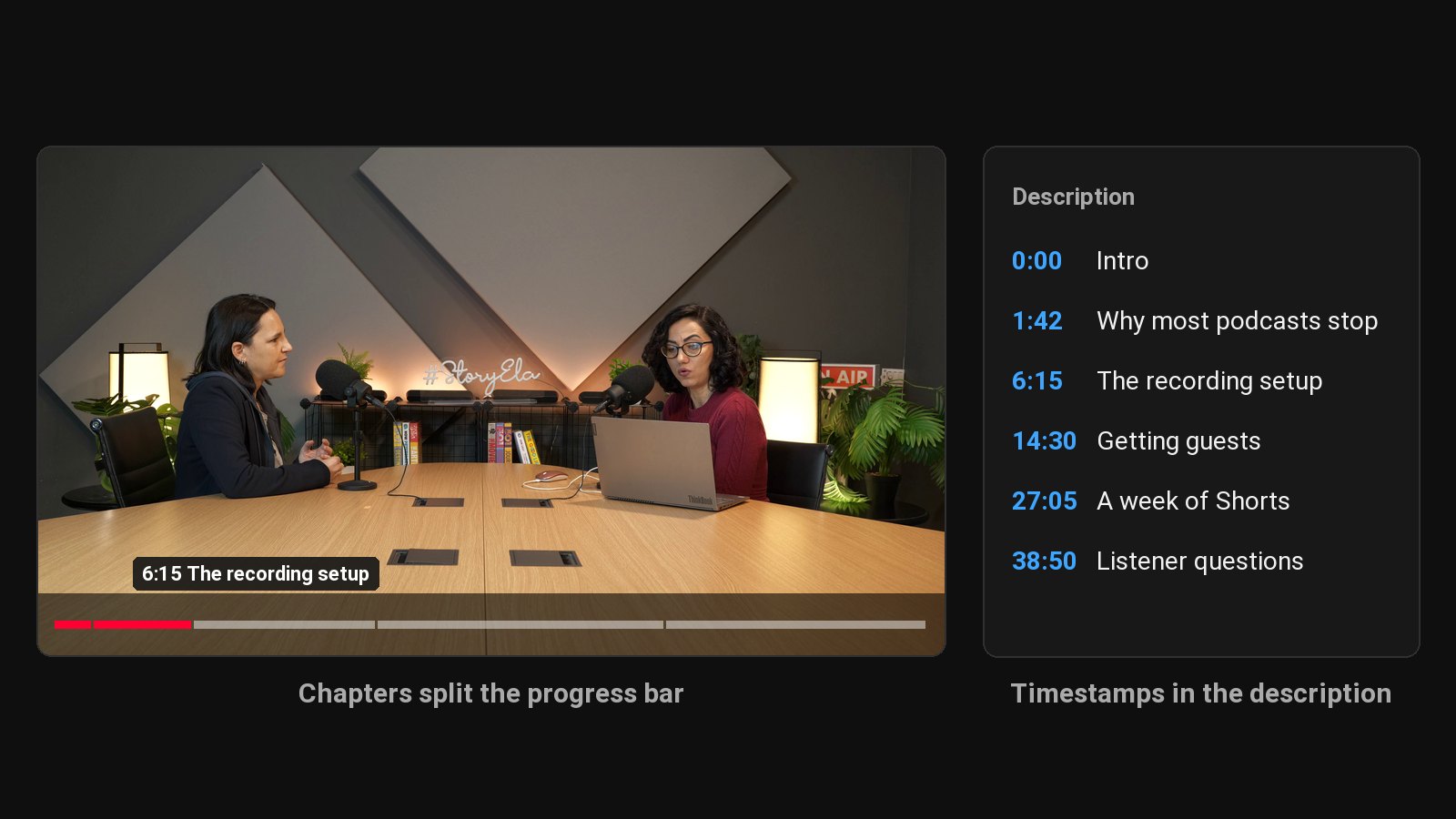
Those rules come from YouTube's video chapters help page. The rest of this guide covers the format YouTube expects, why chapters are worth the five minutes, and how to write them without rewatching your whole video.
The format YouTube expects
Put the list on its own lines, with the timestamp first:
0:00 Intro
1:42 Why most podcasts stop at episode 7
6:15 The recording setup that costs under $200
14:30 How we get guests without cold email
27:05 Turning one episode into a week of Shorts
38:50 Listener questions
Rules that trip people up:
- Start at 0:00. Not 0:01, not 0:05. If the first timestamp isn't 0:00, YouTube ignores the whole list.
- Three or more. Two timestamps won't create chapters.
- Ascending order, each one later than the last.
- Ten seconds minimum per chapter.
- Hours use h:mm:ss, like
1:04:10.
Chapters can take a little while to appear after you save. If they don't show up, check the rules above, and check that automatic chapters aren't clashing (see below).
Why chapters are worth adding
Viewers skip to what they came for instead of leaving. On a 60-minute podcast, someone who only cares about one topic can jump to it. Without chapters, they scrub, get lost and close the tab.
Chapters can show up in Google. Google sometimes shows "key moments" from YouTube videos in search results, linking straight to a timestamp. Clear chapter titles give it something to work with.
They make the description useful. A description with chapters reads like a table of contents, which tells both viewers and YouTube what the video covers.
How to write good chapter titles
Chapter titles are tiny headlines. Write them for the viewer who's deciding where to jump:
- Say what's in it. "How we price sponsorships" beats "Part 3."
- Use the words people search for. If viewers search "podcast microphone," put that phrase in the chapter title, not "gear chat."
- Keep them short. Around 3 to 7 words. They show in a small tooltip over the progress bar.
- Skip the filler chapters. You don't need "Outro" unless something happens there.
What goes wrong: chapters every 90 seconds. Twenty chapters on a 30-minute video is noise. Aim for one chapter per real topic change, usually 5 to 10 for an hour-long video.
How to generate timestamps without rewatching
Rewatching an hour-long video to note topic changes takes an hour. Reading is faster:
- Get a transcript with timestamps (YouTube's auto captions, your editor's transcription or a speech-to-text tool).
- Skim it and mark the points where the conversation moves to a new topic.
- Copy the timestamp at each point and write a short title.
That's 10 to 15 minutes for a one-hour episode.
A transcript speeds this up: skim it for where the topic changes and copy those timestamps. Then write the description and tags while the video is fresh.
Automatic chapters vs your own
YouTube can create chapters automatically for some videos. You'll find the setting when you upload, under Show more → Automatic chapters. Chapters you write in the description take priority when they're valid.
Auto chapters are better than nothing. Your own are usually better, because you know which moments matter and you can word them for search.
Timestamp links for sharing a moment
Different thing, same word: a timestamp link sends someone to a specific second of a video. On desktop, right-click the video and choose Copy video URL at current time, or tick Start at in the Share dialog. The link ends in ?t= followed by the number of seconds.
These are useful for pointing a Short or a social post at the exact part of the full episode it came from.
Need the text first? Here's how to get the transcript of a YouTube video. Then cut the best moments into Shorts that send viewers back to the chaptered video.
Common questions
Why aren't my YouTube chapters showing?
Usually one of the rules is broken: the first timestamp isn't 0:00, there are fewer than three, one chapter is under 10 seconds, or the timestamps aren't in order. Fix it and save again.
Do YouTube chapters help SEO?
They help viewers find the part they want, and they give Google clear labels it can show as key moments in search. Neither guarantees a ranking, but both make the video more useful to the people who find it.
Can I add chapters to a YouTube Short?
No. Chapters are for regular videos. For long videos you've clipped into Shorts, put the chapters on the full upload and link each Short back to it.
How many chapters should a video have?
One per real change of topic. For an hour-long podcast, 5 to 10 is typical.