ClipFlame vs Descript
On this page
For podcast clips, ClipFlame is faster and cheaper. Upload the episode and ClipFlame finds up to 20 moments, scores each one for virality, cuts them on full sentences, captions them and schedules them to four platforms, from $19 a month. Descript is a text-based editor: you make the clips yourself, and its full AI clip creation is on the $35 Creator plan.
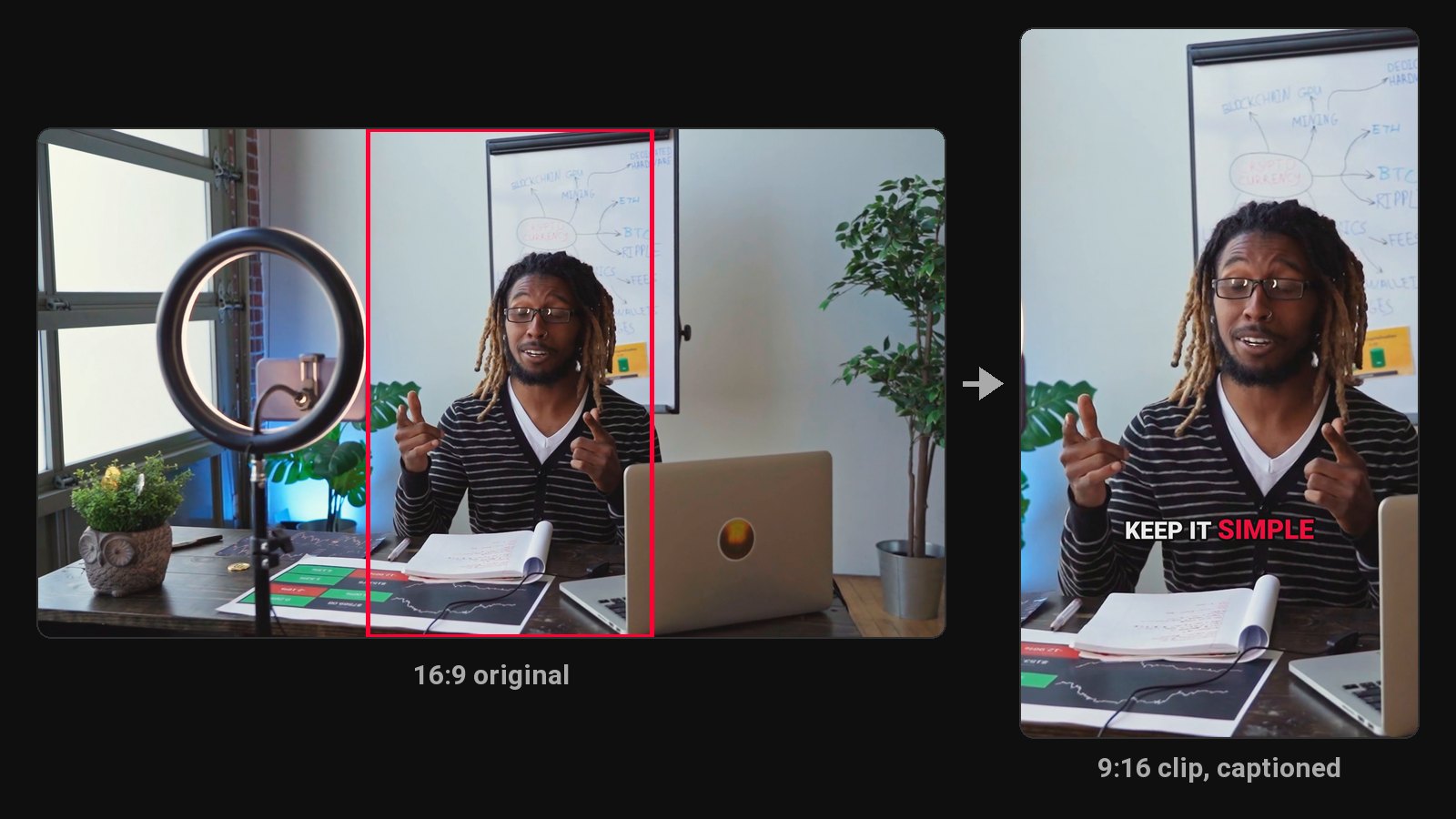
These two overlap in one place: both can turn a long video into short clips. Descript is an editor that can make clips. ClipFlame is built to do the whole clip job for you, from picking the moments to posting them.
Disclosure: we make ClipFlame. Descript's plans were checked on its pricing page in October 2026.
At a glance
| ClipFlame | Descript | |
|---|---|---|
| What it is | AI clipping, captions and scheduling | Text-based audio and video editor |
| Plans | Starter $19/mo ($16 yearly), Pro $39/mo ($32 yearly) | Hobbyist $24/mo, Creator $35/mo, Business $65/mo |
| Full AI clip creation | Every plan, including the free trial | Creator and up |
| Allowance | 4 or 20 hours of video a month | 10, 30 or 40 media hours a month |
| Free option | First 10 minutes of video free | 1 hour a month, 720p, watermarked |
| Who does the cutting | ClipFlame: upload, and the clips come back finished | You, in the editor, with AI help |
| Virality score | Yes, every clip scored 0-100, best first | No |
| Clips per video | Up to 20, each on full sentences | As many as you cut |
| Captions on clips | 7 word-by-word styles, 3 in your brand colour | Yes |
| Scheduling | Every plan: YouTube, Instagram, TikTok, Facebook | Publishing to some platforms |
| Titles and hashtags per platform | Yes | No |
Editor or done for you
In Descript, you're the editor. You open the project, read the transcript, cut, arrange and export. Its AI assistant helps, but you're still working inside an editor, and there's a learning curve.
In ClipFlame, you upload and the clips come back. It reads the transcript, picks the moments that make sense on their own, cuts them on full sentences, frames the speaker for vertical, burns in captions and scores every clip, so the strongest ones are at the top. Review them, nudge an edge or fix a word if you want, and re-render for free, up to 30 times per video. Then put them on the calendar.
Pricing for a weekly podcast
| Your schedule | ClipFlame | Descript |
|---|---|---|
| Weekly 60-minute podcast, clips | Starter, $19 ($16 yearly) | Creator, $35 ($24 yearly) |
| Weekly 2-hour podcast, clips | Pro, $39 ($32 yearly) | Creator, $35 ($24 yearly) |
| Two shows, clips scheduled for both | Pro, $39 ($32 yearly), 3 brands | Creator or Business |
For a weekly one-hour show, ClipFlame costs about half of Descript Creator on monthly billing, and it includes the scheduling and per-platform captions Descript doesn't write for you. For longer shows, ClipFlame Pro gives 20 hours of video a month for $39, and it does the cutting and posting for you.
Clip quality
ClipFlame's picker is tuned for one job: clips of 15 to 90 seconds, most of them 20 to 60, that start and end on full sentences and don't need the rest of the episode to make sense. Each one gets a 0-100 virality score, and clips scoring 80 or more are highlighted, so you know which to post first.
What else you get
ClipFlame's scheduler posts each clip to YouTube, Instagram, TikTok and Facebook at the time you pick, with a title, caption and hashtags written for that platform. Starter includes 150 posts a month, Pro 750. The brand kit puts your watermark, end card and caption colour on every clip, and captions can be translated into any of nine languages.
Using both
If you already edit your full episode in Descript, export it and upload the finished file to ClipFlame. Your clips keep the cleaned-up audio, and you stop spending Descript media hours hunting for Shorts.
Which should you pick?
| If you... | Pick |
|---|---|
| Want clips without learning an editor | ClipFlame |
| Want clips ranked by a virality score | ClipFlame |
| Want clips posted to four platforms for you | ClipFlame, scheduler on every plan |
| Want clips for less than $20 a month | ClipFlame Starter |
| Create in Hindi | ClipFlame, with captions in Devanagari |
More options: Descript alternatives and how to make podcast clips.
Common questions
Is ClipFlame easier than Descript?
For clips, yes. You upload and get finished, captioned, scored clips back, ready to schedule. Descript is a full editor, so there's more to learn and more to do.
Is ClipFlame cheaper than Descript for clips?
Yes. ClipFlame Starter is $19 a month for 4 hours of video, enough for a weekly one-hour podcast. Descript's full AI clip creation starts on Creator at $35 a month, or $24 billed yearly.
Can Descript make YouTube Shorts?
Yes. Its AI assistant can pull clip-worthy moments from a long video, and you export them vertically from the editor. Full clip creation is on Creator and up.
Is Descript free?
There's a free plan with 1 hour of media a month, 720p exports and a watermark. ClipFlame's free trial is your first 10 minutes of video.