ClipFlame vs Submagic
On this page
For podcasts, interviews and talks, ClipFlame is the better pick. It finds the moments inside a long video, scores every clip for virality, cuts up to 20 clips per video, captions them and schedules them, all from $19 a month. Submagic's plans cap videos at 2 to 30 minutes, and clipping long videos needs its Magic Clips add-on on top, about $38 a month for a weekly podcast.
These two get compared a lot, but they start from different ends of the job. Submagic's core is editing a video that's already short. ClipFlame's core is finding the short videos inside a long one, then getting them posted.
Disclosure: we make ClipFlame. Submagic's plans were checked on its pricing page in October 2026.
At a glance
| ClipFlame | Submagic | |
|---|---|---|
| Built for | Long videos: podcasts, interviews, talks, webinars | Short videos you've already cut |
| What you get per video | Up to 20 scored clips, captioned, with titles, hashtags and a posting schedule | Captioned, edited short video |
| Finds clips in long videos | Yes, it's the core feature | Through the Magic Clips add-on |
| Plans | Starter $19/mo ($16 yearly), Pro $39/mo ($32 yearly) | Starter $19/mo, Pro $39/mo, Business $69/mo |
| Clipping a weekly one-hour podcast | $19 a month on Starter | Starter plus Magic Clips, about $38 a month |
| Video length | Full episodes and long streams | 2 min (Starter), 5 min (Pro), 30 min (Business) |
| Captions | 7 word-by-word styles, 3 in your brand colour | Animated templates, emojis, effects |
| Free option | First 10 minutes of video free | Free trial |
| Languages | 9, detected automatically, plus caption translation | Many languages |
Short in or long in
If you film yourself talking to camera for 60 seconds, you don't need a tool to find the clip. You need captions and quick edits, and Submagic is built for that.
If you record a 90-minute conversation, the hard part is finding the eight moments worth posting and cutting them cleanly. That's ClipFlame's job. It reads the whole transcript, picks moments that make sense on their own, cuts them on full sentences, frames the speaker for vertical, adds word-by-word captions and scores each clip so the best ones come first.
Submagic can clip long videos through its Magic Clips add-on, listed at $19 a month on monthly billing on top of a base plan. Clipping a weekly podcast with Submagic means Starter plus Magic Clips: about $38 a month, against $19 for ClipFlame Starter with scheduling included.
Captions
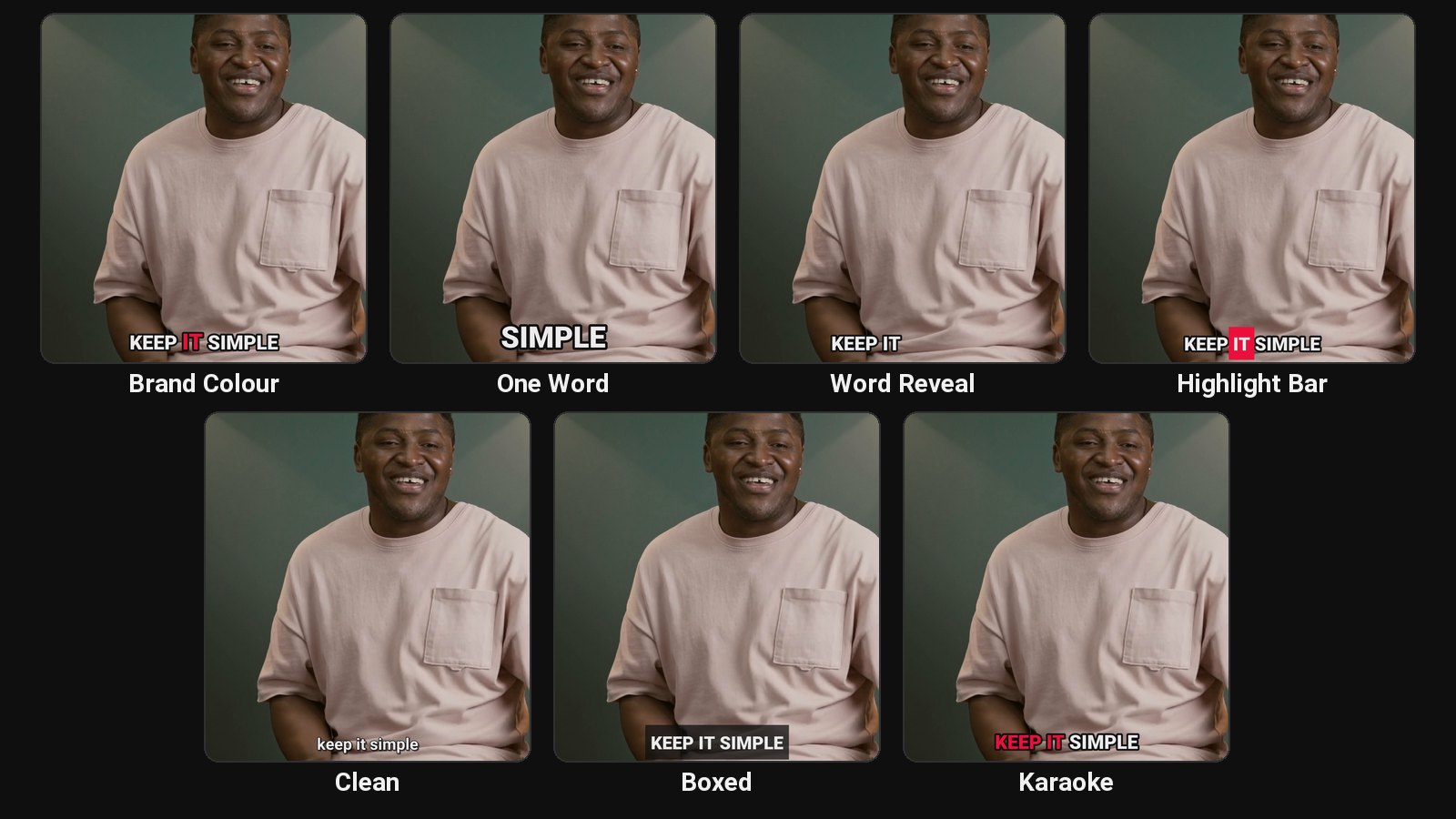
ClipFlame's seven styles are built for talking clips: Brand Colour, One Word, Word Reveal, Highlight Bar, Clean, Boxed and Karaoke. Three use your brand colour, so every clip looks like your channel. Switch style per clip and re-render for free. See them in the caption styles section, or read what makes captions readable.
Captions come in the spoken language across nine languages, Hindi included in proper Devanagari script, and you can translate them into any of the others with the word timing kept.
What else each upload gives you
Every ClipFlame clip comes with a virality score, a title and hashtags written for each platform, and a place on the scheduler calendar, which posts to YouTube, Instagram, TikTok and Facebook at the time you pick. The brand kit adds your watermark, end card and caption colour to every clip.
Which should you pick?
| If you... | Pick |
|---|---|
| Record podcasts, interviews, webinars or YouTube videos | ClipFlame |
| Want clips scored and sorted best first | ClipFlame |
| Want the clips posted for you | ClipFlame, scheduler on every plan |
| Want to upload full episodes and streams | ClipFlame: full episodes, and long streams in one upload on Pro |
Comparing clip tools? See ClipFlame vs Opus Clip, ClipFlame vs Vizard, and our AI clip generator roundup.
Common questions
Is ClipFlame cheaper than Submagic for podcasts?
Yes. Clipping a weekly one-hour podcast costs $19 a month on ClipFlame Starter, with scheduling included. On Submagic it takes a base plan plus the Magic Clips add-on, about $38 a month on monthly billing.
Is Submagic free?
Submagic offers a free trial, not a free plan. ClipFlame's free trial processes your first 10 minutes of video, with every feature.
What is Submagic used for?
Adding animated captions, emojis, zooms and quick edits to short videos for TikTok, Reels and Shorts. Its Magic Clips add-on turns long videos into clips.
Does ClipFlame have Hormozi-style captions?
Yes. The Brand Colour and Highlight Bar styles give the big, bold, word-highlighted look. See how to make Hormozi-style captions.