Alex Hormozi style captions
On this page
Alex Hormozi style captions are big, bold, all-caps words, shown one to three at a time in the centre of the screen, with the current word highlighted in yellow or green and a heavy outline. To make them, use a heavy sans-serif font, show a few words per line, turn on word highlighting, and move the captions to the middle of the frame.
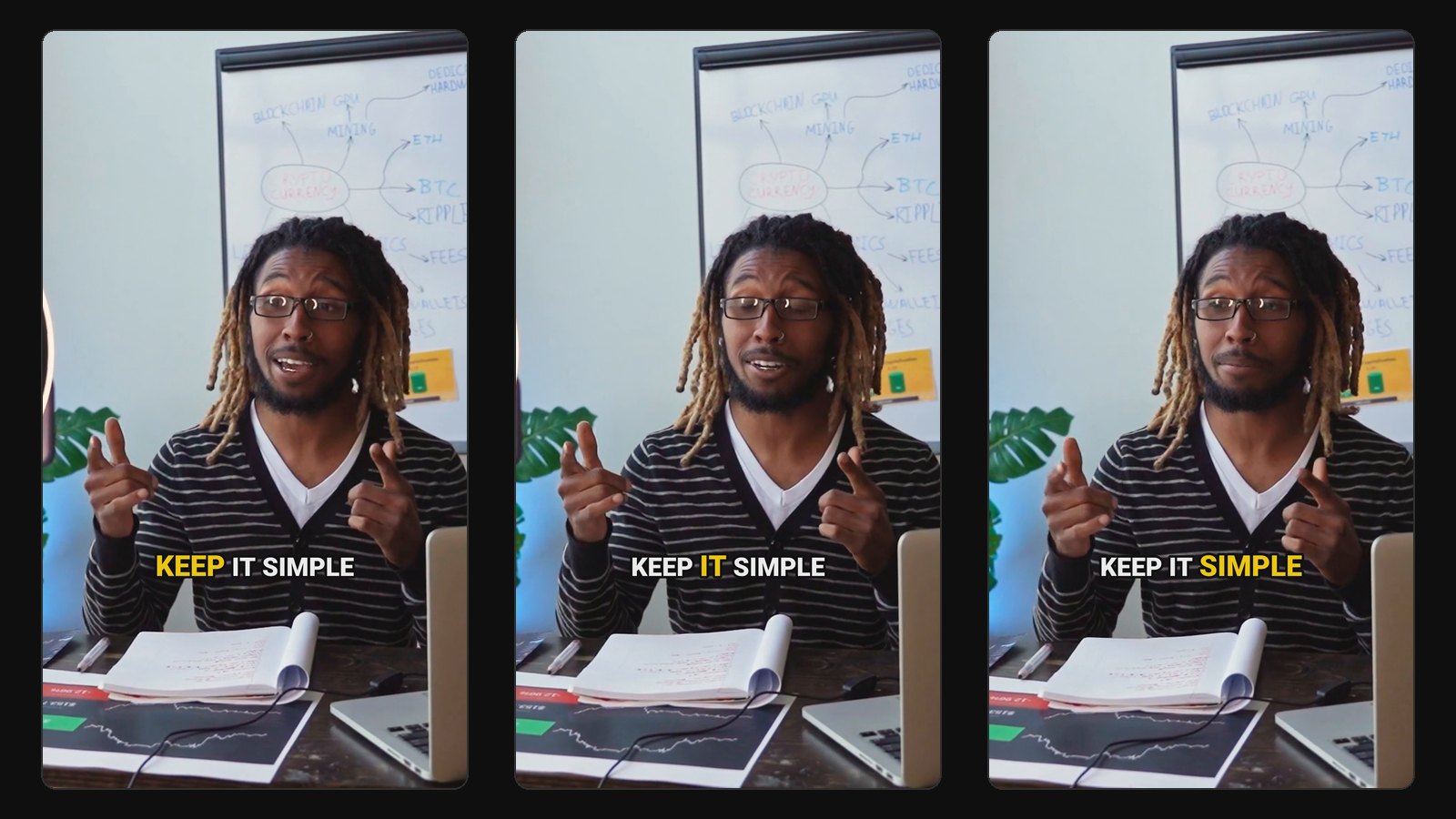
The style took over short-form video because it works: it's readable on a phone with the sound off, and the constant word-by-word movement keeps eyes on the screen. Here's what defines it and three ways to make it.
What makes the Hormozi caption style
Five things, and you need all of them for the look to land:
- A heavy sans-serif font in capitals. Creators often use Montserrat Black, The Bold Font or a similar extra-bold face. Thin fonts don't read at a glance.
- Very few words on screen. One to three words at a time, never a full sentence. The captions move at the pace of speech.
- The active word highlighted. The word being spoken switches to a bright colour (yellow and green are the classics), or pops slightly larger.
- Centre of the screen. Not at the bottom like TV subtitles. Middle-frame captions sit where the viewer is already looking, and stay clear of the platform's buttons and description.
- A strong outline or drop shadow, so white text stays readable over any background.
Hormozi's own videos add fast cuts, zooms and occasional emojis or sound effects. Those help, but the captions carry most of the style.
Method 1: CapCut (free)
- Import your vertical clip and tap Captions, then Auto captions. Choose the spoken language.
- Select the captions and open Text. Pick a heavy font, turn on all caps, and set the size large.
- Under Styles or Templates, choose a word-highlight template, or set a highlight colour for the active word. CapCut's templates change often; look for ones labelled karaoke or highlight.
- Reduce words per line to one to three.
- Drag the captions to the centre of the frame and add a black outline.
- Play it back and fix any misheard words, especially names and numbers.
Method 2: Premiere Pro
- Run Speech to Text on your sequence to create captions.
- Set the maximum characters per line low (around 12 to 16) and the lines to one, so only a few words show at a time.
- Style the caption track: heavy font, all caps, large size, stroke on.
- Position the captions at the vertical centre.
- For the highlighted active word, you'll need a plugin or a caption template from Motion Array or similar; Premiere's native captions don't animate word by word on their own.
Premiere gives you the most control, but it's the slowest route for more than a clip or two a week.
Method 3: Automatically, while the clip is cut
If your clips come from long videos, it's quicker to have the captions made at the same time as the clip. ClipFlame cuts clips from your long video and burns in word-by-word captions in one step. Four of its seven caption styles give you the Hormozi look:
- Brand Colour: bold caps, the active word highlighted and popping in, in your own colour instead of the stock yellow.
- One Word: a single big word at a time, popping in as it's spoken.
- Word Reveal: words appear as they're spoken and stay until the line ends.
- Highlight Bar: the active word sits on a coloured bar.
Using your brand colour for the highlight helps your clips look like yours rather than like everyone else's. Captions work in 9 languages, including Hindi, with a font that renders Devanagari properly.
You can switch styles per clip and re-render for free, so it's easy to test whether the style actually lifts retention on your channel. For podcasts specifically, see our podcast clip maker.
Want something louder? See MrBeast-style captions. Adding captions natively instead? See captions on TikTok and captions in CapCut.
When the Hormozi style isn't right
It's loud by design. It fits energetic, direct talking-head content. It can feel wrong on:
- Calm or serious topics, like a reflective interview or a sermon. A clean, boxed caption reads better there.
- Videos with on-screen text or slides, where centred captions collide with what's already on screen.
- Long clips. Constant flashing gets tiring past a minute.
Whatever style you choose, the basics from our guide on adding captions to video still apply: accurate words, readable contrast, and captions kept clear of the platform's buttons.
Common questions
What font does Alex Hormozi use for captions?
His editors use a heavy, extra-bold sans-serif in capitals. Montserrat Black and The Bold Font are popular free and cheap matches. The weight and caps matter more than the exact font.
What colour are Hormozi captions?
White text with a black outline or shadow, with the active word highlighted, usually in yellow or green.
Can I make Hormozi captions for free?
Yes. CapCut's free auto captions plus a highlight template get close. ClipFlame's free trial also captions the clips from 10 minutes of video in its One Word, Word Reveal or Highlight Bar styles.
Do Hormozi style captions increase views?
They help people watch with the sound off and keep eyes on the screen, which supports retention. They won't rescue a weak hook. See how to get views on YouTube Shorts.