How to add captions on TikTok
On this page
To add captions on TikTok, upload or record your video, tap Captions on the editing screen, let TikTok generate them, then tap to fix any wrong words and save. Viewers see them and can turn them off. For styled, word-by-word captions that always show, burn them into the video before uploading.
"Caption" means two things on TikTok: the on-screen captions (the words spoken, shown on the video) and the post caption (the text under your video). This guide covers both.
Turn on TikTok's auto captions
- Tap + and record or upload your video.
- On the editing screen, tap Captions in the side toolbar (you may need to tap the arrow to see more tools).
- TikTok transcribes the audio. Tap the pencil or the text to edit wrong words.
- Tap Save, then continue to post.
These are closed-style captions: viewers can hide them, and you get limited control over style and position. See closed captions vs subtitles.
Add text by hand
For a hook line or a label, tap Text (Aa) in the editor, type, choose a font and colour, and drag it into place. Tap the text to Set duration so it only shows for part of the video. This is fine for a few words, too slow for full captions.
Burn in styled captions before uploading
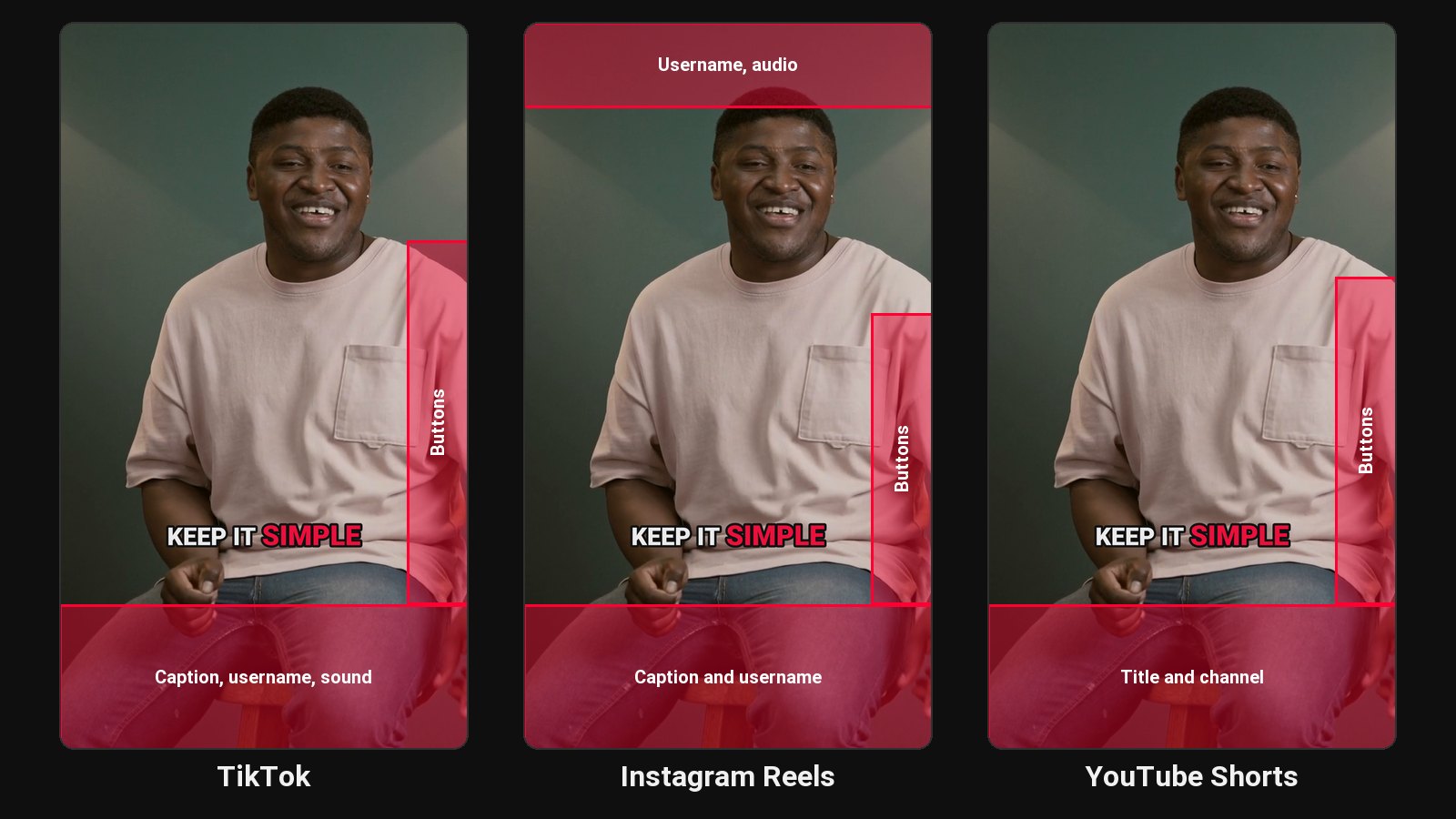
Most successful talking TikToks use bold, word-by-word captions in the middle of the screen. TikTok's built-in captions can't do that, so creators burn them in first:
- CapCut: auto captions plus a highlight template. See how to add captions in CapCut.
- ClipFlame: if your TikToks come from long videos, ClipFlame cuts the clips and burns in word-by-word captions in one step. See YouTube to TikTok.
Keep burned-in captions clear of the bottom fifth of the screen, where TikTok shows your username, post caption and sound, and the right edge, where the buttons sit.
Write the post caption
The text under the video helps TikTok's search understand the video:
- Put the main keyword in the first line.
- Add a short hook or question.
- Use two to four relevant hashtags, not twenty.
Common questions
Why don't I see the Captions option on TikTok?
It's in the editing toolbar after you record or upload. Update the app if it's missing; availability can vary by language and region.
Can viewers turn off TikTok captions?
Yes, TikTok's auto captions can be hidden. Burned-in captions can't.
Should I use TikTok's captions or burn them in?
Burn them in for style and consistency. TikTok's captions are a good accessibility baseline if you don't.