AI clip maker
On this page
ClipFlame is an AI clip maker for long talking videos. Upload a podcast, interview, webinar or YouTube video, and it finds the moments that work on their own, cuts them into 15 to 90-second vertical clips, frames the speaker, and burns in word-by-word captions. Your first 10 minutes of video are free.
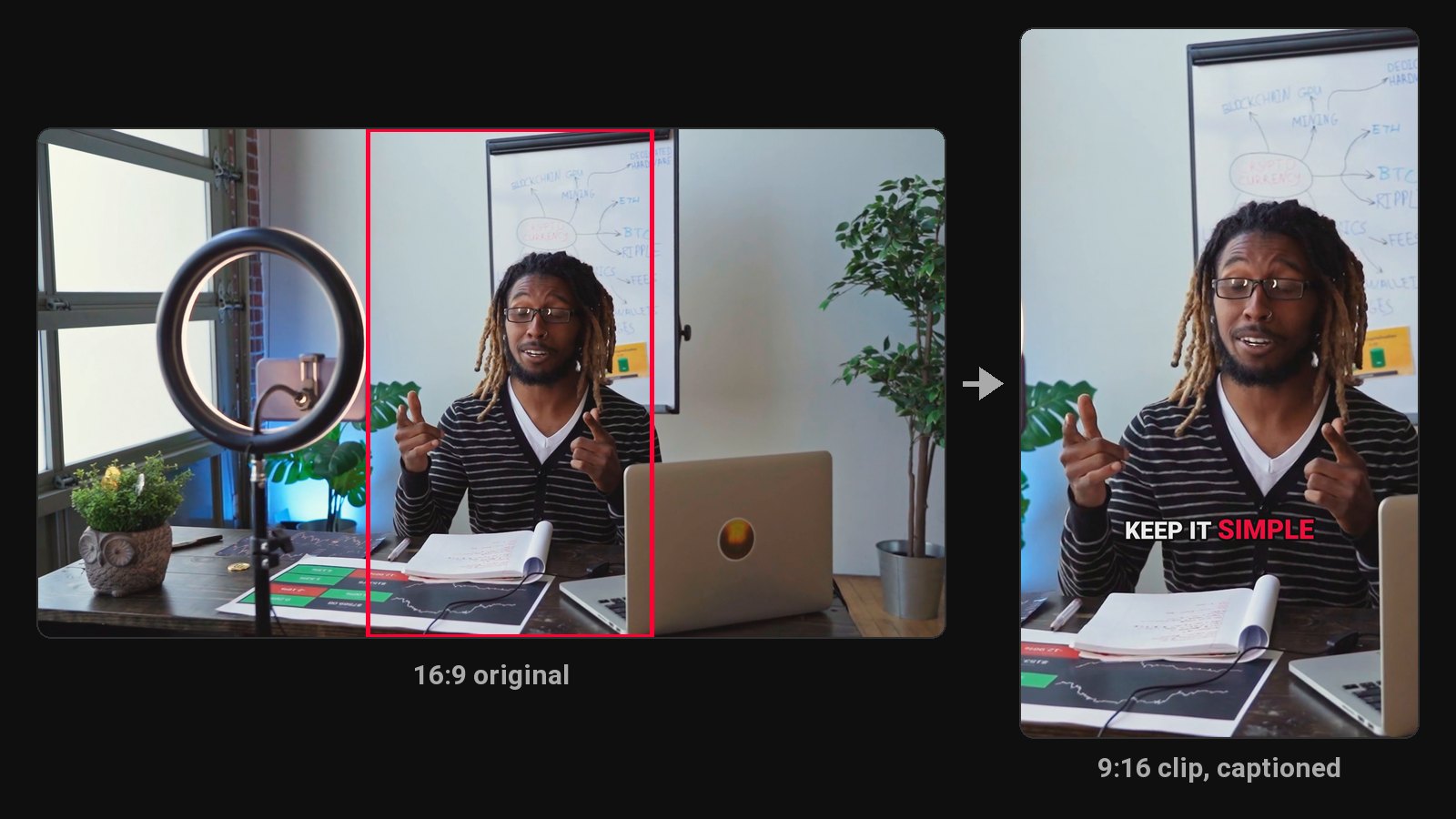
Making clips by hand means watching the whole video, noting timestamps, cutting, reframing to vertical, captioning and writing a post for each one. For an hour-long episode, that's an afternoon. An AI clip maker does the watching and cutting, and you spend your time choosing which clips to post.
What the AI clip maker does
- Transcribes the whole video, in any of 9 languages, detected automatically.
- Reads for moments that stand on their own. It looks for complete thoughts with a strong first line: an opinion, a surprising number, a story with a punchline. A clip that needs the previous ten minutes to make sense gets skipped.
- Cuts on full sentences. Every clip starts at the beginning of a sentence and ends at the end of one, so nothing opens mid-word or cuts off the payoff.
- Frames the speaker for vertical. The 9:16 crop centres on the person in each shot and pans when they move. Two people too far apart for one frame get a split screen. Clips also come in 4:5 and 1:1.
- Tightens each clip. Filler words ("um", "uh") and long pauses inside the clip are cut, on by default.
- Adds word-by-word captions in one of seven styles, three of them in your brand colour.
Then you review. Move a clip's start or end, fix any word in the captions, switch the caption style, and re-render as often as you like. Re-renders are free.
Which videos work best
AI clip makers read what's said, so they're built for talking videos:
- Podcasts and interviews (see our podcast clip maker)
- Webinars, workshops and talks
- Coaching and course videos
- Tutorials, commentary and vlogs
- Sermons and church services (see clips for churches)
Gaming and reaction streams work too: choose Gaming or Reaction and ClipFlame also finds moments from the sound, the chat and the screen, with your facecam on top (see the gaming clip maker, the reaction clip maker and ClipFlame for livestreamers). It's not built for sports or music videos.
What makes a clip worth posting
A good clip gets past the first two seconds and makes sense to someone who's never heard of you. That usually means:
- The first line is the hook. Not "so, yeah, anyway". The clip maker skips warm-up and starts on the point.
- One idea, finished. Clips run 20 to 60 seconds in most cases, long enough to land a point, short enough to hold attention.
- Captions you can read with the sound off. Most short video is watched muted at first. See how to add captions for what makes them readable.
Posted for you
On every plan, the scheduler posts each clip to YouTube, Instagram, TikTok and Facebook at the time you pick, with the title and caption you write. One clip can go to several accounts at once.
Pricing
ClipFlame counts the hours of video you upload: a 30-minute podcast uses 30 minutes. Clips aren't counted, so each video gives up to 20 clips at no extra cost. Pro works out to under $2 per hour of video.
| Plan | Price | Video a month |
|---|---|---|
| Free trial | $0 | 10 minutes, once, every Pro feature |
| Starter | $19/mo ($16 yearly) | 4 hours |
| Pro | $39/mo ($32 yearly) | 20 hours |
Failed jobs never count, unused hours don't roll over, and you can cancel any time. See how that compares in the best AI clip generators.
How to use it
- Upload an MP4, MOV, MKV or WebM file, or paste a Google Drive or Dropbox link.
- Wait while ClipFlame transcribes, picks and renders the clips.
- Review the clips, adjust any you want, and download them all as one ZIP.
- Post them over the week. Our guide to the best time to post Shorts helps with timing.
Common questions
Does ClipFlame tell me which clips are best?
Yes. Every clip gets a virality score from 0 to 100, clips come sorted best first, and clips scoring 80 or more are highlighted. Each video gives up to 20 clips, so you can post the strongest first.
Is there a free AI clip maker?
ClipFlame's free trial gives you 10 minutes of video, with every Pro feature and no card needed. After that, plans start at $19 a month.
How many clips does it make from one video?
It depends on the video. It picks every moment that works on its own, so a dense hour-long conversation gives more clips than a slow one. You pay for the minutes of video, not the clips, so the number of clips doesn't change the price.
Can I paste a YouTube link?
No. Upload the original video file instead, or paste a Google Drive or Dropbox link. The original also gives better quality than a copy fetched from YouTube.
Does it post the clips for me?
Yes, on every plan. Connect YouTube, Instagram, TikTok and Facebook, put each clip on the calendar, add a caption, and ClipFlame posts it. See the scheduler.