Long video to short video converter
On this page
ClipFlame converts a long video into short vertical videos automatically. Upload a podcast, webinar, interview or YouTube video, and it finds the moments that stand on their own, cuts them into 15 to 90-second clips, reframes them to 9:16, 4:5 or 1:1, and burns in captions.
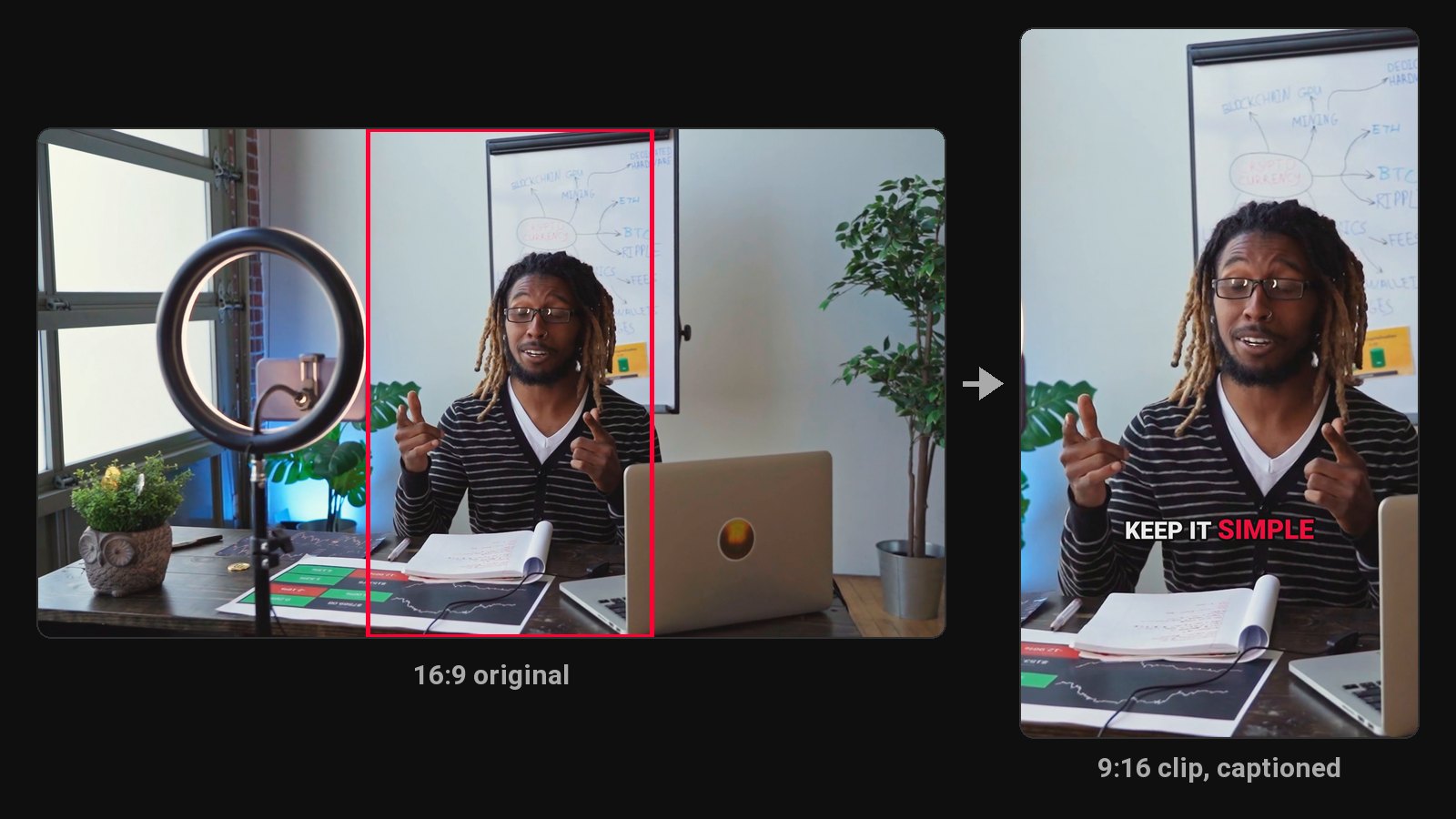
A "converter" that only chops a long video into equal 60-second pieces gives you clips that start mid-sentence and end before the point. What you want is a converter that understands what's being said. That's the difference here: every short video is chosen for its content and cut on sentence boundaries.
What goes in, what comes out
| In | Out |
|---|---|
| MP4, MOV, MKV or WebM | Vertical clips in 9:16, plus 4:5 and 1:1 |
| Or a Google Drive or Dropbox link | 15 to 90 seconds each, mostly 20 to 60 |
| Long videos and streams | Word-by-word captions burned in |
| 9 languages, detected automatically | A ZIP with every clip |
How the conversion works
- Transcribe. The whole video, in its spoken language.
- Pick. AI reads the transcript for complete thoughts with a strong first line, and skips anything that depends on earlier context.
- Cut. Each clip starts and ends on a full sentence.
- Reframe. The vertical crop centres on the person in each shot, following the video's own cuts. Two people too far apart for one frame get a split screen. Shots with nobody in them (slides, screen recordings) are shown whole over a blurred background.
- Caption. Word by word, in one of seven styles.
- Review. Change any clip's start or end, fix a word, switch style, and re-render for free.
Best source videos
Talking videos convert best: podcasts, interviews, webinars, talks, tutorials, coaching, commentary and vlogs. Gaming streams work when you choose Gaming (see the gaming clip maker), which also reads the sound, the chat and the screen. Sports and music videos don't, because the best moments there are visual, not spoken.
If you'd rather convert by hand, our guide on how to turn a long video into short videos covers each step in a free editor.
Pricing
Starter $19/month for 4 hours of video a month; Pro $39/month for 20 hours. A video uses as many minutes as it is long, and clips aren't counted. First 10 minutes free.
Common questions
Does ClipFlame tell me which clips are best?
Yes. Every clip gets a virality score from 0 to 100, clips come sorted best first, and clips scoring 80 or more are highlighted. Each video gives up to 20 clips, so you can post the strongest first.
Is there a free long video to short video converter?
ClipFlame's free trial converts 10 minutes of video, with every Pro feature.
Can it convert a 6-hour video?
Yes, on Pro. A 6-hour video uses 6 of your 20 hours.
What about screen recordings with no face?
Shots without a person are shown whole over a blurred copy of themselves, so slides stay readable in vertical.