YouTube to Shorts
On this page
To convert a YouTube video to Shorts, take the original file you uploaded, find the moments that work on their own, cut each to 15 to 90 seconds, crop to vertical 9:16 with the speaker centred, and burn in captions. ClipFlame does all of it from one upload: pick your old video's file, upload it, and download a folder of Shorts.
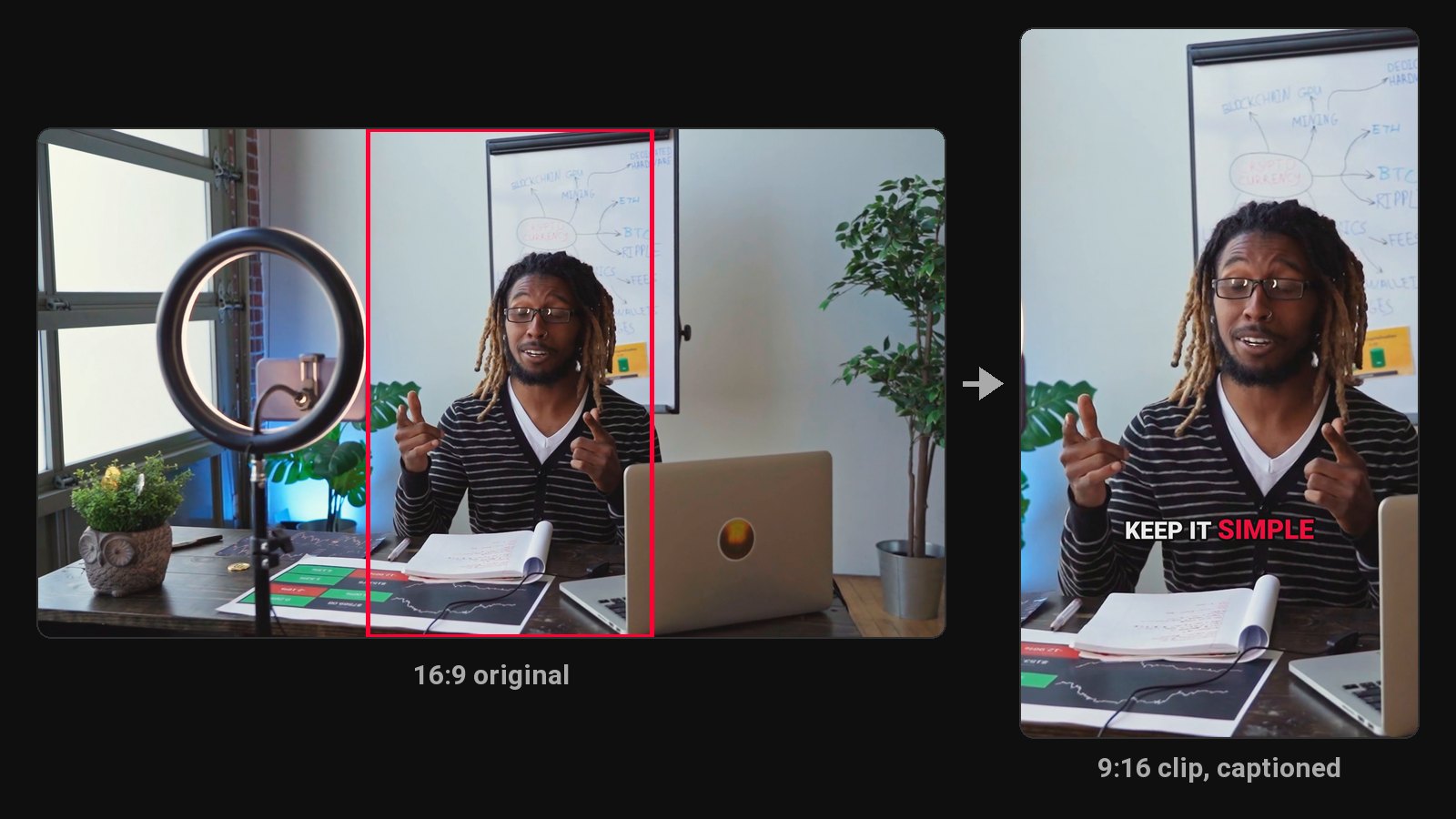
Most channels sit on years of long videos that nobody new will ever find. Each of those videos holds a few moments that would work as Shorts, and a Short is the easiest way to get a new viewer onto an old video. Converting your back catalogue is one of the fastest ways to post Shorts daily without filming anything new.
How to convert a video to Shorts
- Pick the video. Find the original file you uploaded to YouTube (better quality, see below).
- Upload the file, or use a Google Drive or Dropbox link.
- ClipFlame picks the moments. It reads the transcript for complete thoughts with a strong first line, the kind of moment that works for someone who's never seen the video.
- It cuts, reframes and captions. Each Short starts and ends on a full sentence, the crop centres on the person in each shot, and captions go on word by word.
- Review and download. Adjust any Short, re-render for free, and download everything as a ZIP.
Why the original file
ClipFlame works from your original file, not a YouTube link. A video fetched from YouTube has been compressed once already, so its Short would be compressed twice. If you no longer have the file, download it from YouTube Studio (Content, then the video's Options menu, then Download).
Linking each Short back to the full video
When you upload a Short, YouTube lets you add a related video link that appears in the Shorts player. Point every Short at the long video it came from. That turns each Short into a trailer, and it's why converting old videos is worth more than posting unrelated Shorts.
Which old videos to convert first
- Your best performers. They've proven the topic works; Shorts give them a second life.
- Evergreen topics. Tutorials, explainers and opinions that aren't tied to a date.
- Long interviews and podcasts. Dense with standalone moments.
- Skip time-bound videos like news reactions and event coverage, unless the moment still makes sense today.
What you get alongside the Shorts
On every plan, the scheduler posts them to your channel over the following weeks, so an old video keeps feeding new Shorts.
Pricing
Starter is $19/month for 4 hours of video a month, Pro is $39/month for 20 hours. A 30-minute video uses 30 minutes. Your first 10 minutes are free.
Common questions
Does ClipFlame tell me which clips are best?
Yes. Every clip gets a virality score from 0 to 100, clips come sorted best first, and clips scoring 80 or more are highlighted. Each video gives up to 20 clips, so you can post the strongest first.
Can I turn someone else's YouTube video into Shorts?
Only with their permission. Reposting others' content can also fail YouTube's reused content policy for monetization.
How many Shorts can I get from one YouTube video?
It depends on the video. A dense 30-minute talk often gives several; a slow vlog fewer. You pay for the minutes of video, not the clips, so the count doesn't change the price.
Do converted Shorts count for monetization?
Yes, Shorts from your own videos are original content. See YouTube Shorts monetization.