Instagram Reels maker
ClipFlame is an Instagram Reels maker for people who already record long videos. Upload a podcast, webinar, interview or YouTube video, and it cuts the best moments into captioned 9:16 Reels (plus 4:5 versions for the feed), framed on the speaker, each with a cover.
Filming Reels from scratch is a second content schedule. If you already record long-form, the Reels are in there. You need to find the 30 seconds that work alone, crop them to vertical, and make them readable with the sound off.
Made for Instagram
- 9:16 for Reels, full-screen in the Reels tab.
- 4:5 for the feed, which takes up more of the screen than square in a scrolling feed.
- 1:1 if you want a square grid look.
- Burned-in captions, because many people watch Reels muted. Instagram's own caption sticker works too, but burned-in captions show up everywhere, including when your Reel is shared to Stories.
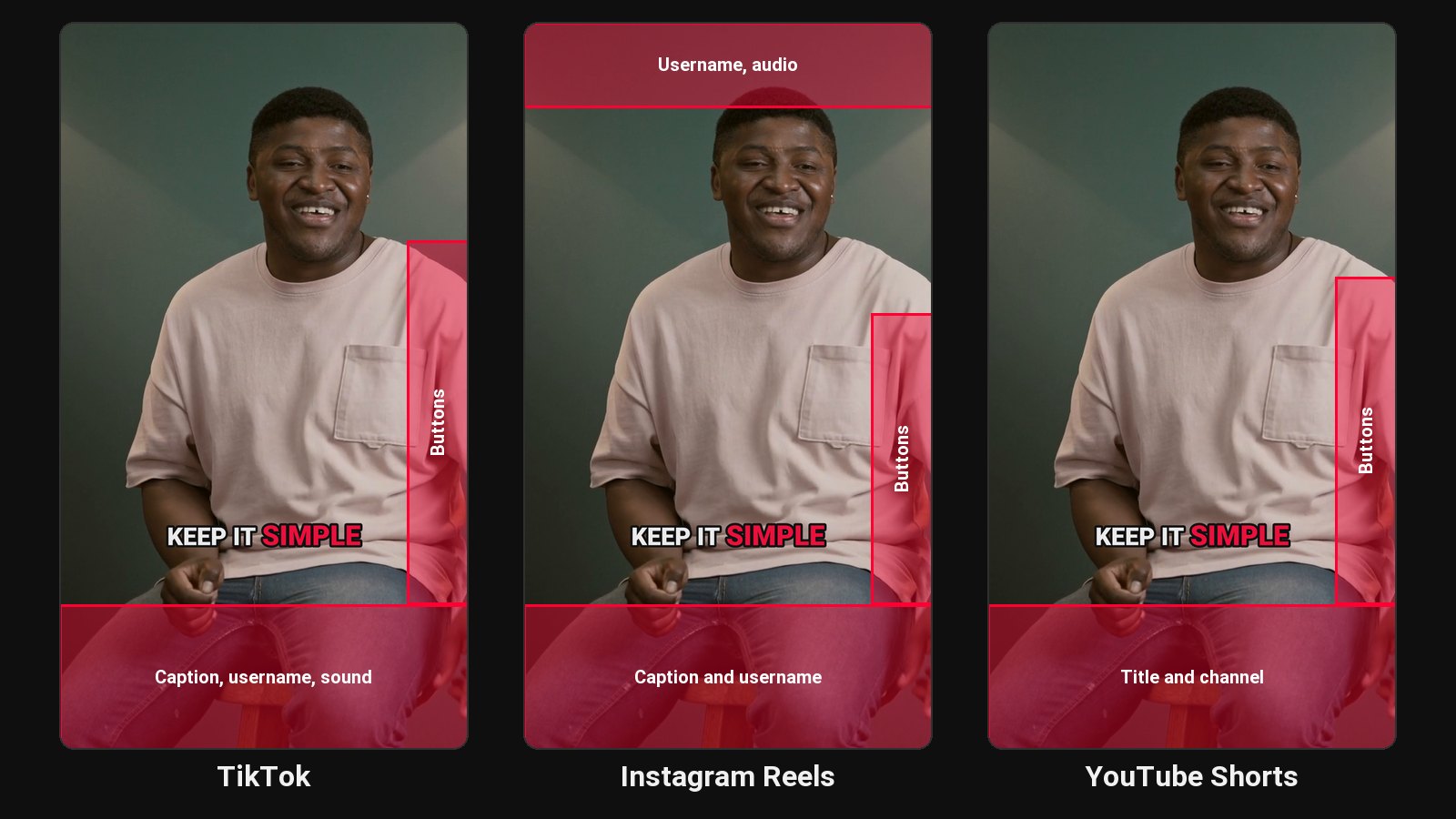
- Captions kept clear of the buttons. Instagram overlays the caption, likes and share buttons at the bottom and right; ClipFlame places captions above that area.
How it works
- Upload the long video or paste a Google Drive or Dropbox link.
- AI picks moments with a strong first line that make sense to someone who doesn't know you.
- It cuts each on full sentences, 15 to 90 seconds, and frames the person in each shot.
- Captions go on, word by word, in seven styles, three in your brand colour.
- Add your caption, and the scheduler posts each Reel to Instagram at the time you pick.
Keep your Reels on brand
On every paid plan, the brand kit adds your watermark and end card, and your brand colour highlights the spoken word. Consistent styling helps people recognise your Reels before they read the name.
Agents recording market updates and Q&As: see ClipFlame for real estate.
Pricing
Starter $19/month for 4 hours of video a month; Pro $39/month for 20 hours. First 10 minutes free.
Common questions
Does ClipFlame tell me which clips are best?
Yes. Every clip gets a virality score from 0 to 100, clips come sorted best first, and clips scoring 80 or more are highlighted. Each video gives up to 20 clips, so you can post the strongest first.
Can ClipFlame post Reels to my Instagram?
Yes, on every plan, to Instagram Business and Creator accounts. Schedule each Reel with your caption and it posts at that time. See the scheduler.
How long should a Reel be?
Instagram allows long Reels, but most talking Reels hold attention best at 20 to 60 seconds. ClipFlame's clips run 15 to 90.
Can I use the same clips on Facebook Reels?
Yes. See Facebook Reels maker.