YouTube clip maker
On this page
ClipFlame is a YouTube clip maker for your own videos. Upload the original file of any YouTube video and it cuts the best moments into captioned clips for YouTube Shorts, TikTok, Instagram Reels and Facebook, in 9:16, 4:5 or 1:1, each with a cover.
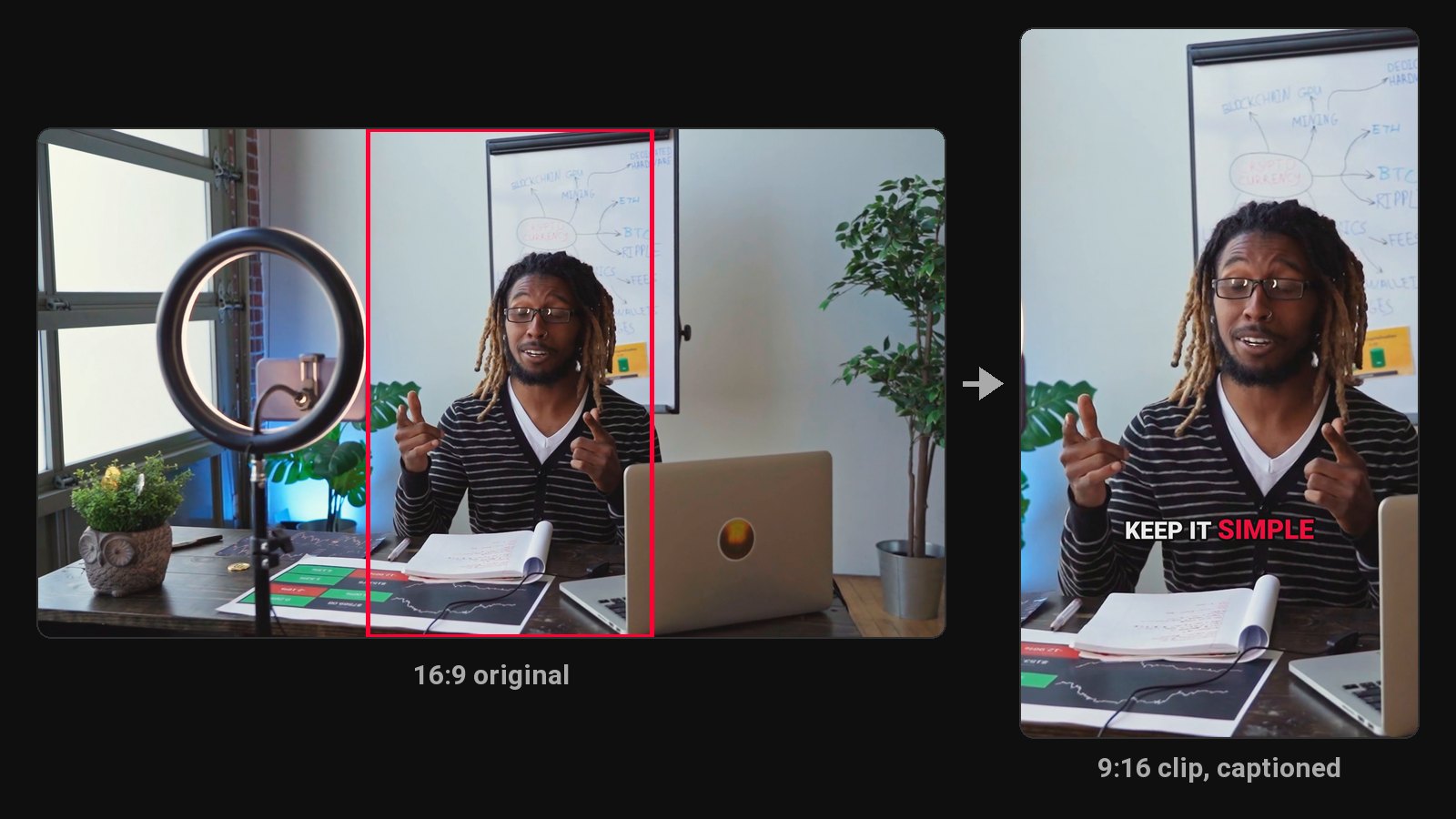
YouTube's own Clip button makes a 5 to 60-second link that plays inside YouTube. It's handy for sharing a moment with a friend, but it isn't a video file: you can't post it to TikTok or Instagram, add captions, or crop it to vertical. A clip maker gives you real files you can post anywhere.
YouTube's Clip button vs a clip maker
| YouTube Clip button | ClipFlame | |
|---|---|---|
| Output | A link that plays on YouTube | Video files you download |
| Length | 5 to 60 seconds | 15 to 90 seconds, chosen by content |
| Who picks the moment | You, by hand | AI reads the transcript and picks |
| Vertical crop | No | Yes, framed on the speaker |
| Captions | No | Burned in, word by word |
| Post to TikTok, Reels, Facebook | No | Yes |
How it works
- Upload the original file of your video, or paste a Google Drive or Dropbox link.
- AI finds the moments that make sense to someone who hasn't seen the video: a strong opinion, a surprising number, a story with a punchline.
- It cuts each one on full sentences, reframes it and adds captions in seven styles.
- Download the clips as a ZIP, each with its own cover.
One video, clips for every platform
The same clips work across platforms with small changes:
- YouTube Shorts: 9:16, link each Short to the full video. See YouTube to Shorts.
- TikTok: 9:16, hook in the first second. See YouTube to TikTok.
- Instagram Reels: 9:16 for Reels, 4:5 for the feed. See Instagram Reels maker.
- Facebook: 4:5 or 1:1 reads better in the feed. See Facebook Reels maker.
Pricing
Starter $19/month for 4 hours of video a month; Pro $39/month for 20 hours. First 10 minutes free.
Common questions
Does ClipFlame tell me which clips are best?
Yes. Every clip gets a virality score from 0 to 100, clips come sorted best first, and clips scoring 80 or more are highlighted. Each video gives up to 20 clips, so you can post the strongest first.
Can I clip someone else's YouTube video?
Only with permission from the owner. ClipFlame is for videos you own or have rights to.
How is this different from YouTube's Clip feature?
YouTube's clips are links that play on YouTube. ClipFlame makes captioned vertical video files you can post on any platform.
Can I make clips longer than 60 seconds?
Yes. Clips run up to 90 seconds, and you can move a clip's start and end in the editor.