YouTube scheduler
On this page
ClipFlame's YouTube scheduler uploads your Shorts and full videos at the times you pick, through YouTube's official API. Connect your channel with Google sign-in, put videos on the calendar with their title, description and visibility, and each one goes up on schedule. Vertical videos up to 3 minutes become Shorts automatically. The same clip can go to TikTok, Instagram Reels and Facebook too.
What you set for each video
- Title (up to 100 characters) and description (up to 5,000). Clips from ClipFlame come with both written from the clip; edit them as you like.
- Visibility and audience, as YouTube's rules require. You choose public, unlisted or private, and whether the video is made for kids.
- A custom thumbnail, if you have one. It's set on the video when it goes up. YouTube allows custom thumbnails only on verified channels.
Titles and descriptions go out exactly as you write them.
Shorts or long video?
YouTube decides from the file. A vertical or square video of 3 minutes or less becomes a Short, and anything else is a regular video. Shorts and long videos peak at nearly opposite times: long videos in the morning, Shorts in the evening. The best time to post on YouTube calculator gives you both.
How scheduling works
- Connect YouTube from the Calendar page with your Google account.
- Pick a clip or upload any MP4 or MOV, and tick YouTube and any other platforms.
- Check the title, description, visibility and audience.
- Choose a time in your own time zone.
- Done. ClipFlame uploads the video at that time and links to it on the calendar. If an upload fails, you see why and can resend it.
The weekly-podcast pattern
Most podcasters on ClipFlame publish the full episode on YouTube, then post one Short a day until the next episode. ClipFlame cuts the Shorts from the episode, frames the speaker, adds captions, and schedules the week in one go. See the YouTube Shorts maker, and the YouTube money calculator for what the views might earn.
Pricing
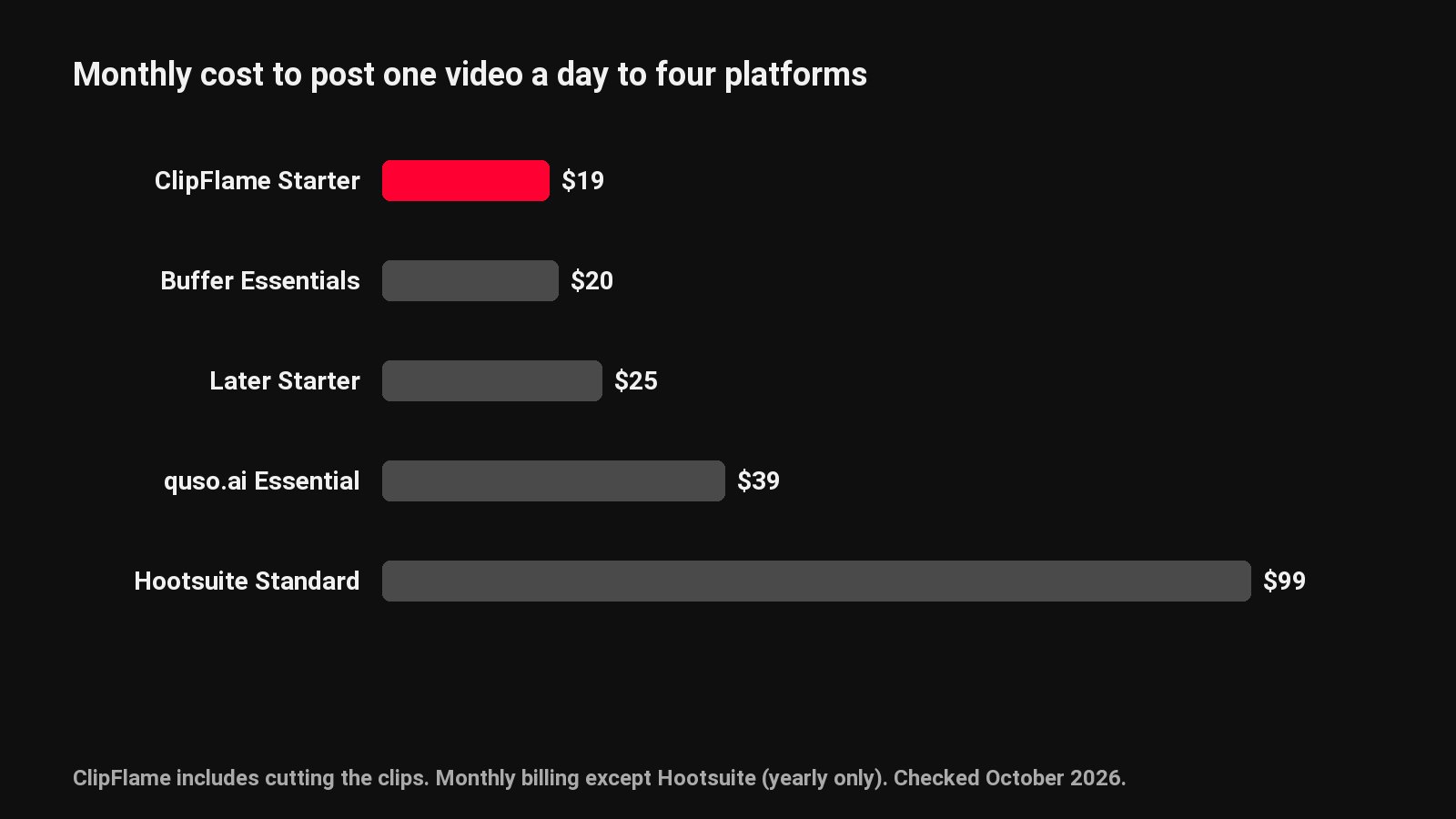
The free trial includes 10 scheduled posts. Starter is $19 a month ($16 billed yearly) with 150 posts a month, and Pro is $39 ($32 yearly) with 750 posts and up to 3 brands, each with its own channels. Prefer YouTube Studio? Read how to schedule YouTube Shorts natively. Everything else is on the social media scheduler page, including TikTok and Instagram.
Common questions
Can it schedule YouTube Shorts?
Yes. A vertical or square video of 3 minutes or less becomes a Short automatically; anything else is a regular video.
Can I set a custom thumbnail?
Yes, on verified channels. It's set on the video when it goes up.
What visibility options are there?
Public, unlisted or private, plus whether the video is made for kids, as YouTube requires.
Can the same clip go to TikTok and Reels?
Yes. Tick each platform on the same calendar entry.