Facebook Reels maker
On this page
ClipFlame makes Facebook Reels from the long videos you already have: Facebook Lives, sermons, webinars, podcasts and YouTube videos. Upload the video and it finds the moments that stand alone, cuts them into captioned vertical Reels framed on the speaker.
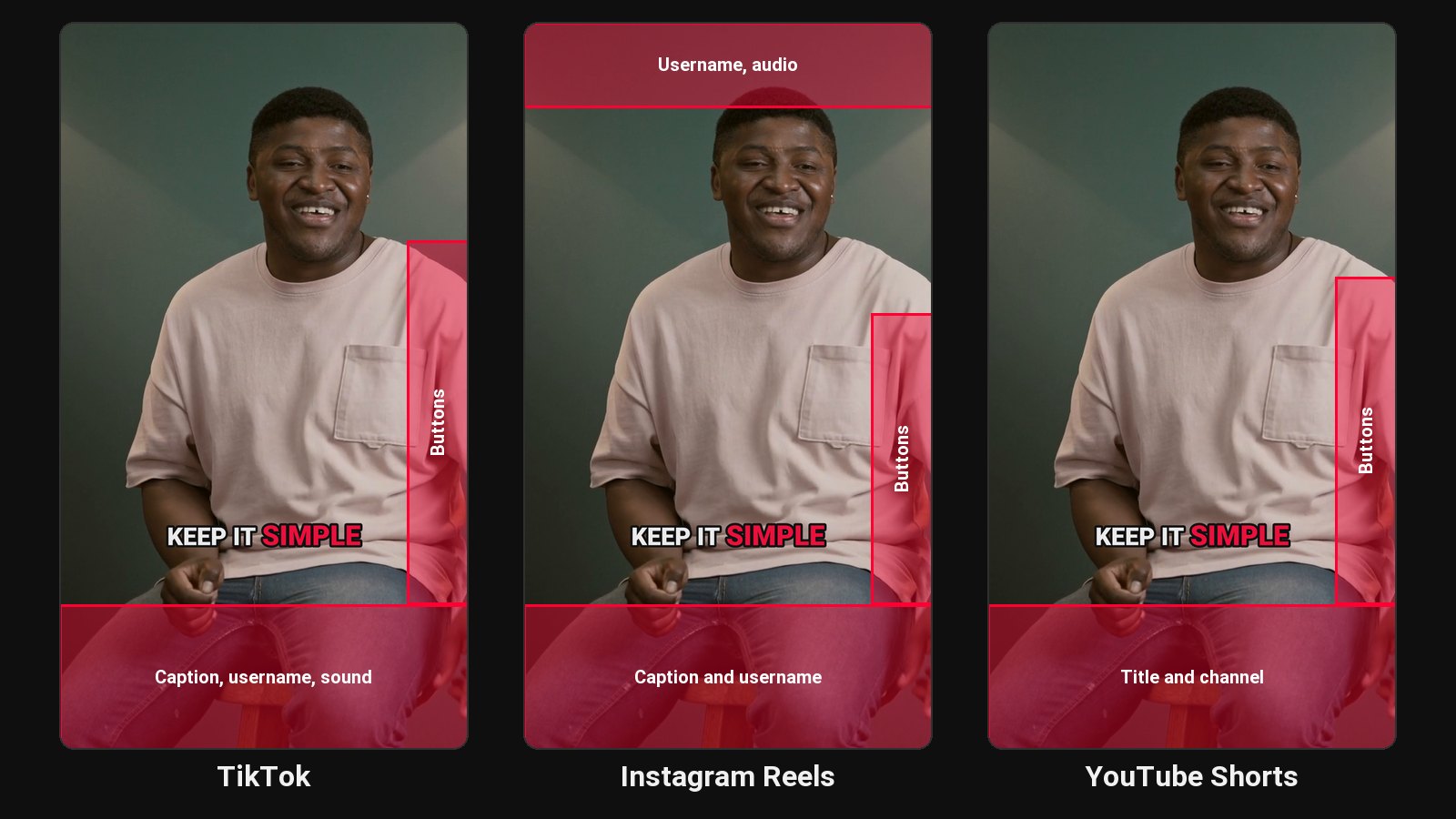
Facebook audiences skew older than TikTok's and are often already following a church, a local business, a coach or a community page. The long videos those pages post, especially Facebook Lives, get watched by a handful of people live and rarely again. Reels cut from them reach people in the feed who'd never sit through the full stream.
Good sources for Facebook Reels
- Facebook Lives. Download your Live from Facebook, then upload the file. See ClipFlame for livestreamers, and the Twitch and Kick clip makers for streams on those platforms.
- Sermons and services. See sermon clips.
- Webinars and workshops for coaches and consultants.
- Podcasts and interviews.
- Local business videos: Q&As, how-tos, behind-the-scenes talks.
How it works
- Upload the video or a Google Drive or Dropbox link.
- AI finds standalone moments with a strong opening line.
- It cuts on full sentences, 15 to 90 seconds, in 9:16 for Reels, or 4:5 and 1:1 for feed posts.
- Captions are burned in word by word. Clean and Boxed styles read well for audiences who prefer calm, large text.
- Schedule it to your Page, or download it and post it yourself.
Captions matter more on Facebook
A lot of Facebook video is watched with sound off in the feed, and many viewers are hard of hearing. Burned-in captions make every Reel readable. For more on readable captions, see how to add captions to a video.
Pricing
Starter $19/month for 4 hours of video a month; Pro $39/month for 20 hours. First 10 minutes free.
Common questions
Does ClipFlame tell me which clips are best?
Yes. Every clip gets a virality score from 0 to 100, clips come sorted best first, and clips scoring 80 or more are highlighted. Each video gives up to 20 clips, so you can post the strongest first.
Can I make Reels from a Facebook Live?
Yes. Download the Live's video from Facebook, then upload the file to ClipFlame.
Does ClipFlame post to my Facebook page?
Yes, on every plan. Connect the Pages you manage and schedule each clip with your caption; it goes out at the time you pick. See the scheduler.
Should I post the same Reel on Instagram and Facebook?
You can. Many pages cross-post. See Instagram Reels maker.