Instagram scheduler
On this page
ClipFlame's Instagram scheduler posts your Reels at the times you pick. Connect your Instagram professional account once, put a video on the calendar, check the caption, and it goes out on its own, with no phone reminder and no posting by hand. The same clip can go to TikTok, YouTube Shorts and Facebook at the same time. The free trial includes 10 scheduled posts.
What it posts to Instagram
- Reels, from any vertical MP4 or MOV: clips ClipFlame made from your long video, or finished videos you upload.
- Captions of up to 2,200 characters with up to 5 hashtags, the limit Instagram has applied since December 2025. Clips from ClipFlame come with a caption and hashtags written from what was said in the clip. Edit them or write your own.
It's built for video: Reels from your clips and uploads.
What you need
Instagram only lets apps post to Business or Creator accounts that are linked to a Facebook Page. Switching a personal account to Creator is free and takes a minute in Instagram's settings. You connect through Facebook's own sign-in, so ClipFlame never sees your password, and you can disconnect at any time.
How scheduling works
- Connect Instagram from the Calendar page (Facebook Login, then pick your account).
- Pick a clip or upload a video, and tick Instagram, plus any other platforms.
- Check the caption. ClipFlame's is already there; change anything you like.
- Choose a time. Everything shows in your own time zone. Not sure when? The best time to post on Instagram calculator shows today's slots.
- That's it. At the time you chose, the Reel goes live. Posted clips link to the live Reel. If one fails, for example because the account needs reconnecting, the calendar says why and you can resend it in one click.
Drag a post to another day to move it. It keeps its time.
Why schedule Reels from ClipFlame
- One recording, a week of Reels. Upload a podcast or long video, and ClipFlame picks the moments worth posting, cuts them to 9:16, keeps the speaker in frame and adds captions. See the Instagram Reels maker.
- One calendar for every platform. Meta Business Suite only covers Facebook and Instagram. ClipFlame also posts the clip to TikTok, YouTube and Facebook.
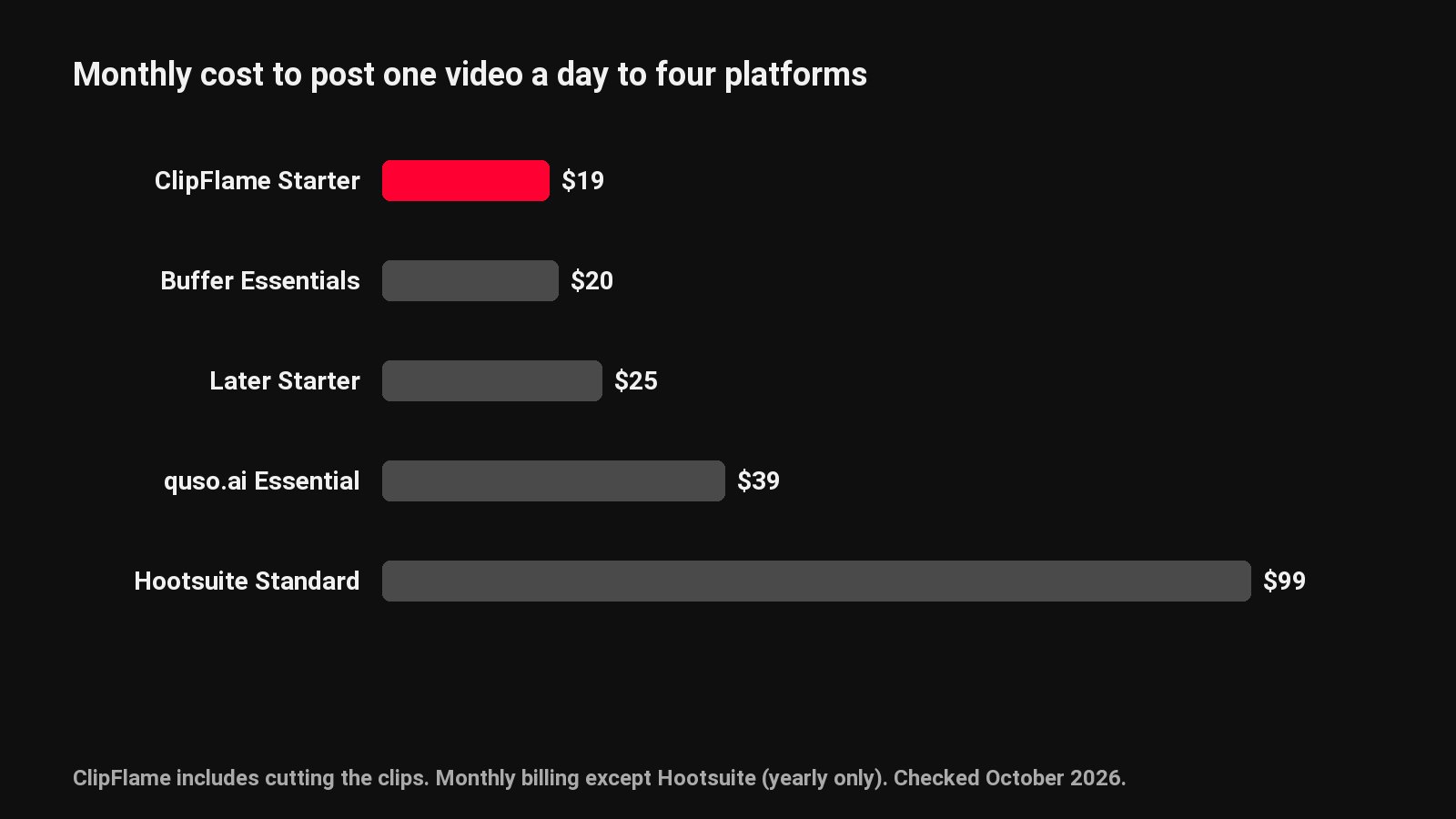
- No per-account fees. Starter is $19 a month ($16 billed yearly) with 150 scheduled posts a month; Pro is $39 ($32 yearly) with 750 posts and up to 3 brands.
Prefer to do it by hand? Our guide to scheduling Instagram Reels natively covers Instagram's own tools. For the full feature list, see the social media scheduler.
Common questions
Can a personal Instagram account use the scheduler?
No. Instagram only lets apps post to Business or Creator accounts linked to a Facebook Page. Switching to Creator is free.
How many hashtags can a scheduled Reel have?
Up to 5, Instagram's limit since December 2025. ClipFlame writes them from what was said in the clip.
Does Instagram reduce reach for scheduled Reels?
There's no sign it does. A scheduled Reel is published at the time you set, like any other.
Can I schedule Reels to TikTok and YouTube at the same time?
Yes. Tick each platform on the same calendar entry, and each gets its own caption.