Best time to post YouTube Shorts
On this page
The best time to post YouTube Shorts is shortly before your own viewers are most active, which you can see in YouTube Studio under Analytics → Audience → "When your viewers are on YouTube." With no data yet, post in the late afternoon or early evening in your main audience's time zone, pick one slot, and stay consistent for a few weeks.
Most "best time" articles give you a table of hours and days. We're not going to, because those tables average millions of channels that aren't yours. A podcast about accounting for Indian freelancers and a gaming channel in Texas don't share a peak hour.
What we can give you is a method that works for your channel, and a sensible default for when you're starting out.
Does posting time even matter for Shorts?
Less than people think, and less than it does for long videos.
Shorts aren't mainly shown to your subscribers at the moment you upload. The Shorts feed keeps testing a clip with new viewers, and a Short can pick up views days or weeks after it goes live. So a great clip posted at a "bad" time still finds its audience, and a weak clip posted at the perfect time still stalls.
Timing matters most in the first hours, when the clip gets its first batch of viewers. If your existing audience is online then, those first views come faster, and early engagement helps. That's the edge you're optimising for. It's real, but it's smaller than the edge you get from a better hook or a tighter cut.
So: fix the clip first, then worry about the clock.
How to find your best time in YouTube Analytics
- Open YouTube Studio and go to Analytics.
- Click the Audience tab.
- Find the card "When your viewers are on YouTube." It shows a heatmap of days and hours, in your local time zone, with darker purple where more of your viewers are online.
- Pick the darkest block on the days you want to post. Schedule the Short one to two hours before that block starts, so it has time to get its first views before the peak.
What goes wrong: the card doesn't appear on small or new channels. YouTube only shows it once there's enough data. If you can't see it, use the default below until you can.
Also check Audience → Top geographies. If most of your viewers are in another country, the heatmap still shows your own time zone, which is easy to misread. Think in your audience's evening, not yours.
If you have no data yet: a sensible default
Start here and adjust once Analytics has something to say:
- Weekdays: late afternoon to early evening in your main audience's time zone, when people are commuting home or winding down.
- Weekends: late morning to early afternoon.
- One slot, every day. Consistency helps you learn more than hopping between times. If you post at a different hour every day, you can't tell whether a clip did well because of the time or because of the clip.
After three or four weeks, compare the first-48-hour views of Shorts posted in each slot you've tried. Keep the winner.
How often should you post Shorts?
Once a day is a pace most creators can sustain if they're clipping from long videos. One 60-minute episode easily gives you 5 to 10 clips, which covers a week.
A few rules of thumb:
- Don't post the whole batch at once. Eight Shorts on release day compete with each other. Spread them out.
- Best clip first. Lead the week with the strongest one, while the full episode is new.
- Don't delete and re-upload a Short that's slow. Give it time. Shorts often pick up later.
A posting schedule for a weekly long video
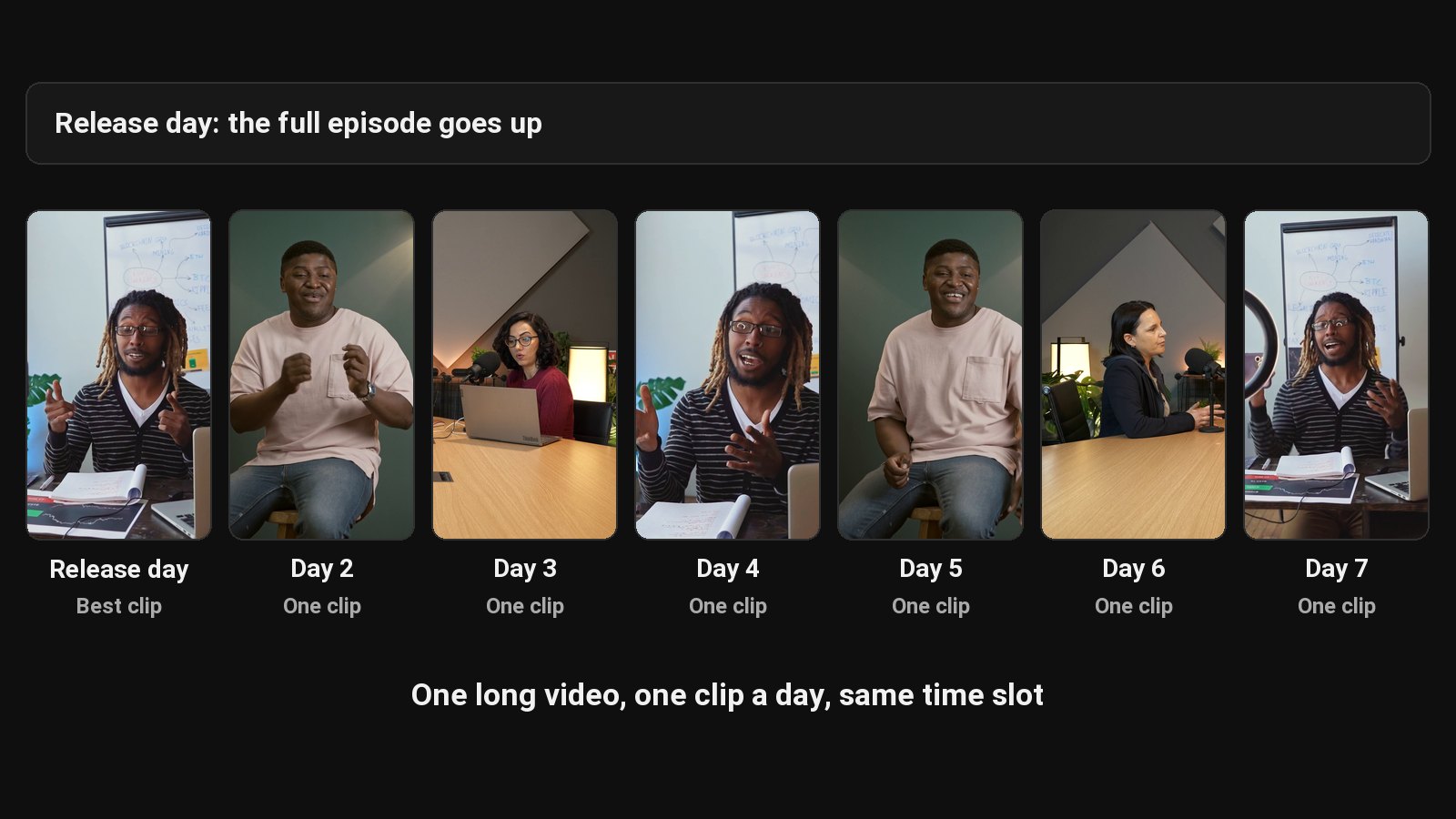
Here's a simple rhythm that fits a weekly podcast or YouTube video:
| Day | Post |
|---|---|
| Release day | Full episode + the strongest clip |
| Day 2 to Day 7 | One clip a day, same time slot |
| Following week | Next episode starts the cycle again |
ClipFlame cuts the clips for this plan from each long video, and its scheduler posts them at the times above: put the release-day clip and the six after it on the calendar once, and they go out to YouTube (and Instagram, TikTok or Facebook) on their own.
What matters more than posting time
If your Shorts aren't getting views, timing is rarely the fix. In rough order of impact:
- The first two seconds. Start on the hook, not on "so, um".
- Completion. Cut clips to the length the idea needs. See how long YouTube Shorts can be and why shorter usually wins.
- Captions. A lot of people watch muted. Add captions to every talking clip.
- Consistency. Posting daily for a month teaches you more than any timing table.
We go through all of these in how to get more views on YouTube Shorts.
Plan the week ahead with a content calendar, and see how posting fits into a short-form video strategy.
Common questions
What is the best day to post YouTube Shorts?
The day your audience is most active, which the "When your viewers are on YouTube" card shows you. Without data, any weekday works. Consistency matters more than the day.
Should I post Shorts at the same time every day?
Yes, at least while you're testing. A fixed slot makes it possible to tell whether a clip did well because of the clip or because of the timing.
Can I schedule YouTube Shorts?
Yes. Upload the Short in YouTube Studio, set visibility to Schedule, and pick a date and time. See how to schedule YouTube Shorts.
Why did my Short get views days after I posted it?
The Shorts feed keeps testing clips with new viewers well after upload. A slow first day doesn't mean a Short is finished.