Closed captions vs subtitles
On this page
Subtitles show the spoken dialogue as text, and assume the viewer can hear; they're often a translation. Closed captions (CC) also show sound effects and speaker changes, like [music] or [laughter], for viewers who are deaf or hard of hearing, and can be turned on or off. Open captions are burned into the video and always visible. For Shorts, Reels and TikTok, use open captions.
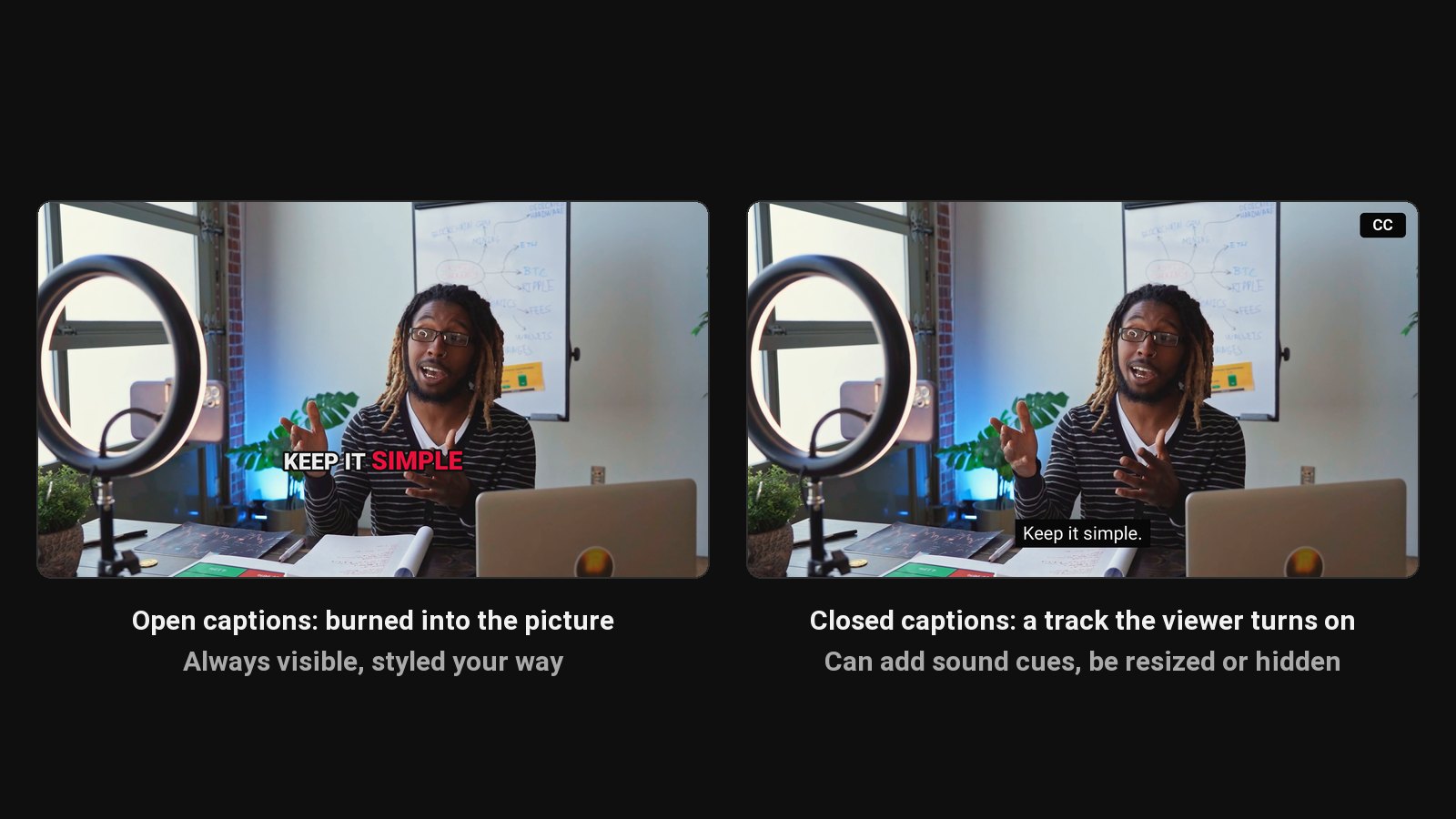
People use the words interchangeably, and in everyday speech that's fine. When you're choosing what to add to a video, the difference matters.
The four types
| Type | Shows | Can be turned off | Main audience |
|---|---|---|---|
| Subtitles | Dialogue only, often translated | Yes | Viewers who can hear but don't understand the language |
| SDH (subtitles for the deaf and hard of hearing) | Dialogue plus sounds, speaker IDs | Yes | Deaf and hard-of-hearing viewers, as subtitles |
| Closed captions (CC) | Dialogue plus sounds, speaker IDs | Yes | Deaf and hard-of-hearing viewers |
| Open captions | Whatever you burn in, usually dialogue | No, part of the picture | Everyone, including viewers with sound off |
Closed captions
Closed captions live in a separate file or track (such as SRT or VTT) that the player shows when the viewer taps CC. They include non-speech information: [door slams], [upbeat music], or a speaker's name when it's not obvious who's talking. Broadcast TV in many countries is required to provide them.
On YouTube, upload a caption file in YouTube Studio or edit the auto-generated captions. Viewers can switch them on, change their size, and auto-translate them.
Subtitles
Subtitles are primarily for people who can hear but don't understand the language, so they usually show only dialogue. A Spanish film with English subtitles is the classic example.
Open captions (burned-in)
Open captions are part of the video image. They can't be turned off, and they show on every platform exactly as you styled them. That's why short-form video uses them almost universally:
- Most short videos start playing muted in the feed.
- Styled, word-by-word captions hold attention.
- They survive downloads, reposts and shares to Stories.
The trade-off: viewers can't resize or hide them, and search engines can't read text in the picture. For accessibility on long videos, add a closed caption file as well.
Which to use where
| Video | Use |
|---|---|
| Long YouTube videos | Closed captions (upload or edit in YouTube Studio) |
| YouTube Shorts, Reels, TikTok | Open captions, burned in |
| LinkedIn and Facebook feed videos | Open captions, or upload an SRT where supported |
| Video for another language's audience | Subtitles (translated) |
ClipFlame burns open captions into every clip it cuts, word by word, in 9 languages. For long videos, see how to add captions to a video, and for adding a subtitle file to a video file, see how to add subtitles to an MP4.
Common questions
Is CC the same as subtitles?
Not quite. Closed captions include sounds and speaker information for viewers who can't hear; subtitles usually show dialogue only.
What does "open captions" mean?
Captions burned into the video picture, always visible. Most short-form videos use them.
Are burned-in captions good for accessibility?
They help, since everyone sees them. For full accessibility on long videos, add closed captions too, which viewers can resize and which include sound cues.