Opus Clip pricing explained
On this page
Opus Clip has four plans: Free ($0, 60 processing minutes a month, watermarked), Starter ($15/month, 150 minutes), Pro ($29/month, 300 minutes, or 3,600 a year on annual billing at $174/year) and Business (custom). One credit is one minute of uploaded video, however many clips it produces.
Those are the list prices. What you'll pay depends on how many minutes of video you upload, and that's where long podcasts get surprising. Prices below were checked on Opus Clip's pricing page and help center in September 2026.
Opus Clip plans at a glance
| Plan | Price | Processing minutes | Notable features |
|---|---|---|---|
| Free | $0 | 60 per month | Watermarked clips, up to 1080p, short storage window |
| Starter | $15/month | 150 per month | No watermark, virality score, posts to YouTube, TikTok and Instagram |
| Pro | $29/month ($174/year) | 300 per month, or 3,600 per year | Team workspace, API, more social platforms, 100 GB storage |
| Business | Custom | Custom | Unlimited storage, custom onboarding |
Pro users can buy additional packs, each adding 300 minutes a month.
How Opus Clip credits work
Opus Clip counts the length of the video you upload, not the clips you get. Upload a 60-minute podcast and 60 minutes come off your allowance, whether it finds four clips or fifteen.
That makes the maths simple for short videos and painful for long ones. A 10-minute YouTube video costs 10 minutes. A two-hour interview costs 120.
What goes wrong: uploading the full raw recording, including setup chatter and the part after you said goodbye. Every minute counts, so trim the dead air before you upload.
What a real schedule costs
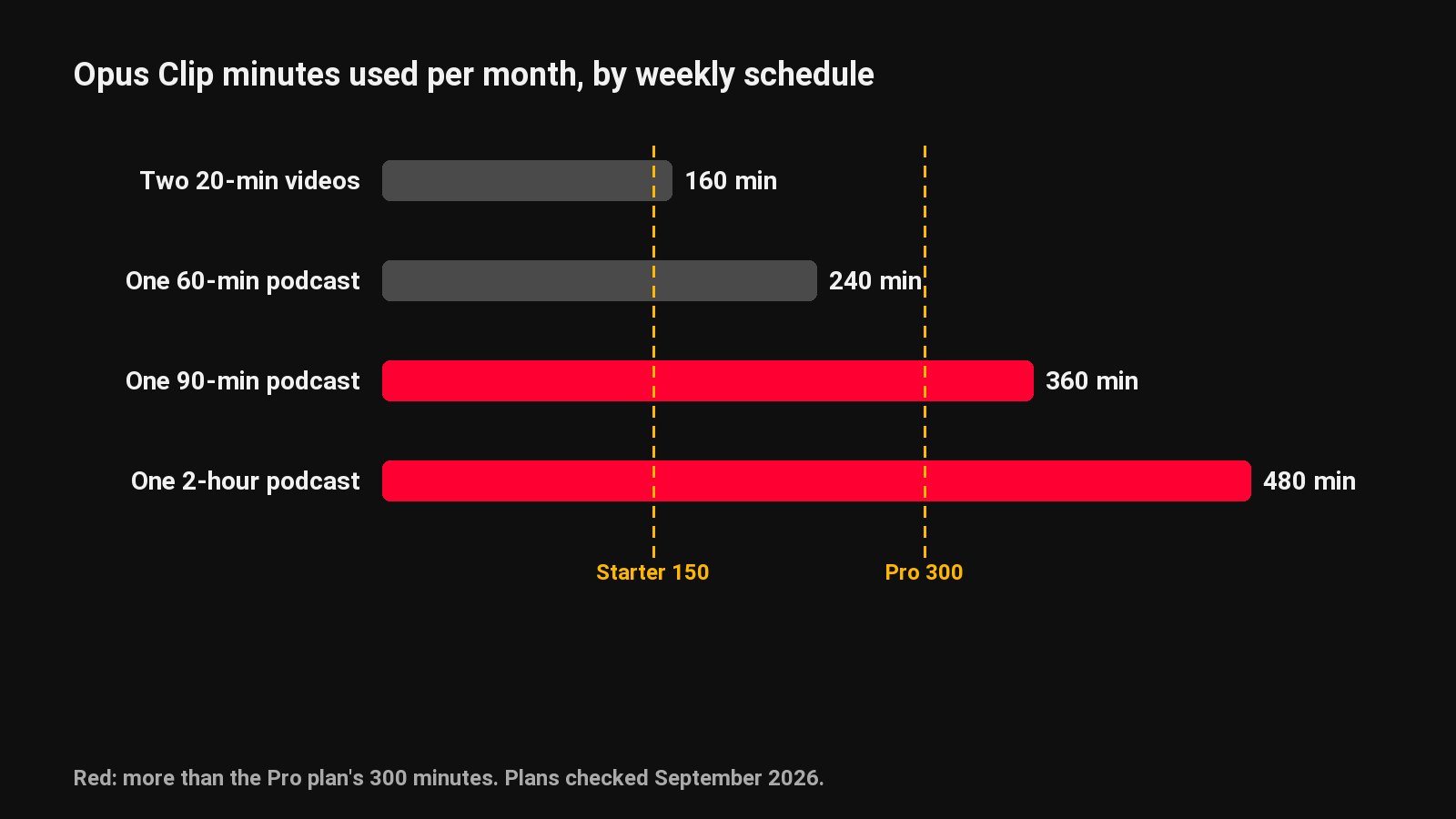
| Your schedule | Minutes a month | Plan you need | Monthly cost |
|---|---|---|---|
| Two 20-minute videos a week | 160 | Pro (Starter's 150 is just short) | $29 |
| One 60-minute podcast a week | 240 | Pro | $29 |
| One 90-minute podcast a week | 360 | Pro + an extra pack | $29 + pack |
| One 2-hour podcast a week | 480 | Pro + an extra pack | $29 + pack |
| Three 10-minute videos a week | 120 | Starter | $15 |
The Starter plan's 150 minutes covers about two and a half hours of video a month. For most weekly podcasts, that's not enough, so Pro is the realistic starting point.
Is Opus Clip worth it?
For many creators, yes. It's well known, the clip picking is good on talking videos, and features like the virality score and auto-posting save time. If you upload short or medium-length videos and want everything posted for you, it's a strong pick.
It's less of a fit when:
- Your videos are long. Per-minute pricing means a weekly two-hour show needs Pro plus extra minutes.
- You want more than clips. Opus Clip focuses on short clips. Chapters, descriptions, thumbnails and written posts for the full episode aren't its focus.
- You want to test it without a watermark. The free plan's clips are watermarked.
Cheaper options for long videos
If per-minute pricing is the problem, look at tools that charge differently:
- ClipFlame includes more hours. Starter is $19/month for 4 hours of video, Pro is $39/month for 20 hours. A weekly two-hour podcast (8 to 10 hours a month) fits Pro with room to spare, and both plans include the scheduler.
- Vizard also charges per minute but its Creator plan includes 600 minutes a month at $29 ($14.50/month billed yearly).
- Klap charges per clip generated rather than per minute uploaded.
We compare all of them in Opus Clip alternatives, and go head to head in ClipFlame vs Opus Clip.
Common questions
Is Opus Clip free or paid?
Both. There's a free plan with 60 processing minutes a month and watermarked clips, and paid plans from $15/month that remove the watermark.
How much does Opus Clip cost per month?
$15/month for Starter (150 minutes), $29/month for Pro (300 minutes). Pro is also available yearly at $174. Business pricing is custom.
Do Opus Clip credits roll over?
Opus Clip's help center doesn't say that monthly credits roll over, so plan on using them within the month. On yearly Pro, the 3,600 minutes are granted for the year.
Is there a better alternative to Opus Clip?
For long podcasts, a plan with more hours usually costs less: ClipFlame Pro gives 20 hours for $39, against 5 hours for $29 on Opus Clip Pro. See our Opus Clip alternatives roundup for options and real costs.