How to add captions to Facebook Reels
On this page
To add captions to a Facebook Reel, create the Reel in the Facebook app, open the editor, and use the Captions sticker or option to generate captions automatically, then tap to fix any mistakes. For captions that always show in your own style, burn them into the video before uploading.
A lot of Facebook video is watched in the feed with the sound off, and Facebook audiences include many older viewers who prefer captions. A Reel without captions loses both.
Use Facebook's auto captions
- In the Facebook app, tap + (or Reel) and select or record your video.
- In the editor, look for Captions (sometimes a sticker, sometimes a button, depending on the app version).
- Facebook generates captions from the audio. Tap them to edit wrong words.
- Choose a caption style if offered, drag to position, and continue.
- Add your Reel caption text and share.
The option isn't available in every language or region. If you don't see it, update the app or burn captions in first.
Reels shared from Instagram
If you post Reels on Instagram and share them to Facebook, add captions in Instagram's editor (the Captions sticker) before posting. Burned-in captions carry over everywhere; app stickers depend on the app.
Burn captions in first
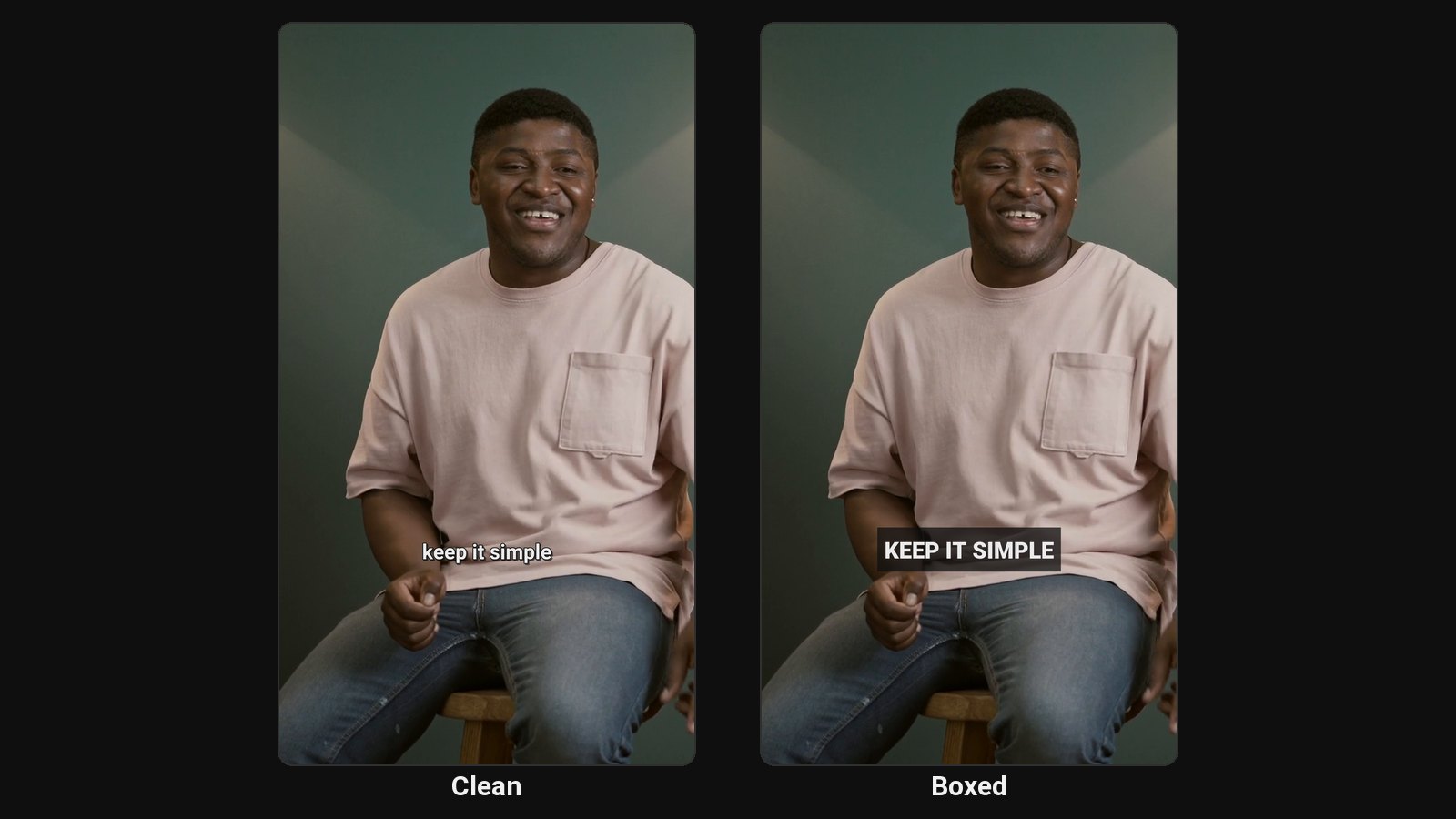
For consistent, readable captions on every platform:
- CapCut: auto captions, styled and exported. See how to add captions in CapCut.
- ClipFlame: if your Reels come from long videos like Facebook Lives, sermons or webinars, ClipFlame cuts them into Reels and burns in word-by-word captions in one step. See the Facebook Reels maker.
For Facebook's audience, calm, large styles like Clean or Boxed often read better than flashy one-word captions.
Write the Reel caption
- First line: what the viewer gets.
- A question to invite comments.
- Two or three relevant hashtags.
Common questions
Does Facebook add captions to Reels automatically?
Facebook can generate captions, but you often need to turn them on in the editor. Burned-in captions guarantee they show.
Can I add captions to a Reel after posting?
Options after posting are limited. Add captions before you share.