How to make YouTube Shorts
On this page
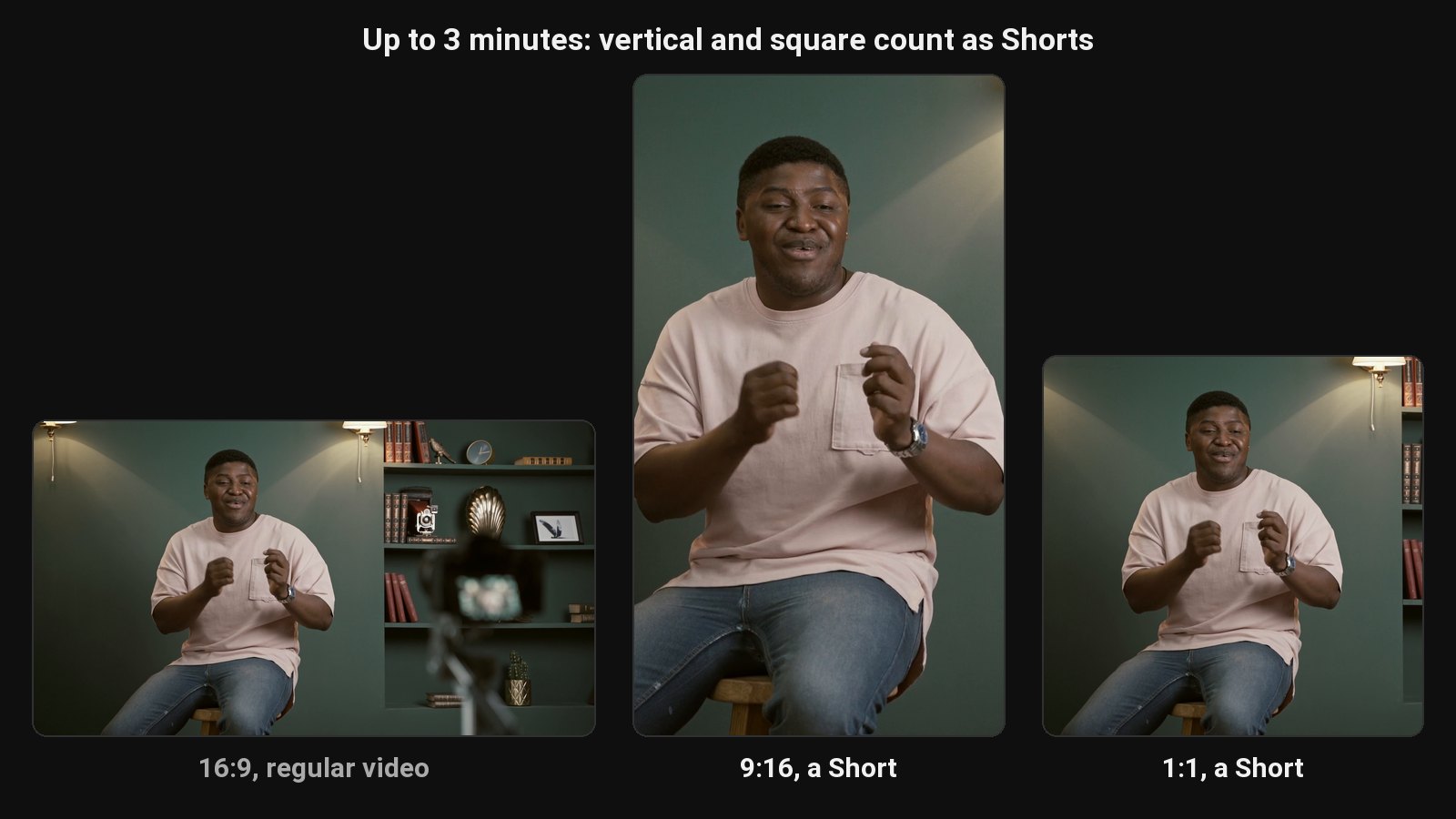
To make a YouTube Short, create a vertical (9:16) or square video up to 3 minutes long, then either record it in the YouTube app (+ > Create a Short) or upload the file from YouTube Studio on desktop. YouTube treats any vertical or square video of 3 minutes or less as a Short automatically.
The rules
| Requirement | |
|---|---|
| Length | Up to 3 minutes |
| Shape | Vertical (9:16) or square (1:1) |
| Resolution | 1080 x 1920 recommended for vertical |
| #shorts | Not required |
The length and shape rules come from YouTube's help page on three-minute Shorts. More detail in how long YouTube Shorts can be.
On your phone
- Open the YouTube app and tap +, then Create a Short.
- Record in segments (tap to start and stop), or tap the gallery icon to upload a video from your phone.
- Trim, add text, music or filters, then tap Next.
- Write a title, choose visibility and audience, and tap Upload Short.
On desktop
- In YouTube Studio, click Create > Upload videos.
- Choose a vertical or square video under 3 minutes.
- Add a title and description. It's published as a Short automatically.
Link the Short to your long video
In the Short's details (on mobile, when uploading, or in YouTube Studio), add a related video. It shows as a link in the Shorts player, the simplest way to turn Shorts viewers into long-form viewers.
Where to get Shorts from
- Film them directly. Quick tips, reactions, behind the scenes.
- Cut them from your long videos. Usually the richest source: you've already said the good thing. Do it by hand with our long video to short video guide, or let ClipFlame's YouTube Shorts maker find the moments, cut them to 9:16, frame the speaker and add captions.
- Convert your back catalogue. See YouTube to Shorts.
What makes a Short work
- Hook in the first second. Start on the point. Filming one from scratch? Start from the hook generator and the script generator.
- Captions burned in, since many viewers start muted.
- One idea per Short.
- Post consistently. See how to get views on YouTube Shorts and the best time to post.
Common questions
Do I need #shorts in the title?
No. YouTube detects Shorts by shape and length. The hashtag doesn't hurt, but isn't needed.
Can a horizontal video be a Short?
No. It needs to be vertical or square. Crop horizontal videos to 9:16 first.
Can I make money from Shorts?
Yes, through the YouTube Partner Program. See YouTube Shorts monetization.