Best YouTube Shorts makers in 2026
On this page
The best YouTube Shorts maker in 2026 is ClipFlame if you already publish long videos: it finds up to 20 Shorts in each video, scores each one for virality, cuts them to 9:16 on full sentences, frames the speaker, adds captions and schedules them to your channel, for $19 a month. YouTube's own Edit into a Short is the best free option for one Short at a time. Also compared: Opus Clip, Vizard, CapCut, Kapwing and Descript.
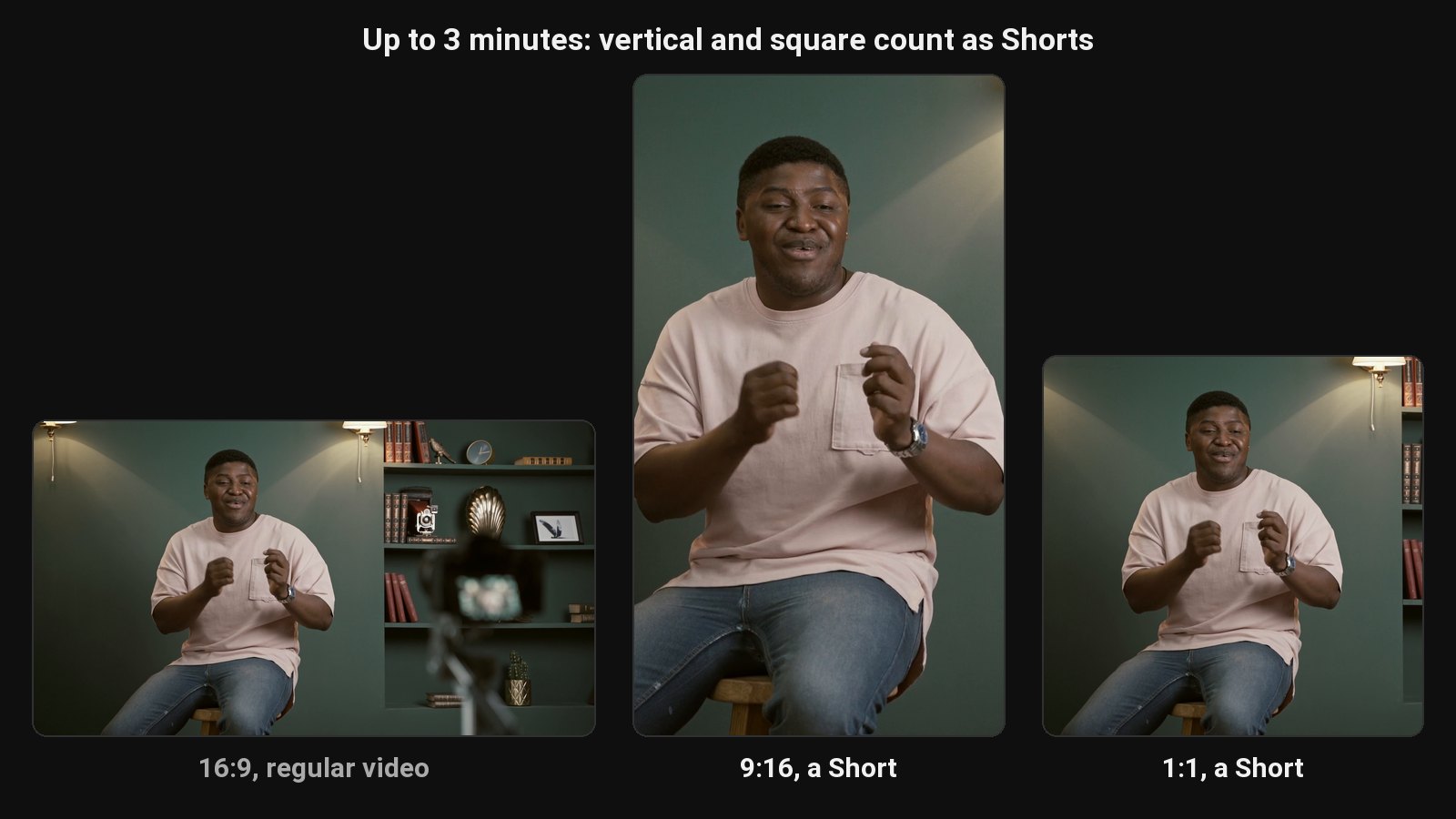
A YouTube Short is a vertical or square video up to 3 minutes long. If you make long videos, the fastest way to post Shorts every day is to cut them from what you've already filmed. Every tool below does that; they differ in how much of the job they do for you and what that costs.
Disclosure: we make ClipFlame. Prices come from each tool's pricing page, checked in October 2026, monthly billing unless noted.
Our top picks at a glance
| Rank | Tool | Best for | Finds the moments | Virality score | Schedules to YouTube | Price |
|---|---|---|---|---|---|---|
| 1 | ClipFlame | A week of Shorts from each long video | Yes, up to 20 per video | Yes, every clip | Yes, plus 4 more platforms | $19/mo ($16 yearly) |
| 2 | YouTube Edit into a Short | One free Short at a time, in the app | No, you pick up to 60 seconds | No | Posts directly | Free |
| 3 | Opus Clip | Short and medium videos | Yes | Yes | Pro, $29/mo | $15/mo (150 min) |
| 4 | Vizard | Lots of footage | Yes | Yes | Yes | $29/mo (600 min) |
| 5 | CapCut | Hand-editing with effects | Basic suggestions | No | No | Free (Pro $19.99/mo) |
| 6 | Kapwing | Browser editing with prompts | Clip Maker | Not listed | Not listed | $24/mo ($16 yearly) |
| 7 | Descript | Editing the full video by transcript | Yes, on Creator | No | Not listed | $35/mo (Creator) |
How we compared them
Every tool was compared on the same job, using its published plans and features: turning one 30-minute talking video into a week of daily Shorts. Five things decide it:
- Finding the moments. Does it pick standalone moments, or do you scrub the timeline yourself?
- Shorts-ready output. 9:16, the speaker in frame, captions burned in, under 3 minutes.
- Ranking. Does it tell you which Short to post first?
- Posting. Can it schedule the Shorts to your channel, with a title?
- Price for a weekly long video.
1. ClipFlame
ClipFlame's YouTube Shorts maker reads your video's transcript and cuts up to 20 Shorts, each starting and ending on a full sentence, between 15 and 90 seconds. The vertical crop follows the speaker, and captions are burned in word by word.
What stands out:
- A virality score on every Short, 0 to 100, sorted best first, with the top ones highlighted.
- Scheduled to your channel. The YouTube scheduler uploads each Short at the time you pick, with its title, description and visibility. The same Short can go to Instagram, TikTok and Facebook.
- A cover for each Short, and an AI Shorts thumbnail maker for custom covers.
- More hours per plan: 4 hours of video a month on Starter, 20 on Pro.
- 9 languages with caption translation.
Pricing: Free trial (10 minutes of video). Starter $19/month ($16 yearly) for 4 hours of video a month. Pro $39/month ($32 yearly) for 20 hours and 3 brands.
Best for: YouTubers and podcasters who want one Short a day from each upload. See YouTube to Shorts.
2. YouTube Edit into a Short
In the YouTube app, open one of your own videos, tap Create, then Edit into a Short. You choose up to 60 seconds, trim it, add text or extra shots, and post. The Short links back to the original video.
Watch out for: you find every moment yourself, one Short at a time, and captions and framing are basic. It's great for an occasional Short, slow for a daily one.
3. Opus Clip
Opus Clip finds and scores clips, billed per minute: Starter $15 for 150 minutes, Pro $29 for 300 with the scheduler. See ClipFlame vs Opus Clip.
4. Vizard
600 minutes a month on Creator for $29 ($14.50 yearly). The free plan is 720p and watermarked. See ClipFlame vs Vizard.
5. CapCut
A free editor with auto captions and effects. Its long video to shorts tool suggests segments, but you refine each Short by hand. See CapCut alternatives.
6. Kapwing
A browser editor whose Clip Maker suggests clips from a prompt describing what you want. Pro is $24 a month ($16 yearly). See Kapwing alternatives.
7. Descript
A transcript-based editor with full AI clip creation on Creator ($35 a month). See ClipFlame vs Descript.
A week of Shorts from one long video
| Day | Post |
|---|---|
| Release day | The long video, plus the highest-scored Short |
| Days 2 to 7 | One Short a day, same time slot |
| Next week | New video, new batch |
With ClipFlame, the whole week is cut, captioned and on the calendar from one upload. For timing, see the best time to post Shorts.
How to choose
| If you... | Pick |
|---|---|
| Publish long videos every week | ClipFlame |
| Want Shorts ranked so you post the best first | ClipFlame |
| Want Shorts scheduled to YouTube and four other platforms | ClipFlame |
| Make one Short now and then, for free | YouTube's Edit into a Short |
Common questions
What is the best YouTube Shorts maker?
ClipFlame, if you make long videos: it finds up to 20 Shorts per video, scores them, captions them and schedules them to your channel for $19 a month. For a free, one-at-a-time option, use YouTube's Edit into a Short in the app.
How long can a YouTube Short be?
Up to 3 minutes, if it's vertical or square. See how long YouTube Shorts can be.
Can I make Shorts from my old YouTube videos?
Yes. Upload the original file to ClipFlame for a batch of Shorts, or use Edit into a Short in the YouTube app for one at a time.
Do Shorts made from long videos get views?
They do when each one opens on a hook and makes sense alone. That's what ClipFlame's virality score measures. See how to get views on YouTube Shorts.