Best CapCut alternatives
On this page
If you use CapCut to cut long videos into Shorts, ClipFlame is the best alternative. It does the part CapCut leaves to you: finding up to 20 moments that stand on their own, scoring each one for virality, cutting them on full sentences, framing the speaker, captioning them word by word and scheduling them to four platforms. Starter is $19 a month. Other options: Opus Clip, Vizard, Submagic and Descript.
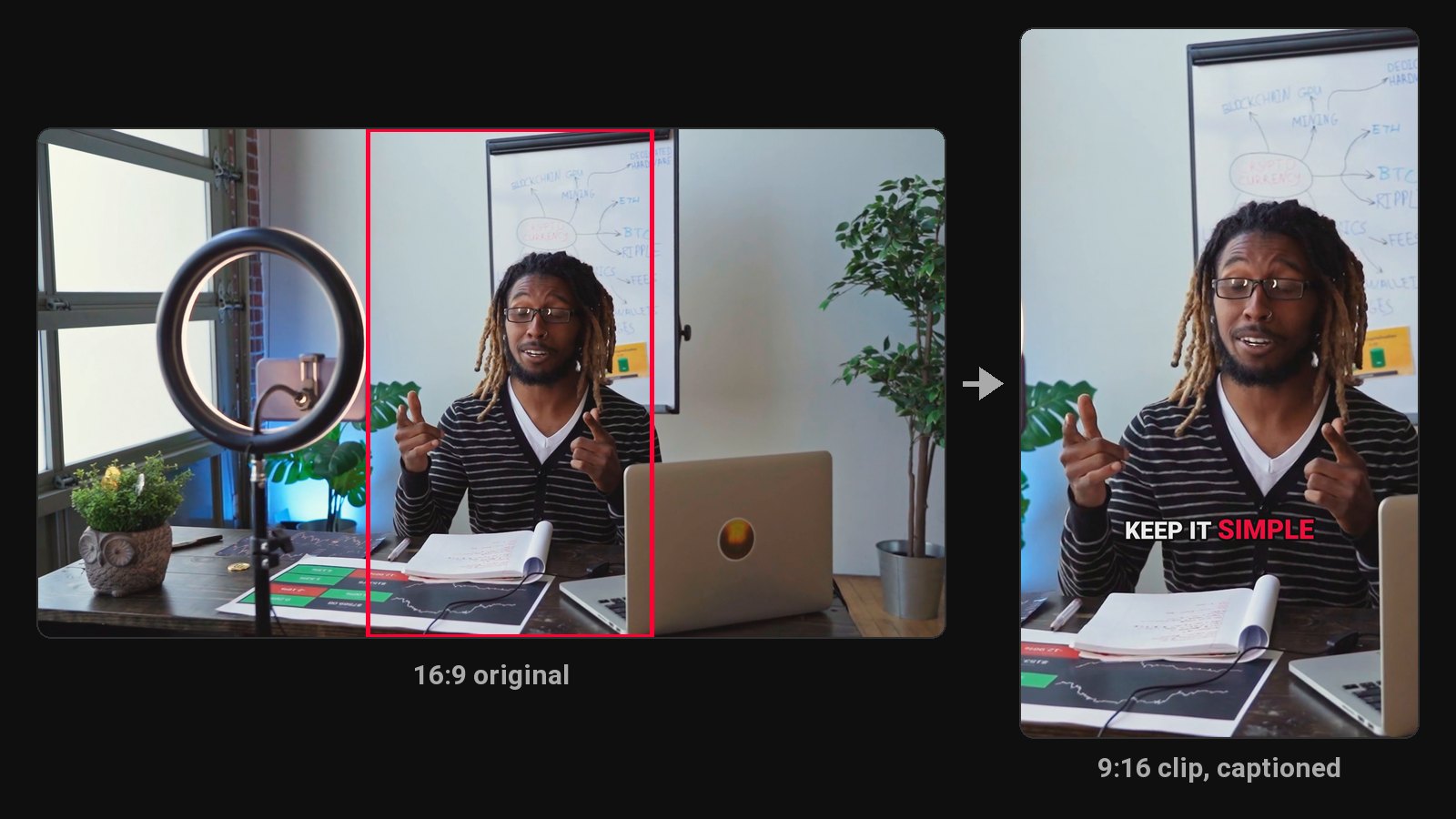
CapCut is a great editor, and its core features are free. People look for something else when clipping a long podcast still takes hours: the AI suggestions need refining, every clip needs captions and a crop, and then someone has to post them all. Budget 15 to 30 minutes per finished clip by hand.
Disclosure: we make ClipFlame. Prices were checked on each tool's pricing page in October 2026 and are monthly-billing prices unless noted.
CapCut's plans, for reference
| Plan | Price | Adds |
|---|---|---|
| Free | $0 | Editor, auto captions, templates, basic AI tools |
| Standard | about $9.99/mo | More templates and effects |
| Pro | $19.99/mo ($179.99/yr) | 4K export, full asset library, advanced AI tools |
CapCut's plan names and prices vary by country, so check the app for yours.
Hours saved on a weekly podcast
| CapCut by hand | ClipFlame | |
|---|---|---|
| Find the moments | Watch or skim the whole episode | Read from the transcript automatically |
| Clips per episode | As many as you have time for | Up to 20 |
| Rank the clips | Your judgment | 0-100 virality score, best first |
| Cut on full sentences | By hand | Every clip |
| Vertical crop on the speaker | Keyframe by hand | Follows the speaker, split screen for two people |
| Captions | Auto captions, styled per clip | Word by word in 7 styles, brand colour |
| Post to four platforms | Upload each clip to each app | Scheduled from one calendar |
| Time for 8 clips | About 2 to 4 hours | A few minutes of review |
Quick comparison
| Tool | Paid from | Finds moments for you | Virality score | Scheduling | Free option |
|---|---|---|---|---|---|
| ClipFlame | $19/mo ($16 yearly) | Yes, up to 20 per video | Yes, every clip | Every plan | First 10 minutes of video free |
| Opus Clip | $15/mo | Yes | Yes | Pro, $29/mo | Free plan, watermarked |
| Vizard | $29/mo ($14.50 yearly) | Yes | Yes | Yes | 60 min/mo, 720p, watermarked |
| Submagic | $19/mo | Magic Clips add-on, $19/mo | Not listed | Not listed | Free trial |
| Descript | $24/mo ($16 yearly) | Yes, full clip creation on Creator ($35) | No | Not listed | 1 hour/mo, 720p, watermarked |
1. ClipFlame
ClipFlame is built for the part CapCut makes you do by hand. It reads the whole transcript, picks the moments that make sense to someone who's never seen the episode, and cuts each one to start and end on a full sentence. The vertical crop centres on the person in each shot, switching to a split screen when two people sit too far apart.
Why people switch from CapCut:
- Up to 20 clips per video, found for you, each one a complete thought.
- Every clip scored 0-100, sorted best first, with clips scoring 80 or more highlighted.
- Word-by-word captions in seven styles, three in your brand colour, plus a brand kit with your watermark and end card.
- Posting done. The scheduler posts clips to YouTube, Instagram, TikTok and Facebook, with a title, caption and hashtags written for each platform, on every plan.
- 9 languages, detected automatically, Hindi included in Devanagari, with caption translation.
- Edits stay quick. Nudge an edge, fix a word or change the style, and re-render for free.
Pricing: Free trial (first 10 minutes of video). Starter $19/month ($16 yearly) for 4 hours of video. Pro $39/month ($32 yearly) for 20 hours and 3 brands. See plans.
Want one clip extra polished? Open it in CapCut afterwards for music or effects.
2. Opus Clip
Opus Clip picks moments and scores each clip, billed per minute: 150 minutes on Starter ($15), 300 on Pro ($29), where the scheduler sits. See our Opus Clip review.
3. Vizard
Vizard's Creator plan includes 600 minutes a month for $29 ($14.50 yearly). The free plan is 720p with a watermark. See Vizard pricing.
4. Submagic
A caption and effects tool for videos that are already short, with plans capped at 2 to 30 minutes per video. Clipping long videos needs its Magic Clips add-on. See Submagic alternatives.
5. Descript
A text-based editor that pulls clips on its Creator plan, $35 a month. See ClipFlame vs Descript.
How to choose
| If you... | Pick |
|---|---|
| Clip long podcasts or interviews every week | ClipFlame |
| Want clips found, scored and captioned in one pass | ClipFlame |
| Want clips posted to four platforms for you | ClipFlame |
| Want the free route and have hours to spare | CapCut, with our manual workflow guide |
Common questions
Is there something better than CapCut for making Shorts from long videos?
Yes, for long talking videos: ClipFlame finds, scores, cuts, captions and schedules up to 20 clips per video in one pass, where CapCut needs each clip edited by hand.
Does CapCut have an AI clip maker?
Its long video to shorts tool suggests segments, which most creators refine in the editor. ClipFlame returns finished clips, each starting and ending on a full sentence.
Can I use ClipFlame and CapCut together?
Yes. Cut and caption clips in ClipFlame, then open any clip in CapCut to add music or effects. For caption looks, see Hormozi-style captions.