Best Pikzels alternatives
On this page
The best Pikzels alternative is ClipFlame. There's no persona to train: add one photo of your face and a few screenshots from your video, write one line about what you want, and it designs two thumbnails in one of 24 layouts. Every credit also turns your screenshots into thumbnails with a headline. Recreate is on every credit; click-to-edit, the expression changer and editable text come with every credit pack. Credits have no subscription ($10 for 5), and your first credit is free. Pikzels starts at $40 a month and doesn't list a free plan. Other options: Thumbmagic, 1of10, vidIQ and Canva.
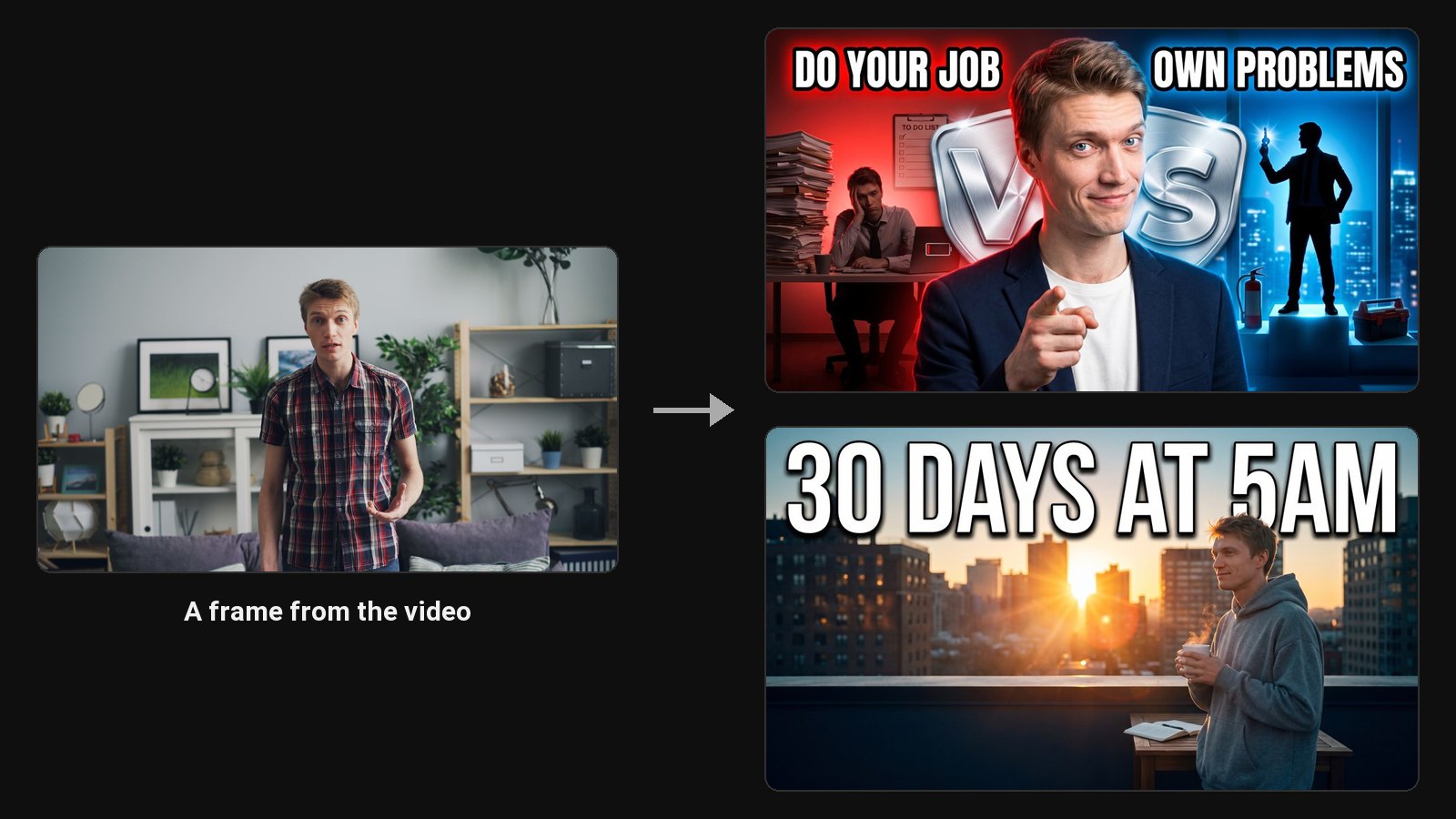
Pikzels is a prompt-first AI thumbnail maker. You train a persona on three photos of yourself and a style on three thumbnails, then generate from a prompt or recreate a thumbnail you paste. It adds a thumbnail score with a one-click fix, and title ideas. People look for alternatives when they want a free trial, a lower price, or a tool that works from a plain photo with no training.
Disclosure: we make ClipFlame. Prices were checked on each tool's site in October 2026, monthly billing unless noted.
Quick comparison
| Tool | Paid from | Free option | Starts from | Your face |
|---|---|---|---|---|
| ClipFlame | $10 for 5 credits, no subscription | 1 credit (1 AI design, 1 screenshot thumbnail) | A photo, screenshots and one line, or a clip | 1 to 3 photos, saved once |
| Thumbmagic | $29/mo ($17 yearly) | 3 generations (6 thumbnails) | Video, YouTube link or prompt | Saved avatars |
| 1of10 | $15/mo billed yearly | 60 credits a month | Outlier ideas | Yes |
| vidIQ | Part of vidIQ plans | Free to try | Video, link or prompt | Yes |
| Canva | Free; Canva Pro for more | Yes | Templates | Your own photo |
| Pikzels (for reference) | $40/mo ($28 yearly) | None listed | Prompt or recreate | Persona from 3 photos |
1. ClipFlame
ClipFlame needs a photo of your face and one line about the video. It writes the full brief itself, picks the layout if you want, and designs two thumbnails in one of 24 layouts. Add screenshots from your video and the designs can build on your real scenes. Your photos are saved once and fill in on every project, with nothing to train. Made clips in ClipFlame? Press Thumbnail on a clip and it takes your face, frames and words from the clip.
Recreate a thumbnail works like Pikzels' Recreate: paste a YouTube link or upload an image, and ClipFlame keeps the layout with your face and topic. Then click any spot to edit it, change your expression or make the text editable.
ClipFlame also makes AI clips with captions, each scored for virality, and every clip has a Thumbnail button. The scheduler can post your video with its thumbnail.
| Pikzels | ClipFlame | |
|---|---|---|
| Starts from | A prompt or a thumbnail to recreate | A photo, screenshots and one line, a clip, or a thumbnail to recreate |
| Setup | Train a persona on 3 photos | Add a photo, no training |
| Price | $40/mo ($28 yearly) | $10 for 5 credits, no subscription |
| Free option | None listed | First credit free: 1 AI design, 1 screenshot thumbnail |
| Recreate a thumbnail | Yes | Yes |
| Expression changer | Edit by prompt | Yes, one click |
| Editable text layers | Not listed | Yes |
| Clips and scheduling | No | Yes, with a Thumbnail button on every clip |
2. Thumbmagic: video-first, high volume
Thumbmagic (part of Submagic) also starts from your video or a YouTube link, with templates and avatars. Starter includes 100 thumbnails a month; template replication is on Pro, and expressions and filters on Business. See Thumbmagic alternatives.
3. 1of10: ideas first
1of10 finds outlier videos in your niche and turns those ideas into titles and thumbnails. The free plan includes 60 credits a month, about 15 thumbnails.
4. vidIQ: inside your research tool
vidIQ's AI thumbnail maker sits next to its keyword research and analytics, and takes a video, a link or a prompt.
5. Canva: design it yourself
Free templates and AI image tools, with full manual control.
How to choose
| If you... | Pick |
|---|---|
| Film yourself and post long videos | ClipFlame |
| Want your face in thumbnails without training a persona | ClipFlame |
| Make a few thumbnails a month without a subscription | ClipFlame: credit packs |
| Want clips and thumbnails in one place | ClipFlame |
Common questions
What is the best Pikzels alternative?
ClipFlame. It designs thumbnails from one photo of you with no persona to train, includes recreate on every credit and editing with every pack, and costs $10 for 5 credits with no subscription.
Is there a free Pikzels alternative?
Yes. ClipFlame's first credit is free (one AI design, plus one thumbnail from a screenshot), then credits come in packs with no subscription. Thumbmagic's free trial includes 3 generations. 1of10 has a free plan with 60 credits a month.
Can ClipFlame recreate a thumbnail like Pikzels?
Yes. Use Replicate with a YouTube link or an image. It keeps the layout and puts your face and topic in.
Do I need to train a persona in ClipFlame?
No. Add one to three photos of your face and save them once. ClipFlame uses them on every thumbnail with no training.