Best Riverside alternatives
On this page
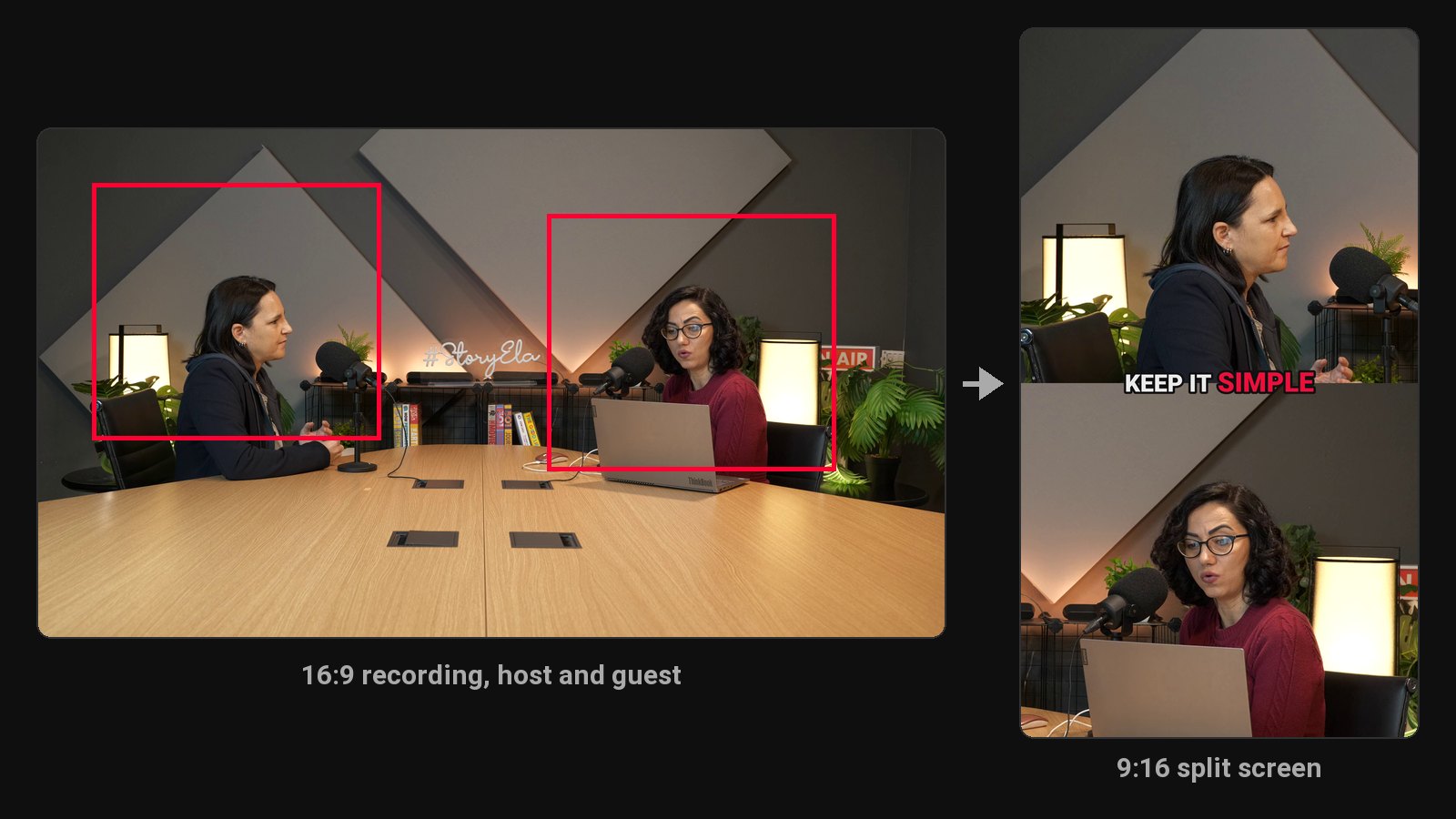
The best Magic Clips alternative is ClipFlame. Export your episode from Riverside, or any recorder, and ClipFlame returns up to 20 clips, each scored for virality, cut on full sentences, framed on whoever is talking (split screen when host and guest sit apart) and captioned word by word. The scheduler posts them to four platforms, from $19 a month. Other options: Opus Clip, Descript, Vizard and Klap.
Riverside is a recording studio first: each guest is recorded locally in high quality, then you edit by transcript. Magic Clips is its built-in feature for pulling short clips from a recording, and social scheduling sits on the $39 Grow plan. If you record elsewhere (Zoom, StreamYard, a studio camera), or want each episode to give more clips that are ranked and posted for you, a dedicated clip tool fits better.
This page covers Magic Clips alternatives. Keep recording wherever you like: ClipFlame works from the finished file.
Disclosure: we make ClipFlame. Prices were checked on Riverside's pricing page and each other tool's site in October 2026.
Riverside plans, for reference
| Plan | Monthly | Yearly (per month) | Recording | Social scheduling |
|---|---|---|---|---|
| Free | $0 | $0 | 2 hours, one-off, 720p, watermarked | No |
| Pro | $29 | $24 | 5 hours a month, multitrack, up to 4K | No |
| Grow | $39 | $34 | 15 hours a month | Yes |
| Webinar | $99 | $79 | 20 hours a month | Yes |
Quick comparison
| Tool | Paid from | Clips per episode | Virality score | Scheduling | Free option |
|---|---|---|---|---|---|
| ClipFlame | $19/mo ($16 yearly) | Up to 20 | Yes, every clip | Every plan | First 10 minutes of video free |
| Riverside Magic Clips | Included with recording plans | Varies | Not listed | Grow plan, $39/mo | Free plan, watermarked |
| Opus Clip | $15/mo | Varies | Yes | Pro, $29/mo | Free plan, watermarked |
| Descript | $24/mo ($16 yearly) | Full clip creation on Creator ($35) | No | Not listed | 1 hour/mo, 720p, watermarked |
| Vizard | $29/mo ($14.50 yearly) | Varies | Yes | Yes | 60 min/mo, 720p, watermarked |
| Klap | $14/mo billed yearly | 100 clips a month in total | Yes | Yes | Not listed |
1. ClipFlame
Export your finished episode from Riverside and upload it to ClipFlame. It picks every moment that stands on its own, cuts it on full sentences and frames the people in each shot. When host and guest sit too far apart for one vertical frame, it switches to a split screen. Captions go on word by word in seven styles.
Why podcasters move their clipping to ClipFlame:
- Up to 20 clips per episode, each a complete thought at 15 to 90 seconds.
- Every clip scored 0-100, sorted best first, with clips scoring 80 or more highlighted.
- Scheduling on every plan, not just a higher tier: YouTube, Instagram, TikTok and Facebook, with a title, caption and hashtags written per platform.
- Two-person framing built for podcasts, with split screen when needed.
- Brand kit included: watermark, end card and caption colour.
- 9 languages, Hindi included in Devanagari, plus caption translation.
- Works with any recorder: Riverside, Zoom, StreamYard or a camera.
Pricing: Free trial (first 10 minutes of video). Starter $19/month ($16 yearly) for 4 hours of video. Pro $39/month ($32 yearly) for 20 hours and 3 brands. See plans.
2. Opus Clip
A clip tool billed per minute, with a scheduler on Pro ($29 a month, 300 minutes). See Opus Clip review.
3. Descript
Edit by transcript and pull clips, with full AI clip creation on Creator at $35 a month. See ClipFlame vs Descript.
4. Vizard
600 minutes a month on Creator for $29 ($14.50 yearly). See Vizard alternatives.
5. Klap
Charges per clip, 100 a month on Basic ($14 billed yearly). See ClipFlame vs Klap.
How to choose
| If you... | Pick |
|---|---|
| Want more clips from every episode, ranked best first | ClipFlame |
| Want clips scheduled without upgrading to Grow | ClipFlame: scheduler on every plan |
| Record two-person interviews | ClipFlame: speaker framing with split screen |
| Record outside Riverside | ClipFlame works from any file |
Common questions
Is Riverside Magic Clips free?
It's included on Riverside's plans, with a watermark on the free plan. Social scheduling is on the $39 Grow plan. ClipFlame includes scheduling on every plan, from $19 a month.
Can I use ClipFlame with Riverside recordings?
Yes. Export the video from Riverside and upload the file to ClipFlame, or share it through Google Drive or Dropbox.
What's the best clip tool for podcasts?
ClipFlame: 4 hours of video a month on Starter and 20 on Pro, with every clip scored and scheduled. See ClipFlame for podcasters.