Best Kapwing alternatives
On this page
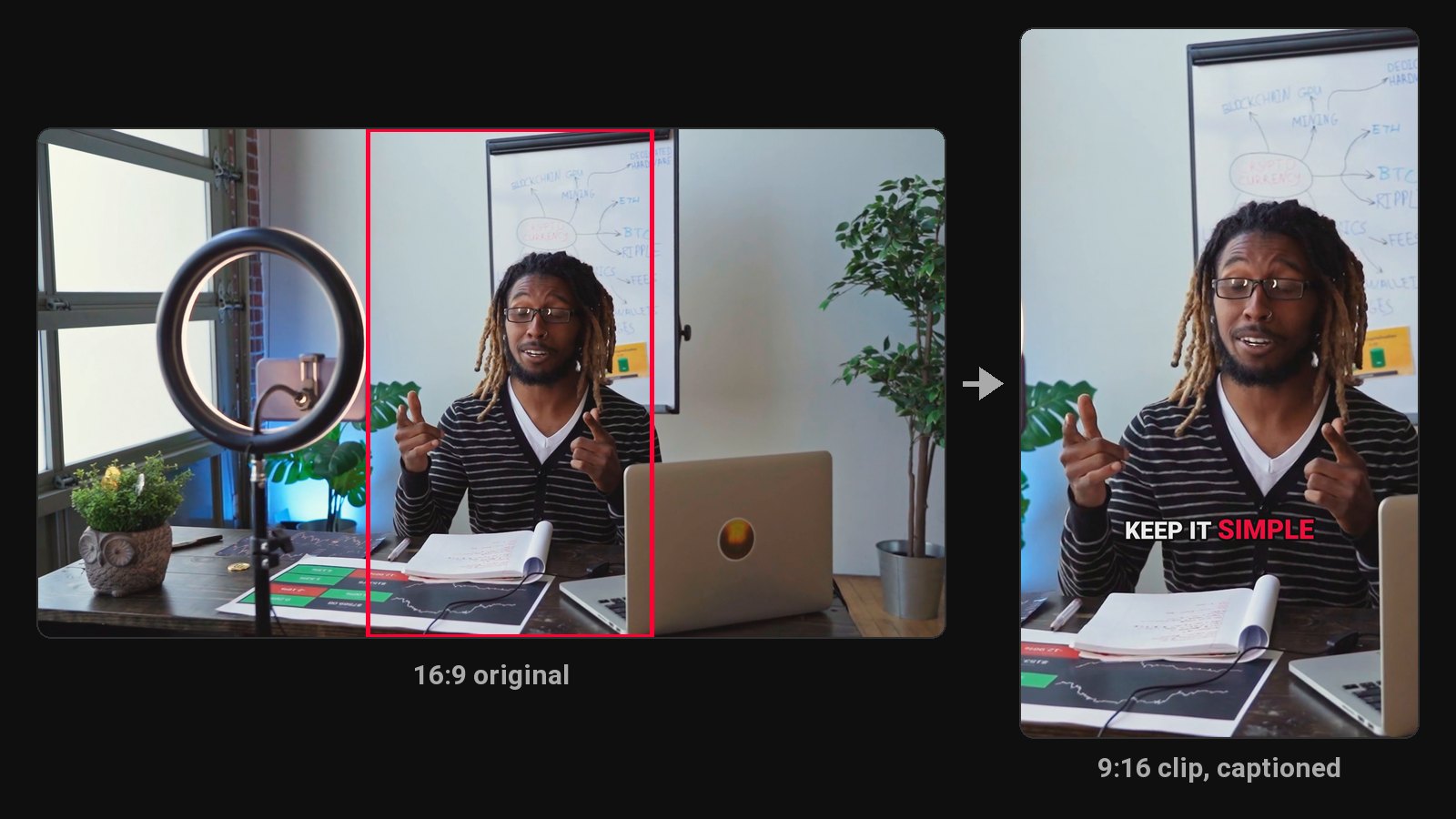
For clips from long videos, the best Kapwing alternative is ClipFlame. Instead of working clip by clip in an editor, you upload once and get up to 20 finished clips, each scored for virality, cut on full sentences, framed on the speaker, captioned word by word and ready to schedule to four platforms. Starter is $19 a month, against $24 for Kapwing Pro. Other options: Opus Clip, VEED, Descript and CapCut.
Kapwing is a browser editor for video, GIFs, images and audio, with AI tools including a Clip Maker. The free plan exports at 720p, up to 4 minutes, with a watermark. Pro is $24 a month ($16 yearly) with 4K exports up to 2 hours; Business is $64 a month ($50 yearly). If clips from long videos are most of what you make, you're paying for a full editor to do one job.
Disclosure: we make ClipFlame. Prices were checked on Kapwing's pricing page and each other tool's site in October 2026.
Quick comparison
| Tool | What it is | Paid from | Clips per upload | Virality score | Scheduling | Free option |
|---|---|---|---|---|---|---|
| ClipFlame | AI clipping, captions and scheduling | $19/mo ($16 yearly) | Up to 20, finished | Yes, every clip | Every plan | First 10 minutes of video free |
| Kapwing | Browser editor | $24/mo ($16 yearly) | Clip Maker suggestions | Not listed | Not listed | 720p, 4-min exports, watermarked |
| Opus Clip | AI clipping | $15/mo | Varies | Yes | Pro, $29/mo | Free plan, watermarked |
| VEED | Browser editor | Check VEED's pricing page | AI Clips on Pro | Not listed | Not listed | Yes, watermarked |
| Descript | Text-based editor | $24/mo ($16 yearly) | Full clip creation on Creator ($35) | No | Not listed | 1 hour/mo, 720p, watermarked |
| CapCut | Editor | Free (Pro $19.99/mo) | Basic suggestions | No | Not listed | Yes |
Editor vs clip tool, for one weekly podcast
| Kapwing | ClipFlame | |
|---|---|---|
| Upload | Once per project | Once per episode |
| Find the moments | Clip Maker suggestions, then review in the editor | Done: up to 20 complete clips |
| Rank them | Your judgment | 0-100 virality score, best first |
| Captions | Add and style in the editor | Burned in word by word, 7 styles |
| Vertical framing | Resize and position | Follows the speaker automatically |
| Post them | Download and upload to each app | Scheduled to 4 platforms with titles and hashtags |
| Monthly price | $24 (Pro) | $19 (Starter) |
1. ClipFlame
ClipFlame skips the editor. It reads the transcript, picks every moment that makes sense alone, cuts on full sentences, frames the speaker and burns in word-by-word captions.
Why people switch from Kapwing:
- Finished clips, not a project to edit. Up to 20 per video.
- Every clip scored 0-100, sorted best first, with clips scoring 80 or more highlighted.
- Scheduling on every plan to YouTube, Instagram, TikTok and Facebook, with titles and hashtags per platform.
- Brand kit included: watermark, end card and caption colour, with seven caption styles.
- 30 free re-renders per video, so edits never eat into your hours.
- 9 languages, detected automatically, plus caption translation.
Pricing: Free trial (first 10 minutes of video). Starter $19/month ($16 yearly) for 4 hours of video. Pro $39/month ($32 yearly) for 20 hours and 3 brands. See plans.
2. Opus Clip
A clip tool billed per minute: 150 minutes on Starter ($15), 300 on Pro ($29). See Opus Clip review.
3. VEED
A browser editor with subtitles, translation and AI tools, with AI Clips on its higher plans. See VEED alternatives.
4. Descript
A transcript editor with full AI clip creation on Creator, $35 a month. See ClipFlame vs Descript.
5. CapCut
A free editor with a basic long-to-short tool. See CapCut alternatives.
How to choose
| If you... | Pick |
|---|---|
| Mostly make clips from long talking videos | ClipFlame |
| Want clips ranked and scheduled automatically | ClipFlame |
| Want to spend less than Kapwing Pro | ClipFlame Starter, $19 |
Common questions
What is the best Kapwing alternative for clips?
ClipFlame. One upload gives up to 20 finished clips, scored, captioned and ready to schedule, for $19 a month.
Does Kapwing have an AI clip maker?
Yes. Its Clip Maker suggests short clips from one video, which you then finish in the editor.
What's cheaper than Kapwing for clips?
ClipFlame Starter is $19 a month for 4 hours of video, with every clip captioned and scored.