Best VEED alternatives
On this page
If you use VEED to turn long videos into short clips, ClipFlame is the best alternative. One upload gives up to 20 finished clips, each scored for virality, cut on full sentences, framed on the speaker, captioned word by word and ready to schedule to four platforms. There are no seats or AI credits to track: Starter is $19 a month for 4 hours of video. Other options: Opus Clip, Kapwing, Descript and Submagic.
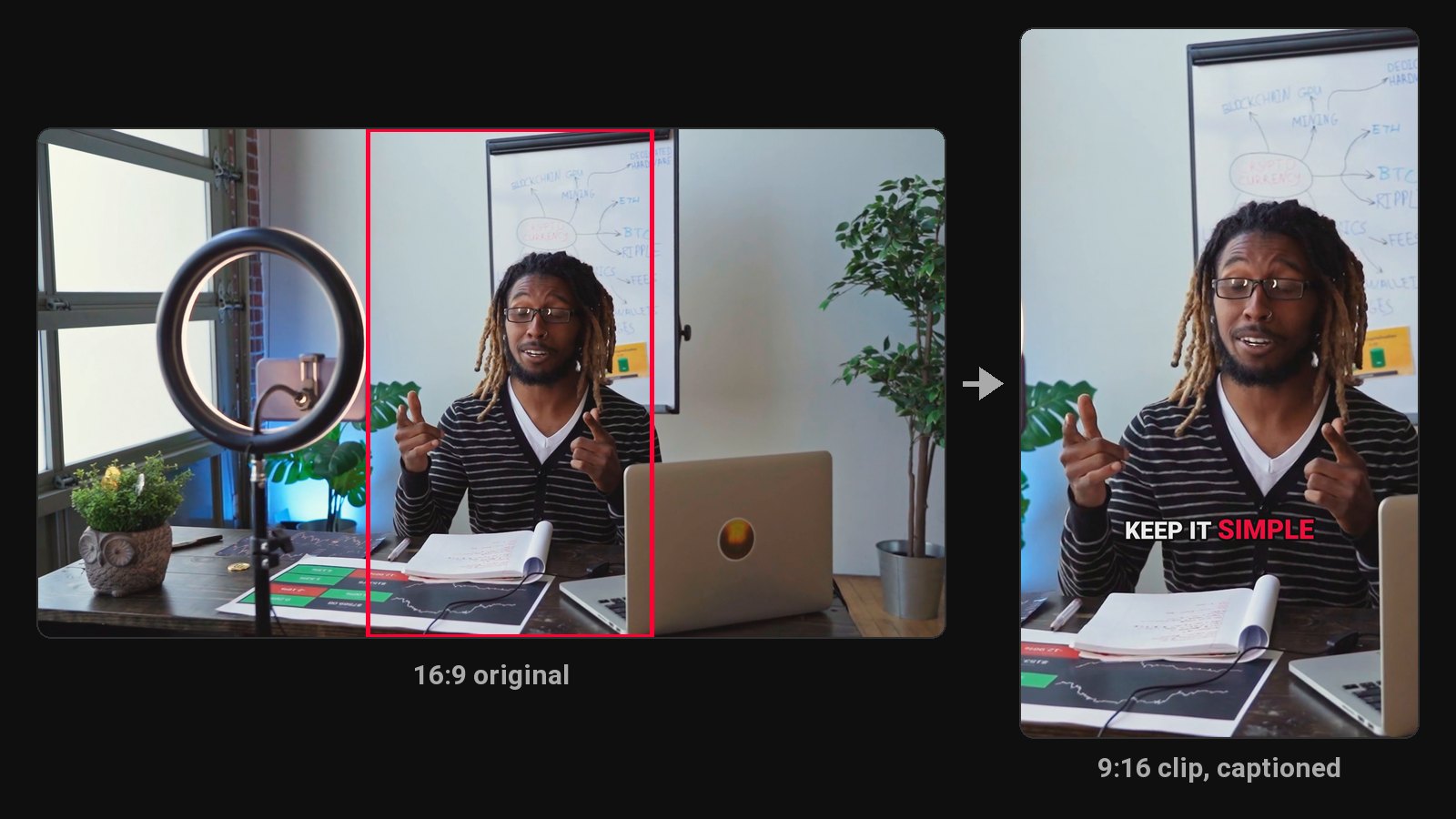
VEED is a browser video editor with a long list of AI features: subtitles, translation, dubbing, avatars and AI Clips on its higher plans. That breadth is why people leave, too. If all you need is to turn podcasts or talking videos into Shorts, you may be paying per seat for tools you don't use, and premium AI features draw on separate credits.
Disclosure: we make ClipFlame. VEED's plans change often, so check VEED's pricing page for current numbers. Other prices were checked in October 2026.
Quick comparison
| Tool | What it is | Paid from | Clips per upload | Virality score | Scheduling | Free option |
|---|---|---|---|---|---|---|
| ClipFlame | AI clipping, captions and scheduling | $19/mo ($16 yearly) | Up to 20, finished | Yes, every clip | Every plan | First 10 minutes of video free |
| VEED | Browser editor | See VEED's pricing page | AI Clips on higher plans | Not listed | Not listed | Yes, watermarked |
| Opus Clip | AI clipping | $15/mo | Varies | Yes | Pro, $29/mo | Free plan, watermarked |
| Kapwing | Browser editor | $24/mo ($16 yearly) | Clip Maker suggestions | Not listed | Not listed | 720p, 4-min exports, watermarked |
| Descript | Text-based editor | $24/mo ($16 yearly) | Full clip creation on Creator ($35) | No | Not listed | 1 hour/mo, 720p, watermarked |
| Submagic | Short-video captions | $19/mo | Magic Clips add-on, $19/mo | Not listed | Not listed | Free trial |
1. ClipFlame
ClipFlame does one job end to end. Upload a long video and it picks every moment that makes sense on its own, cuts it on full sentences, frames the speaker for vertical and burns in word-by-word captions.
Why people switch from VEED:
- No timeline to learn. Clips come back finished.
- No credit meter or seats. You pay for hours of video, and re-renders after edits are free, 30 per video.
- Up to 20 clips per video, each scored 0-100 and sorted best first, with clips scoring 80 or more highlighted.
- Scheduling on every plan to YouTube, Instagram, TikTok and Facebook, with a title, caption and hashtags written for each platform.
- Seven caption styles and a brand kit with your watermark, end card and caption colour.
- 9 languages, Hindi included in Devanagari, with caption translation.
Pricing: Free trial (first 10 minutes of video). Starter $19/month ($16 yearly) for 4 hours of video. Pro $39/month ($32 yearly) for 20 hours and 3 brands. See plans.
2. Opus Clip
A clip tool billed per minute, with the scheduler on Pro ($29 a month). See Opus Clip review.
3. Kapwing
The closest to VEED in feel: a browser editor with a Clip Maker. Pro is $24 a month ($16 yearly). See Kapwing alternatives.
4. Descript
Edit video by editing the transcript, with full AI clip creation on Creator at $35 a month. See ClipFlame vs Descript.
5. Submagic
Animated captions for videos that are already short, with plans capped at 2 to 30 minutes per video. See ClipFlame vs Submagic.
How to choose
| If you... | Pick |
|---|---|
| Turn long talking videos into clips every week | ClipFlame |
| Want a fixed price with no AI credits | ClipFlame: hours of video, no credits |
| Want clips scored and scheduled for you | ClipFlame |
Common questions
What is a cheaper alternative to VEED for clips?
ClipFlame Starter is $19 a month ($16 yearly) for 4 hours of video, with no per-seat pricing or AI credits, and scheduling included.
Does VEED make clips from long videos?
VEED offers AI Clips on its higher plans, drawing on AI credits. ClipFlame returns up to 20 finished, scored clips per video on every plan.
Is there a free VEED alternative?
ClipFlame's free trial clips your first 10 minutes of video. CapCut's core editor is free. See CapCut alternatives.