AI thumbnail editor
On this page
ClipFlame's AI thumbnail editor changes any part of a thumbnail from a sentence. Click the spot you want changed, describe it ("make the jacket red", "add a stack of cash on the table"), and you get a new version with everything else kept. Every edit is saved as a version you can go back to. Editing comes with every credit pack.
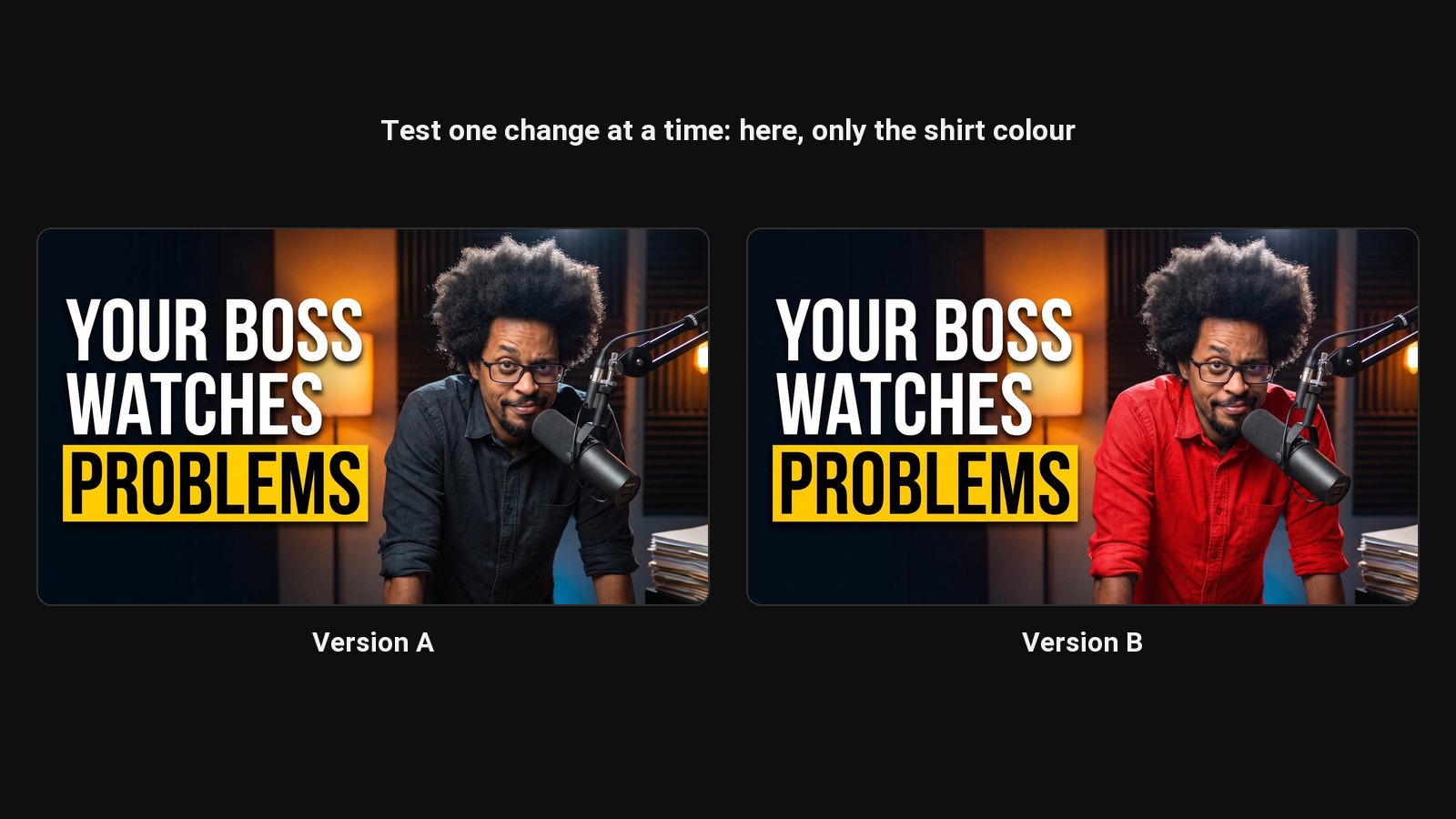
Most thumbnails are almost right. The face is good but the shirt clashes with the background. The scene works but there's a mug in the wrong place. In Photoshop each of those is a cut-out, a mask and twenty minutes. Here it's a click and a sentence.
How editing works
- Open a design in ClipFlame and choose Modify.
- Click the part to change. A marker shows the AI where to look, so "make it blue" changes that thing and not the whole image.
- Describe the change in plain words. Add a reference image if you want something specific, like your actual product.
- Compare versions in the strip under the editor. Download any of them.
What you can change
| Edit | Example |
|---|---|
| Clothes and colours | "Make the hoodie black" |
| Background | "Put me in a busy New York street at night" |
| Add or remove objects | "Remove the microphone", "add a gold trophy in my hand" |
| Lighting and mood | "Darker, with a red rim light" |
| Expression | Happy, surprised, shocked, angry, excited or curious, with one click. See the expression changer. |
| Look | Editorial, Realism, CCTV footage, Trailcam, Digital Illustration or Vintage |
| Face | Re-match your face to your photos if a design drifted |
| Text | Retype, move, resize and restyle. See the text editor. |
Text stays editable through AI edits
Once you make the text editable, ClipFlame keeps it as separate layers. An AI edit to the picture underneath doesn't touch the words, so you never lose a headline you styled to change a shirt.
How edits are paid for
Editing comes with every credit pack. Every thumbnail credit comes with 3 AI edits; edits don't use up credits, and a failed edit is given back. Editing text layers doesn't use an edit. See pricing.
Common questions
Can I edit a thumbnail I didn't make in ClipFlame?
ClipFlame edits the designs it made. To rework someone else's layout into your own, use recreate a YouTube thumbnail.
How long does an edit take?
Usually under 30 seconds.
Will an edit change my face?
The edit is limited to what you asked for, and your face photos stay the reference. If a face drifts, use the face re-match to bring it back.