YouTube thumbnail maker
On this page
ClipFlame's YouTube thumbnail maker designs thumbnails with you in them. Add a photo of your face and screenshots from your video, describe what you want, pick a layout, and you get two AI designs plus two thumbnails cut from your screenshots, sized 1280 × 720 as a light JPG, ready to upload in YouTube Studio or the phone app. On the Pro plan you can edit any part by clicking it. Your first credit is free.
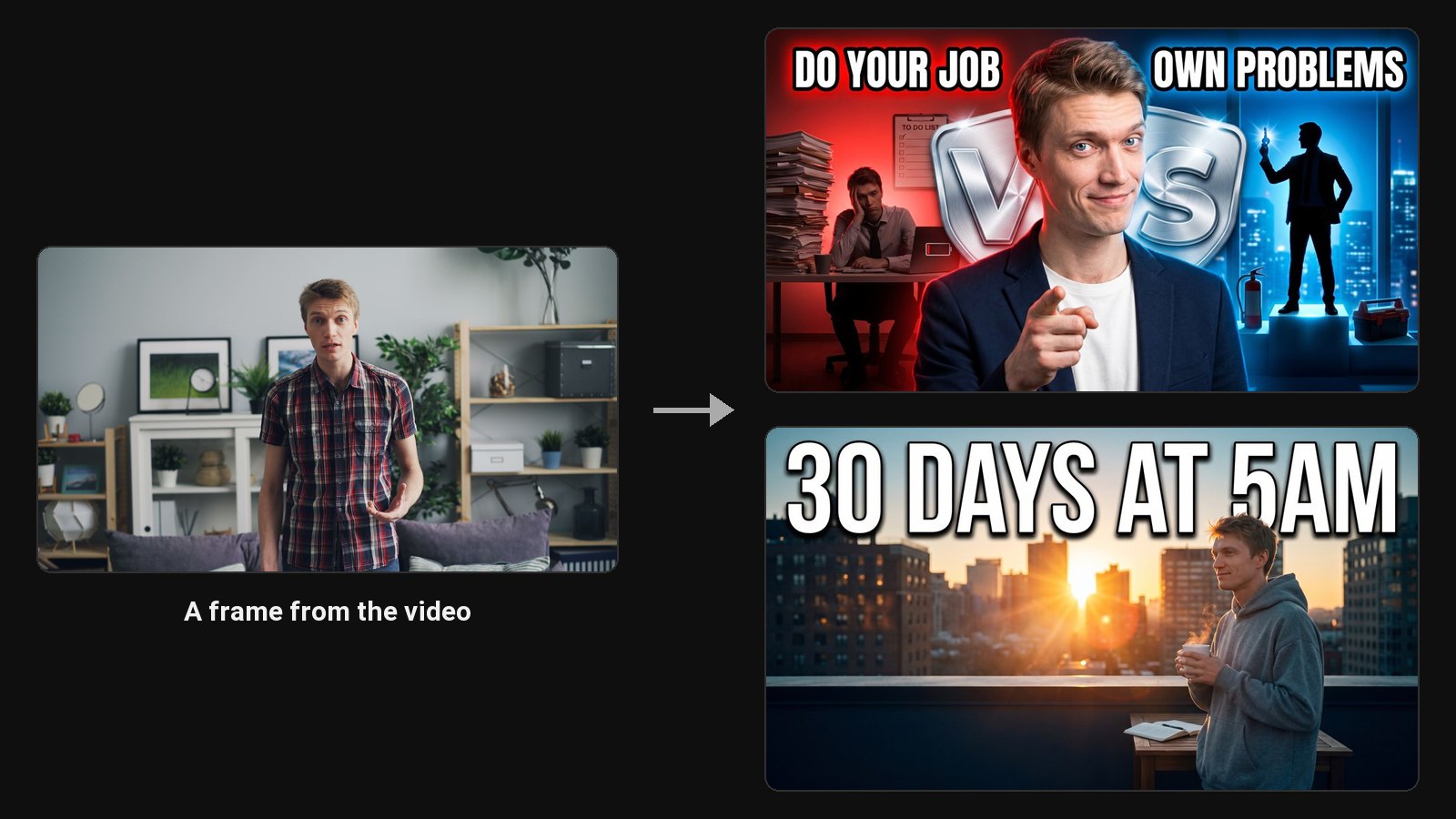
On YouTube, the thumbnail decides whether anyone watches. It's what people see on the home page, in search, in the suggested videos next to what they're watching, and on the TV app. A video nobody clicks never gets the chance to keep anyone watching.
Make a YouTube thumbnail in three steps
- Add a photo of your face and screenshots from the video, or press Thumbnail on a clip in ClipFlame.
- Pick a layout. Choose from 14 YouTube layouts, 4 faceless ones, or choose the AI Designer to build it from your description. Add direction if you have an idea: "show the before and after of the kitchen".
- Download the one you like as a JPG at 1280 × 720, or keep editing.
Made to YouTube's specs
| Requirement | YouTube | ClipFlame download |
|---|---|---|
| Size | 3840 × 2160 recommended, 1280 × 720 common, 640 wide minimum | 1280 × 720 |
| Aspect ratio | 16:9 | 16:9 |
| File size | Up to 50 MB on desktop, 2 MB in the app | A few hundred KB, fits both |
| Format | JPG or PNG | JPG |
Custom thumbnails need a verified YouTube channel. More detail in YouTube thumbnail size.
Built from your video's real moments
ClipFlame writes the design brief from your title, your description and your screenshots. Type "$4,000 in my first month" and that number goes on the thumbnail. Add screenshots of the two cameras you compare and the design shows those cameras. Use a photo from the shoot and the face looks like you on the day.
Made clips in ClipFlame? Press Thumbnail on a clip and the brief comes from what you said in it.
Layouts for every kind of YouTube video
- Talking head and commentary: Center Stage, Big Reaction, Simple Text.
- Tutorials and explainers: Explainer, Whiteboard, Circle & Arrow, Object in Hand.
- Results and stories: Big Number, Before / After, Notification.
- Comparisons and reviews: Versus, Object in Hand.
- Travel and vlogs: In the Scene. See the vlog thumbnail maker.
- Podcasts and interviews: Podcast, Podcast Duo. See the podcast thumbnail maker.
Test two versions
Each generation gives you two different designs. Upload both to YouTube's Test & Compare in Studio and let YouTube pick the one that keeps people watching longest. How it works: how to A/B test YouTube thumbnails.
Schedule it with the video
On every plan, the scheduler uploads your video to YouTube at the time you pick, with your thumbnail, title and description, and can post the same video to Instagram, TikTok and Facebook.
Common questions
What is the best free YouTube thumbnail maker?
For a template you fill in yourself, Canva is free and has thousands of YouTube templates. For a finished design with your face in it, ClipFlame's first credit is free: one AI design, plus one thumbnail from a screenshot. See the best AI thumbnail makers for the full comparison.
How do I make a YouTube thumbnail without Photoshop?
Add a photo of your face and a screenshot to ClipFlame, describe the thumbnail, pick a layout and download the design. Text, expression and any other part can be changed by clicking and typing. Step by step: how to make a YouTube thumbnail.
Do thumbnails affect views?
Yes. YouTube shows your video to people, and the thumbnail and title decide whether they click. A higher click-through rate from the same impressions means more views. Work out what yours could gain with the YouTube CTR calculator.
Can I change the thumbnail after publishing?
Yes, any time in YouTube Studio. Many creators swap the thumbnail on older videos that stopped getting views.