How to A/B test YouTube thumbnails
On this page
To A/B test YouTube thumbnails, use Test & Compare in YouTube Studio on a computer: open the video's details, click A/B Testing (Test & Compare) under Thumbnail, upload two or three thumbnails, and save. YouTube shows each version to a share of viewers and, usually within two weeks, keeps the one with the highest watch time share. You can test titles the same way.
How to set up a test
- Open YouTube Studio on a computer and go to Content.
- Click the video to open its Details.
- Under Thumbnail, click A/B Testing (labelled Test & Compare on some channels).
- Choose what to test: thumbnails only, titles only, or title and thumbnail together.
- Add two or three versions. Use thumbnails of at least 1280 × 720: YouTube downscales smaller images to 480p for the test.
- Click Done, then Save.
You can start a test while uploading a new video or on one that's already published. It's a desktop feature for channels with access to advanced features, and it isn't available for Shorts, private videos, videos made for kids or videos for mature audiences. Scheduled live streams and Premieres can only be tested after they've aired. Full rules are on YouTube's A/B test help page.
How YouTube picks the winner
YouTube doesn't pick the thumbnail with the most clicks. It picks the one with the highest watch time share: the total time people spent watching after seeing that version. A small control group only ever sees the original, and isn't counted. A clickbait thumbnail that gets clicks and then loses viewers can lose the test, which is the right outcome.
The result is one of:
- Winner: one version did clearly better, and YouTube shows it to everyone.
- Performed same: the versions did about equally well.
- Inconclusive: no clear difference in the data. YouTube keeps the first version.
What to test
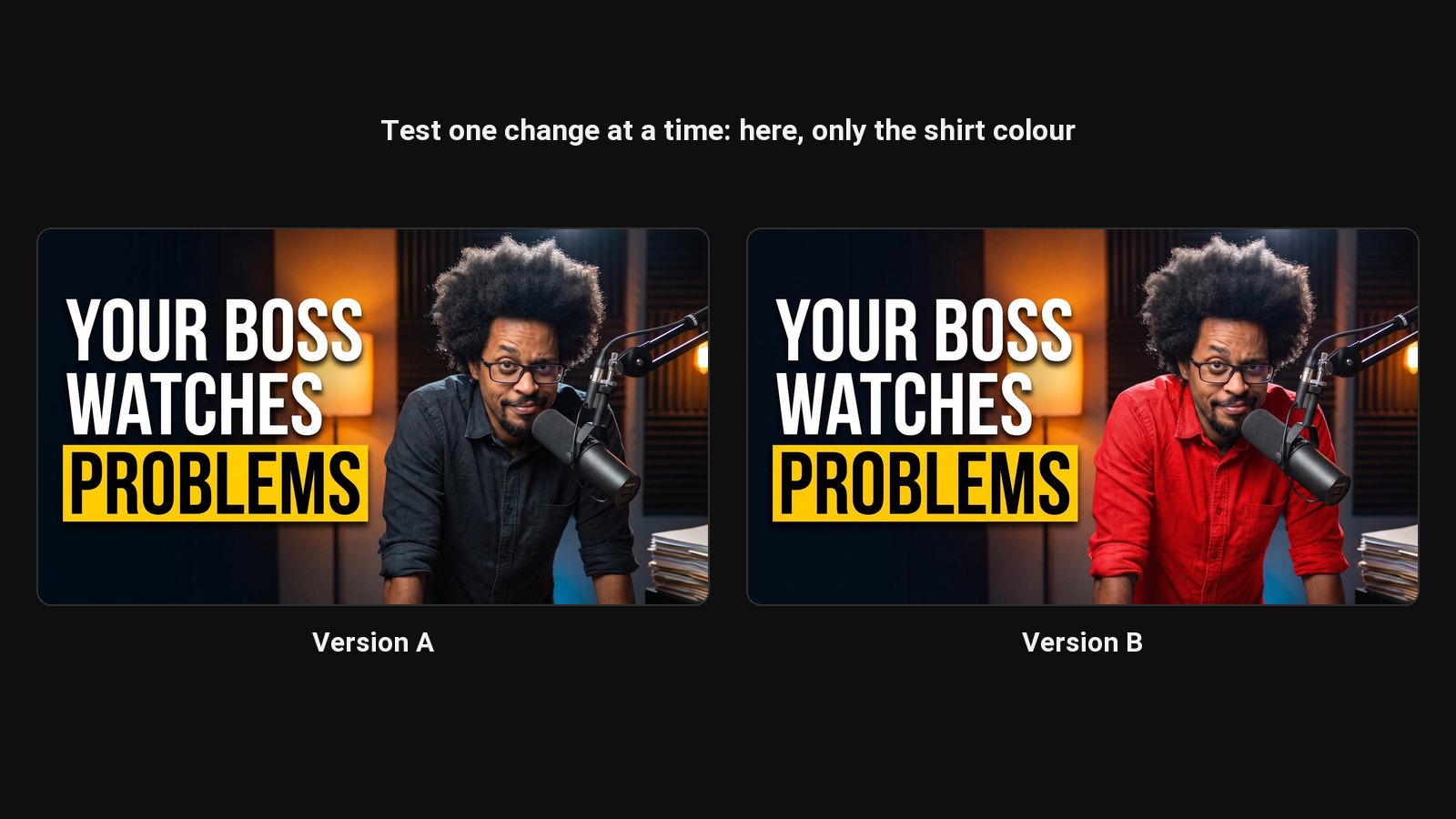
Test one big difference at a time, so you know what made it win:
- Face vs no face.
- Expression: shocked vs curious.
- Text vs no text, or two different phrases.
- Layout: big number vs before and after.
- Colour: a warm background vs a cool one.
Two slightly different crops of the same image will almost always come back inconclusive.
Get versions to test, fast
The slow part of testing is making the second and third version. ClipFlame's YouTube thumbnail maker gives you two different designs with every generation, and you can make a third by changing just the expression or the text, so each version tests one thing.
Before you test
Check each version at phone size with the thumbnail tester. And to see what a better click-through rate is worth in views, try the CTR calculator.
Common questions
How long does a thumbnail test take?
YouTube says most tests finish within two weeks. Videos with few impressions take longer and are more likely to end inconclusive.
Why don't I have Test & Compare?
It's available on desktop for channels with advanced features. Verify your channel and check Feature eligibility in Studio settings. Shorts can't be tested.
Can I test titles too?
Yes. You can test up to three titles on their own, or up to three title and thumbnail pairs. Test titles separately from thumbnails if you want to know which change made the difference.