Video to thumbnail generator
On this page
To turn a video into a thumbnail with ClipFlame, take a screenshot or two from the video, add a photo of your face and describe what you want. ClipFlame designs two thumbnails in the layout you choose, with a new scene, bold text and your likeness, and also turns your screenshots into two thumbnails with a headline. Download at 1280 × 720 for YouTube or 1080 × 1920 for Shorts.
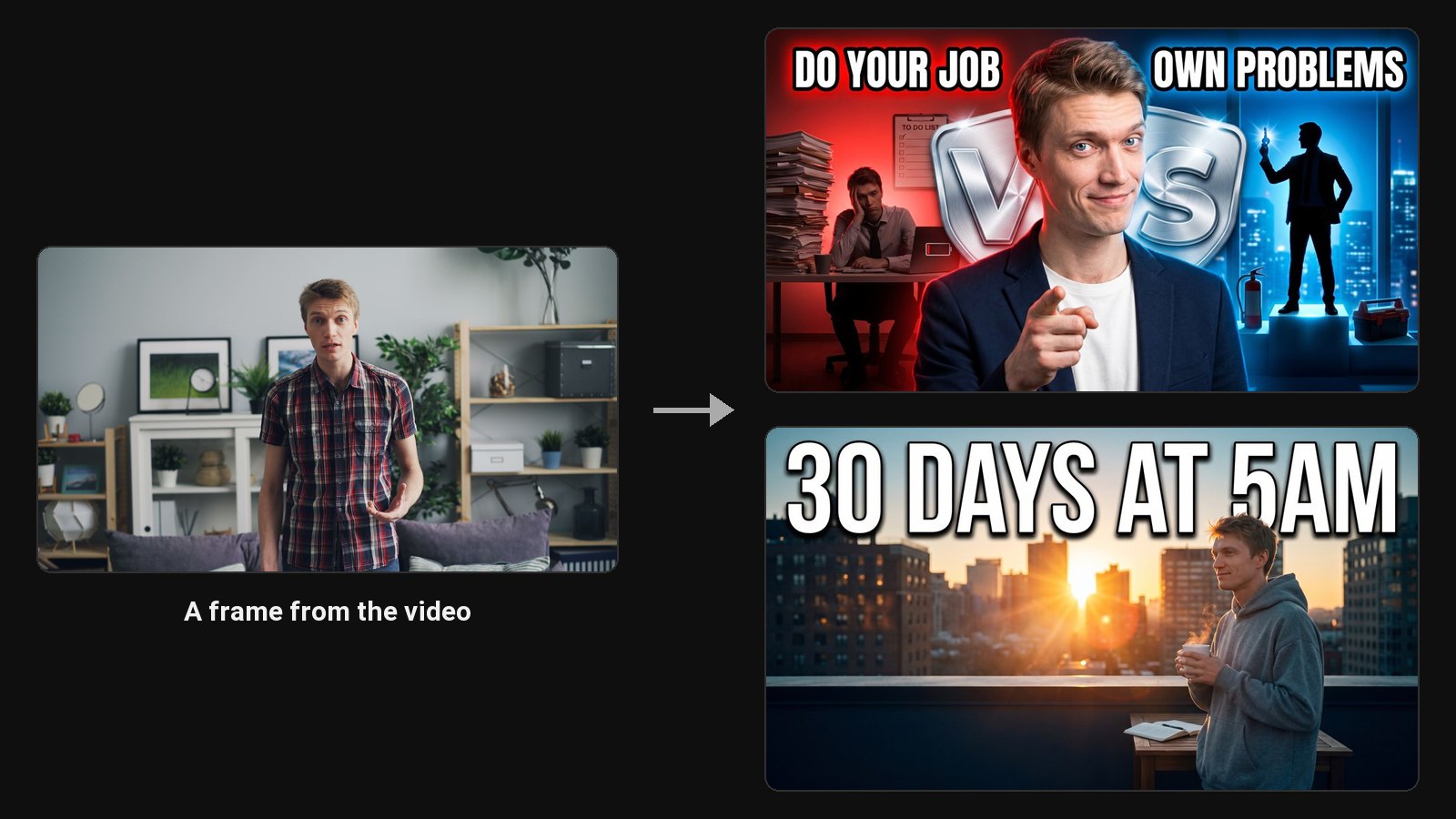
A frame grabbed from a video rarely makes a good thumbnail. People blink, talk mid-word and sit in front of busy backgrounds. A designed thumbnail fixes all three: the best version of your face, a background that supports the topic, and three or four words that make people curious.
From video to thumbnail
- Type the video's title and start a project.
- Add screenshots from the video, up to six. Pause on the moments that show the topic: the product, the place, the big reveal.
- Add a photo of your face, up to three. Save them once and they fill in on every new project.
- Describe the thumbnail, such as "me pointing at the broken laptop, text: IT'S OVER".
- Pick a layout from 24, or choose the AI Designer to build it from your description. Each generation paints two designs with you in them.
What it takes from your video
- The topic. Your title, description and screenshots decide the scene, the props and the background.
- The real moments. A design can build on one of your screenshots, so the thumbnail shows what people will see.
- Your face. Your photos keep your likeness in every design.
Frame grab vs designed thumbnail
| Frame from the video | ClipFlame design | |
|---|---|---|
| Face | Whatever frame you paused on | Your best photo, with the expression you choose |
| Background | The room you filmed in | A scene that shows the topic |
| Text | None, or typed on top | Bold, readable at phone size, editable |
| Size | Your video's resolution | 1280 × 720 or 1080 × 1920, a JPG that uploads from desktop or the app |
Just need the thumbnail an existing YouTube video already has? Use the free YouTube thumbnail downloader.
From a clip to its thumbnail
If you already cut clips with ClipFlame's AI clip maker, each clip has a Thumbnail button. ClipFlame reads that clip for you: it takes the words you said in it, the clearest frames of your face and its best moments, so the thumbnail matches the clip.
Common questions
Do I need to upload the whole video?
No. Screenshots and a photo of your face are enough. Clips you made in ClipFlame are already there, so press Thumbnail on one.
Can I get a thumbnail from a YouTube link?
You can paste a YouTube link to copy that video's thumbnail layout for your own design. See recreate a YouTube thumbnail.
What if I'm not in the video?
Use the faceless layouts. They build the thumbnail around the topic, with no person in it.
How long does it take?
The project opens as soon as you start it. Each pair of designs takes about a minute.
How long do my designs stay?
The designs stay in your account for 30 days. Photos you save to reuse stay until you delete them.