How to make a YouTube thumbnail
On this page
To make a YouTube thumbnail: decide the one idea the video promises, get a clear photo of a face with a strong expression, add three to five words that don't repeat the title, design it at 1280 × 720 or larger with high contrast, and check it at phone size before you upload it in YouTube Studio.
1. Start from the idea, not the design
Write the video's promise in one sentence: "I tried the $50 guitar against the $5,000 one." The thumbnail shows that sentence as a picture. If you can't say what the video promises, no font or colour will fix the thumbnail.
Then pick the picture that says it fastest. For the guitar video: the two guitars and your face. That's it.
2. Get the face right
A face with a clear emotion is the strongest thing you can put in a thumbnail. It also tells people how to feel about the video.
- Big: the face should take up a quarter to a third of the frame.
- Sharp and well lit: take a still photo, or pick a sharp frame from the video.
- One emotion that matches the video: surprise, joy, worry, curiosity.
- Eyes toward the subject or straight at the camera.
3. Add three to five words
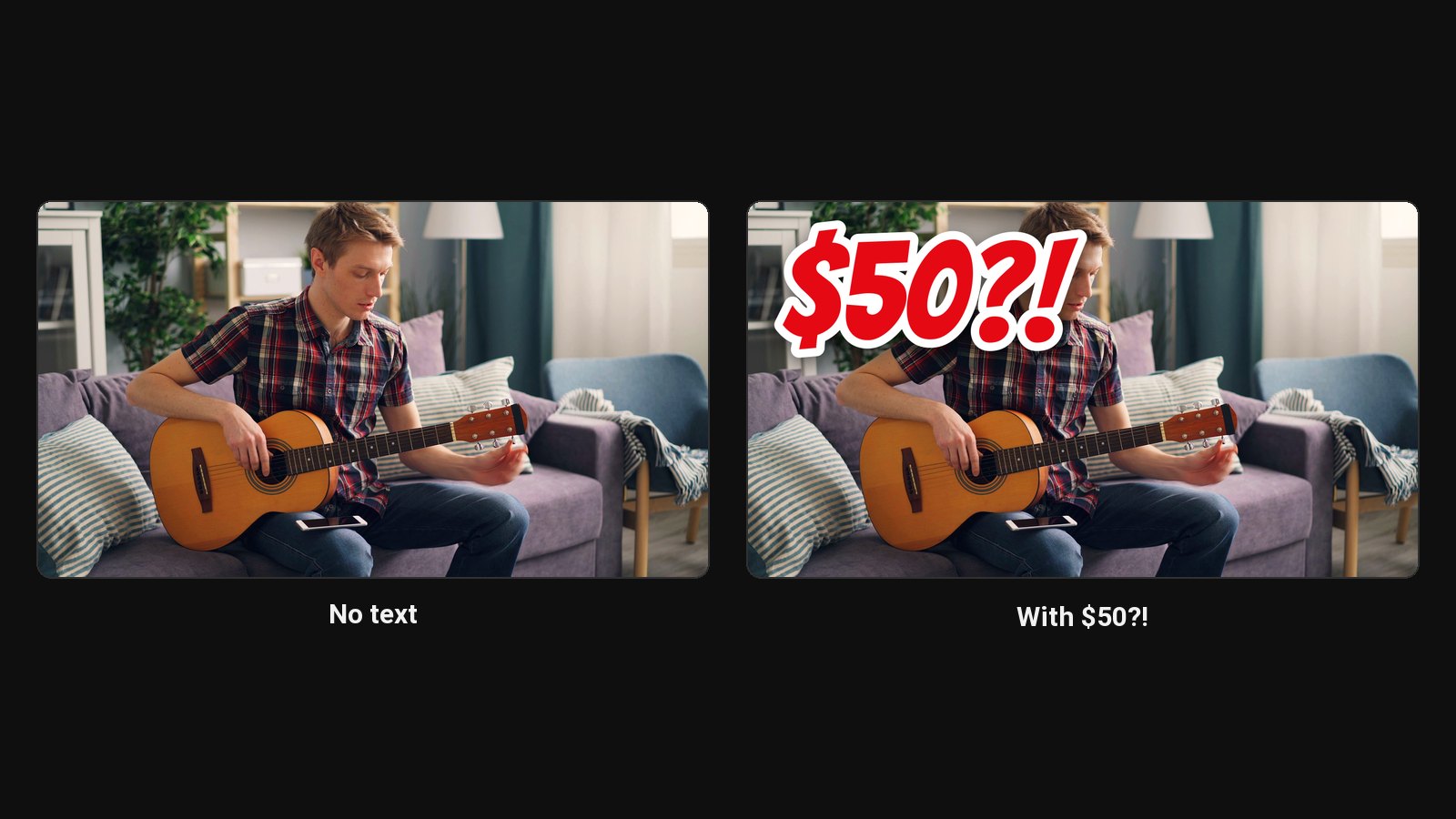
The text should add to the title, not repeat it. Title: "I tried the cheapest guitar on Amazon". Thumbnail: "$50?!". Big, bold, high-contrast, with an outline or a box behind it if the background is busy. Font ideas: best fonts for YouTube thumbnails.
4. Design at 1280 × 720 with contrast
- Size: 1280 × 720 pixels or larger, 16:9. YouTube now recommends 3840 × 2160 and accepts up to 50 MB from a computer, 2 MB from the app. See YouTube thumbnail size.
- Contrast: bright subject, darker or simpler background.
- Colour: one or two strong colours that stand out from the rest of your niche.
- Clear corner: keep the bottom right empty for the timestamp.
5. Test it small
Shrink it to 168 pixels wide, the size of the suggested videos sidebar. If you can't tell what it is, simplify. Preview it next to real videos with the thumbnail tester, and get a quick score with the thumbnail rater.
6. Upload it
In YouTube Studio, open the video's Details, click Upload thumbnail under Thumbnail, pick the file and Save. Custom thumbnails need a verified channel. To test more than one, use Test & Compare: how to A/B test YouTube thumbnails.
Which tool to use
| Tool | Good for | Effort |
|---|---|---|
| Canva | Free templates you fill in | 15 to 30 minutes |
| Photoshop | Full control, cut-outs, custom effects | 30 to 90 minutes |
| AI thumbnail maker | A finished design from your photo and screenshots | 2 to 5 minutes |
ClipFlame's AI thumbnail maker does steps 1 to 4 for you: add a photo of your face and screenshots from your video, say what you want, and it designs two thumbnails in a proven layout, plus two cut from your screenshots. On the Pro plan you edit anything by clicking it. For other options, see the best AI thumbnail makers.
Common mistakes
- Too much text. If it takes more than a second to read, it won't be read.
- Tiny faces. A full-body shot turns into a dot on a phone.
- Matching the title word for word. It wastes the space.
- Promising what the video doesn't deliver. Viewers leave early, and YouTube shows the video to fewer people.
- Every thumbnail different. A consistent style helps subscribers spot your videos.
Common questions
What size should a YouTube thumbnail be?
16:9, at least 1280 × 720. YouTube now recommends 3840 × 2160 and accepts JPG or PNG files up to 50 MB from a computer, or 2 MB from the phone app. See YouTube thumbnail size.
Can I make a YouTube thumbnail for free?
Yes. Canva has free thumbnail templates you fill in yourself, and ClipFlame's first AI thumbnail credit is free.
Does a YouTube thumbnail need text?
No. Many strong thumbnails have none. If you add text, keep it to three to five words that add to the title instead of repeating it.
How do I upload a custom thumbnail?
In YouTube Studio, open the video's Details and click Upload thumbnail under Thumbnail. Your channel needs to be verified first.