Thumbnail text editor
On this page
ClipFlame's thumbnail text editor turns the words on an AI thumbnail into real, editable text. Press Make text editable and ClipFlame reads the text, paints it out of the picture, and puts it back as layers you can retype, drag, resize and restyle. Typos and last-minute title changes no longer mean a new design. Text editing is free with any credit pack.
AI image models are good at text now, but text baked into a picture is stuck there. Change your title an hour before publishing and the thumbnail no longer matches. One wrong letter and you start again. Separate text layers fix that, the same way they do in Photoshop or Canva.
What you can change
- The words, on one line or several.
- Position: drag the text anywhere on the canvas.
- Size, font and colour.
- Alignment: left, centre or right, without the text jumping.
- Outline in any colour, for text over busy backgrounds.
- Highlight box behind the words, like the yellow bars on podcast thumbnails.
- Drop shadow to lift text off the picture.
Add new text layers too, up to 12 on one thumbnail.
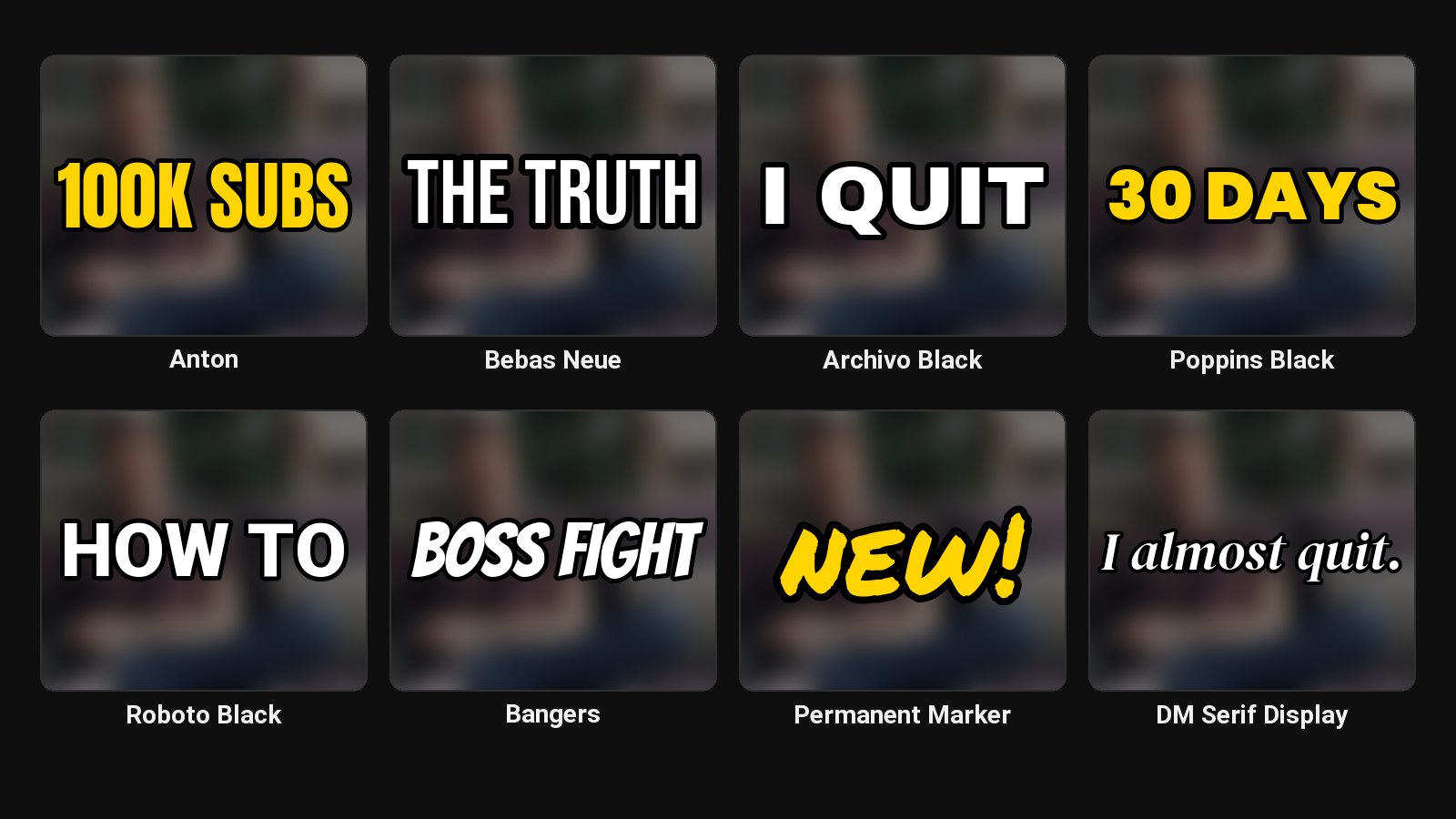
Nine fonts made for thumbnails
| Font | Feel |
|---|---|
| Anton | Tall, condensed, the classic YouTube headline |
| Bebas Neue | Clean condensed capitals |
| Archivo Black | Wide and heavy |
| Poppins Black | Round and friendly |
| Roboto Black | Neutral and very readable |
| DM Serif Display (italic) | Editorial, for calm or premium topics |
| Permanent Marker | Handwritten, for notes and arrows |
| Bangers | Comic-book energy |
| Noto Sans Devanagari | Hindi and other Devanagari text |
Which to pick and why: best fonts for YouTube thumbnails.
What you see is what you download
The editor draws the text the same way the download does, at the full 1280 × 720 or 1080 × 1920, so the size and outline you set are exactly what lands on YouTube.
The text survives AI edits
After the text is editable, any AI edit to the picture (a new background, a different shirt, another expression) keeps your text layers on top, untouched.
Text that reads on a phone
- Three to five words. More than that won't read at 168 pixels wide in the sidebar.
- Size up. A headline should be at least a sixth of the thumbnail's height.
- Outline or highlight whenever the background is busy.
- Don't repeat the title. Add to it instead.
Check it at real size with the thumbnail tester.
Common questions
Does making the text editable use a credit?
No. It counts as one edit.
Can I use my own font?
Not yet. Pick the closest of the nine and set your brand colours.
Can I remove the text completely?
Yes. Make it editable, then delete the layers. You're left with a clean picture.