Recreate a YouTube thumbnail
On this page
To recreate a YouTube thumbnail with ClipFlame, choose Replicate, then paste the video's YouTube link or upload the thumbnail image. ClipFlame keeps the layout (where the person sits, how big the text is, the kind of background) and designs a new thumbnail for your video, with your face and your own words.
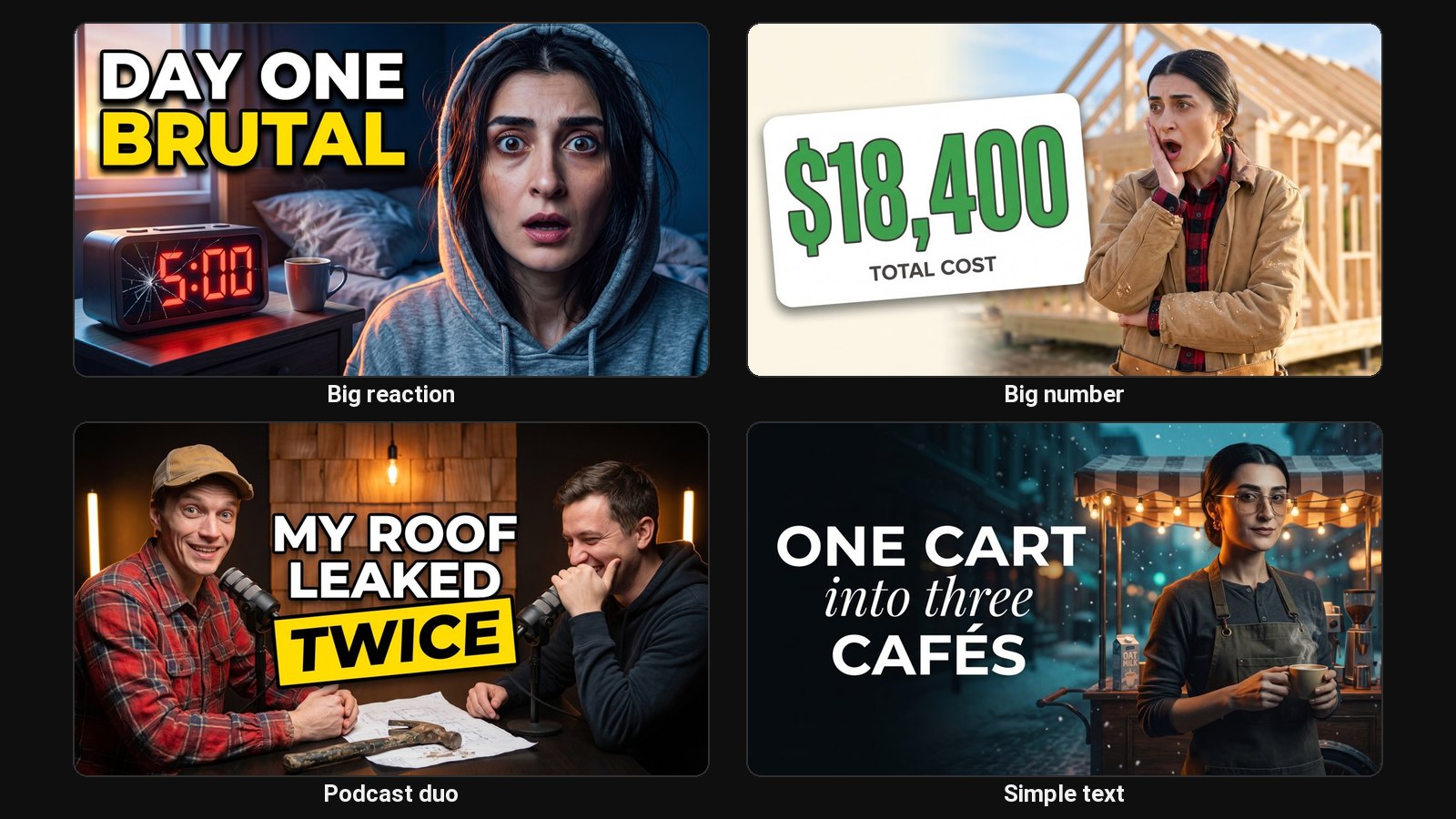
Every niche has a few thumbnail formats that keep working. The face on the right with a big number on the left. The split before and after. The red circle on one detail. Copying the format is how most creators learn. Copying the image is how they get a copyright strike. Recreating the layout with your own content is the difference.
How to recreate a thumbnail
- Start a project with your video's title, and add a photo of your face so ClipFlame knows your likeness.
- Choose Replicate.
- Paste the YouTube link of the video whose thumbnail you like, or upload the image.
- Get two designs with your face, your topic and your words.
What it keeps and what it changes
| Kept from the reference | Changed to yours |
|---|---|
| Where the person stands and how big they are | The person (you) |
| Where the text goes and how much space it takes | The words, from your title and description |
| The type of background and colour mood | The scene, from your topic |
| Graphic devices like arrows, circles and split lines | What they point at |
Do this, not that
- Do recreate formats: layouts are ideas, and every big channel uses the same handful.
- Don't copy someone's photo, character, logo or exact words. Your thumbnail should be clearly yours.
- Do pick references from your own niche, so the format fits what your viewers already click.
Want to study a thumbnail first? Download it at full size with the free YouTube thumbnail downloader.
Common questions
Can I recreate a thumbnail from a YouTube link?
Yes. Paste the link and ClipFlame fetches that video's thumbnail to use as the layout reference. Only the picture is used, not the video.
Is recreating a thumbnail allowed?
Using a layout as inspiration is normal practice. Don't reuse another creator's photos, artwork or logos, which can infringe their copyright. ClipFlame builds the new design from your own face and topic.
Does it use a credit?
Yes. A recreate is a generation like any other: it uses one credit and gives two AI designs, plus two screenshot thumbnails if you added screenshots (one of each on the free credit).