Best caption generators in 2026
On this page
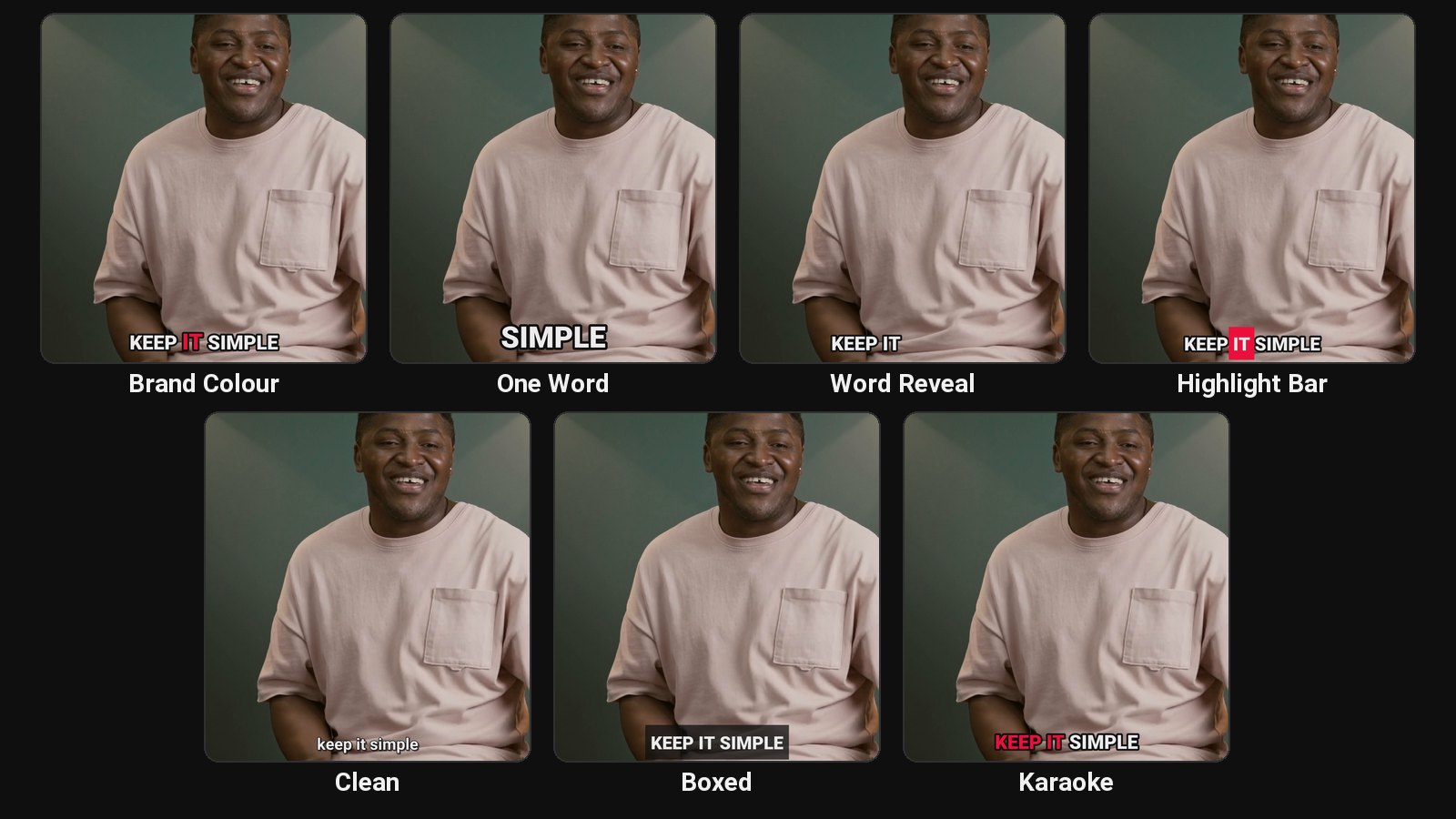
The best caption generator for Shorts, Reels and TikTok is ClipFlame if your clips come from podcasts, interviews or YouTube videos: it finds up to 20 clips per video, scores them for virality and burns in word-by-word captions in seven styles, three in your brand colour, across 9 languages. CapCut is the best free option for short videos you edit yourself. Also covered: Submagic, Captions, Kapwing and Zubtitle.
Disclosure: we make ClipFlame. Prices were checked on each tool's site in September 2026 and are monthly prices unless noted.
Summary
| Tool | Best for | Paid from | Free option |
|---|---|---|---|
| ClipFlame | Captioned clips cut from long videos | $19/mo | First 10 minutes free |
| CapCut | Free captions on short videos | Free core; Pro $19.99/mo | Yes |
| Submagic | Animated captions, emojis, effects | $19/mo | None |
| Captions | Mobile-first AI editing | $24.99/mo (iOS) | Free plan, limited templates |
| Kapwing | Subtitles for full-length videos in a browser | $24/mo ($16 yearly) | 720p, watermarked |
| Zubtitle | Simple captions on videos up to 20 min | $19/mo | 2 videos/mo, watermarked |
What to look for
- Accuracy and easy fixing. Every tool gets names wrong sometimes; fixing should take seconds.
- Readable styles. Bold, outlined, a few words at a time for short-form.
- Placement clear of platform buttons.
- Languages you actually speak, rendered in the right script.
- Where your videos start. Captioning an already-short video and cutting clips from a long one are different jobs.
1. ClipFlame
Best for: creators whose short videos come from podcasts, webinars or YouTube videos. It finds the moments, cuts them, and burns in word-by-word captions in seven styles (three in your brand colour), in 9 languages, including Hindi in Devanagari. Fix any word, re-render free.
Also included: a 0-100 virality score on every clip, a title and hashtags per platform, and the scheduler on every plan, so captioned clips go straight to YouTube, Instagram, TikTok and Facebook.
2. CapCut
Best for: free, styled auto captions on short videos, with plenty of templates. See how to add captions in CapCut.
3. Submagic
Best for: the widest range of animated caption templates, plus emojis, zooms, B-roll and sound effects. Base plans cap video length (2 minutes on Starter). See Submagic alternatives.
4. Captions
Best for: filming and editing on your phone, with AI edits and generative features on credits. See Captions app alternatives.
5. Kapwing
Best for: subtitles on full-length videos in a browser editor, with translation and team features. See Kapwing alternatives.
6. Zubtitle
Best for: simple captioning and resizing of short videos, up to 20 minutes. See Zubtitle alternatives.
Which should you pick?
| If you... | Pick |
|---|---|
| Want free captions on short videos | CapCut |
| Want flashy animated captions | Submagic |
| Cut clips from long videos every week | ClipFlame |
| Film and edit on your phone | Captions |
| Need subtitles on full-length videos | Kapwing, or YouTube Studio for YouTube |
Common questions
What is the best free caption generator?
CapCut for short videos. YouTube Studio's auto captions for long YouTube videos.
Which caption generator is most accurate?
Most use similar speech recognition, and accuracy depends mostly on audio quality. Choose the one that makes fixing mistakes easiest.
Which caption generator supports Hindi?
Several do. ClipFlame renders Hindi in Noto Sans Devanagari with proper shaping. See the Hindi subtitle generator.