ClipFlame for lawyers
Lawyers and law firms use ClipFlame to turn long explainer videos, client webinars and legal podcasts into short captioned clips, each answering one common question: "What happens if I die without a will?", "Can my landlord keep my deposit?". Each clip is ready to review and schedule.
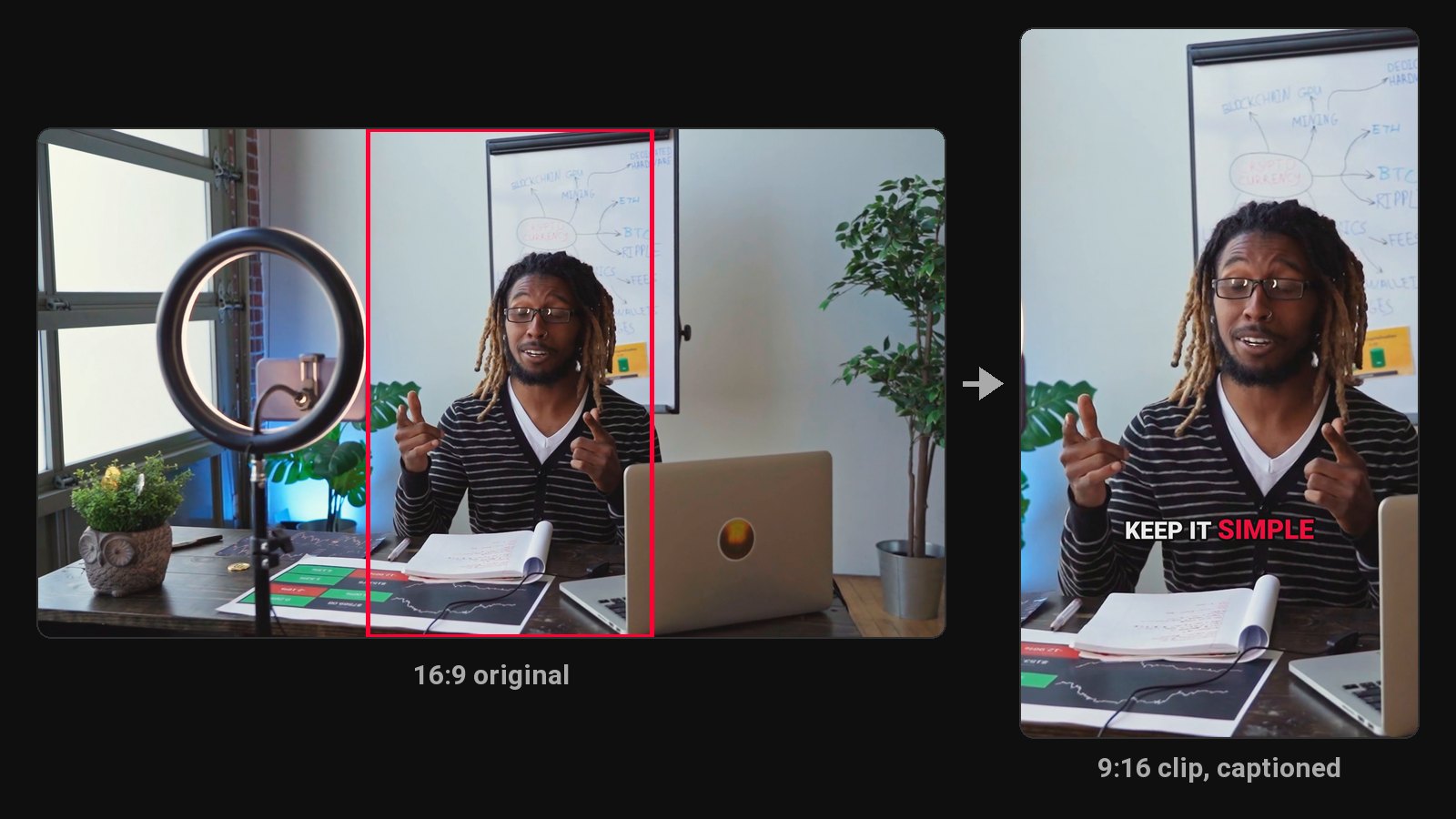
People searching for a lawyer are usually searching for an answer first. A short, plain-English clip that answers their exact question builds more trust than a firm's homepage, and it's often how people choose who to call. Most firms that record webinars or explainer videos never cut them down, because nobody has the time.
What to record and clip
- FAQ sessions: one question per clip.
- Client webinars on estate planning, employment rights, immigration steps, business formation.
- Legal podcasts and interviews.
- "What to expect" explainers for each stage of a process.
Review is non-negotiable
A sentence cut from context can read as legal advice or leave out a crucial "it depends". ClipFlame picks complete thoughts and cuts on full sentences, but every clip should be reviewed before posting:
- Check the clip still says what you meant without the surrounding context.
- Add a "general information, not legal advice" line, either on the end card or in the post caption.
- Follow your jurisdiction's rules on lawyer advertising.
ClipFlame's captions use only what you said. It doesn't add claims or case results of its own.
What you get
- Clips in 9:16, 4:5 and 1:1, with word-by-word captions. Clean and Boxed styles fit a professional tone.
- On every plan: the scheduler posts each approved clip to YouTube, Instagram, TikTok and Facebook at the time you pick.
- Brand kit on every paid plan: firm logo watermark and an end card with your contact details.
Answering the same questions every week? A content calendar built on one recorded Q&A keeps the clips coming.
Pricing
Starter $19/month for 4 hours of video a month; Pro $39/month for 20 hours. Both include the brand kit. Your first 10 minutes of video are free.
Common questions
Does ClipFlame tell me which clips are best?
Yes. Every clip gets a virality score from 0 to 100, clips come sorted best first, and clips scoring 80 or more are highlighted. Each video gives up to 20 clips, so you can post the strongest first.
Is it safe to upload client meetings?
Don't upload privileged or confidential client conversations. Use ClipFlame for content made to be public.
Can clips be in Spanish or Hindi?
Yes. Captions follow the spoken language, across 9 languages.